
Participant
Jun 4, 2023 10:24 AM UTC
Question

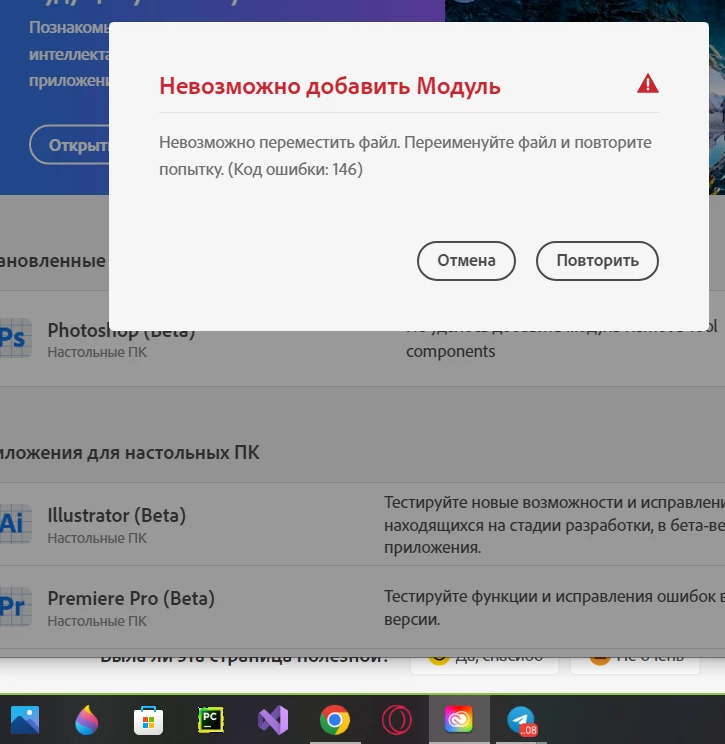
Photoshop beta remove tool components

when he wants to install remove tool components he writes error 149 cannot add module, cannot move file, rename file and try again, how to fix it? already tried to uninstall and restarted the computer and reinstalled again 
This topic is closed to new replies. Start a new post to keep the conversation going.

4 replies

jane-e
Community Expert
Community Expert
Sep 10, 2023 3:25 PM UTC


@alex30268559d3oo wrote: Photoshop beta remove tool components


I've moved this thread from Photoshop to Photoshop Beta


Jane


Translate
Kevin Stohlmeyer
Community Expert
Community Expert
Jun 5, 2023 7:43 PM UTC

Hi @alex30268559d3oo follow the troubleshooting steps outlined in the link below:

https://helpx.adobe.com/creative-cloud/kb/Error_Code_146.html


Translate
Participant
Sep 9, 2023 1:52 AM UTC

I found the solution on cannot add module, try to rename it, I found it in C:\Program Files\Common Files\Adobe\Installers
I just delete the application file that got error in my case it was Photoshop Beta, after that I go back to Creative Cloud and install the addons I want and it worked

Translate
Participant
Sep 10, 2023 12:04 PM UTC

how do i know what file got errors?, and what should i rename it ?

Translate