Participant
May 25, 2023 3:58 PM UTC
Answered

Photoshop beta scratch disk problem

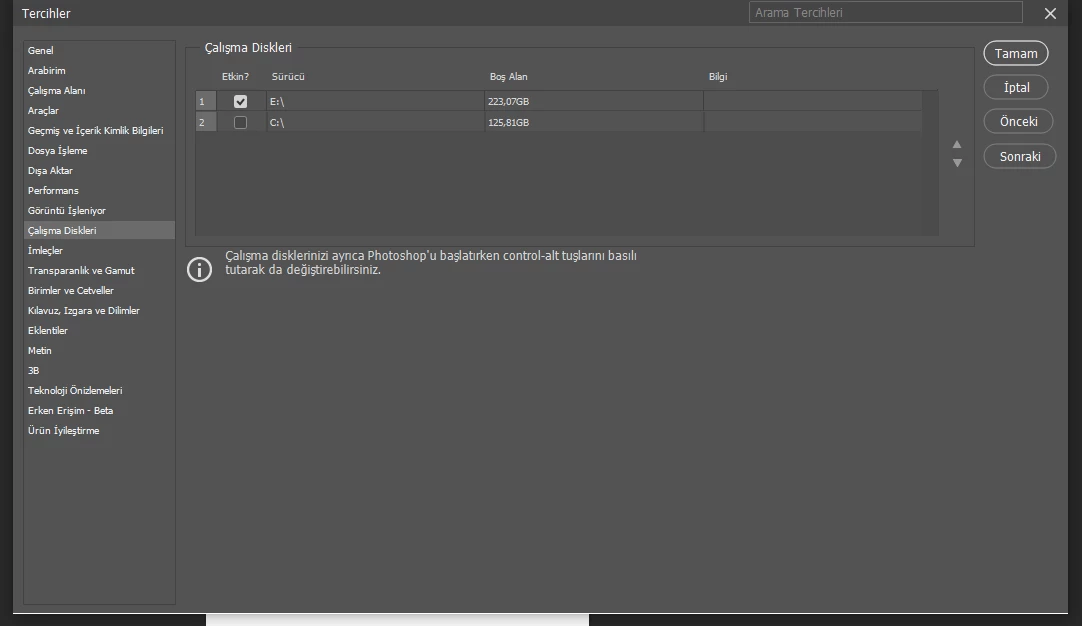
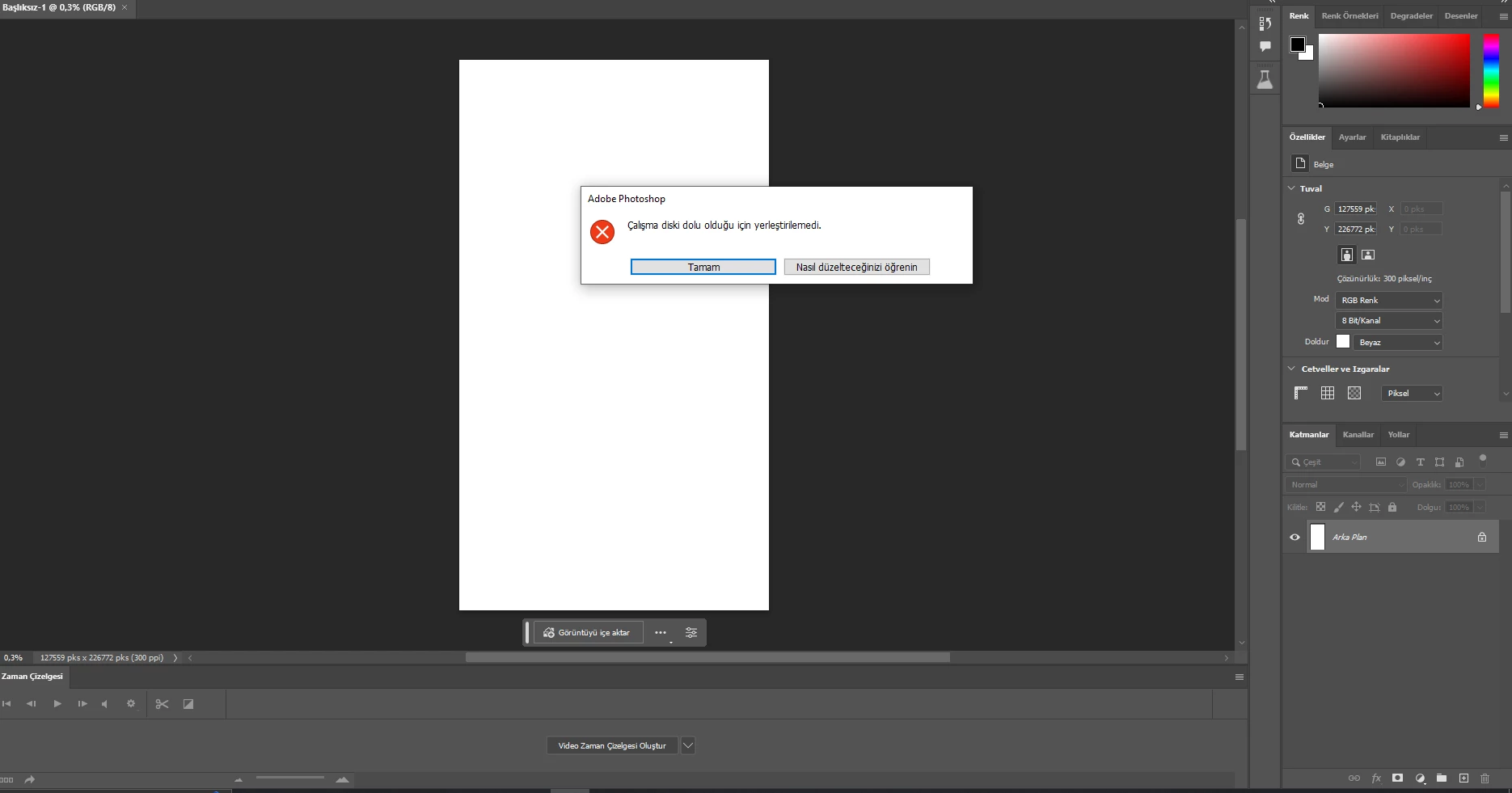
In Photoshop beta, I get the problem that the scratch disk could not be inserted because it is full. I changed the disk and I have 223 gb of free space.
What is the solution?
  

This topic is closed to new replies. Start a new post to keep the conversation going.
Test Screen NameCorrect answer
Legend
May 25, 2023 4:23 PM UTC

The image is more than 100000 x 200000 pixels. You are viewing at 0.4%. Is this deliberate? If so you will need much more scratch space. If not, check your units on New Document. 

3 replies

davescm
Community Expert
Community Expert
Aug 8, 2023 11:22 AM UTC

With a document that large you are going to need more free scratch disk space than that.

Dave

Translate
Participant
Aug 8, 2023 10:32 AM UTC

Yea I was trying to load PS Beta this morning ... and when the native scratch disk is full when I tried to Control and Alt to switch scratch disk to another volume... PS Beta just freezes...

Translate
Test Screen NameCorrect answer
Legend
May 25, 2023 4:23 PM UTC

The image is more than 100000 x 200000 pixels. You are viewing at 0.4%. Is this deliberate? If so you will need much more scratch space. If not, check your units on New Document. 

Translate
