
Question
Photoshop Color Picker functionality in UI
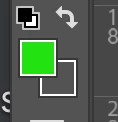
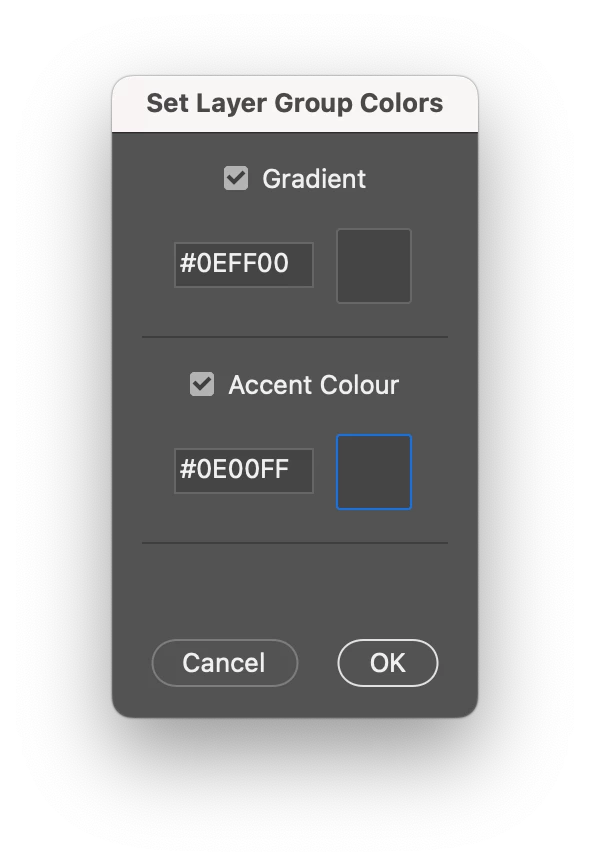
Hi, I'm working on UI, where I want a Photoshop color picker like functionality (see a snapshot from the Photoshop Toolbar). The code correctly opens the color picker and updates the Hex value, but it cannot reflect the selected color in the preview box.
Can anyone please look into this and fix the issue.
// Simplified color picker and preview update script

function showDialog() {
  var dialog = new Window("dialog", "Pick and Preview Color");

  // Function to update the preview panel color
  function updatePreviewColor(previewPanel, color) {
    previewPanel.graphics.backgroundColor = previewPanel.graphics.newBrush(
      previewPanel.graphics.BrushType.SOLID_COLOR,
      [color.red / 255, color.green / 255, color.blue / 255, 1]
    );
    previewPanel.graphics.foregroundColor = previewPanel.graphics.newBrush(
      previewPanel.graphics.BrushType.SOLID_COLOR,
      [color.red / 255, color.green / 255, color.blue / 255, 1]
    );
    previewPanel.notify("onDraw"); // Force the panel to redraw
  }

  // Function to convert RGB values to hex color
  function rgbToHex(r, g, b) {
    return (
      "#" +
      ((1 << 24) + (r << 16) + (g << 😎 + b).toString(16).slice(1).toUpperCase()
    );
  }

  // Group and elements for color picking
  var colorGroup = dialog.add("group");
  colorGroup.orientation = "row";

  var colorInput = colorGroup.add("edittext", undefined, "#000000");
  colorInput.size = [60, 30];
  colorInput.enabled = false; // Disable until checkbox is selected

  var colorPreview = colorGroup.add("panel", undefined, "");
  colorPreview.size = [60, 30];
  colorPreview.enabled = true; // Enable the panel

  var colorButton = colorGroup.add("button", undefined, "Pick Color");
  colorButton.size = [, 30];

  // Add color picker functionality
  colorButton.onClick = function() {
    var initialColor = app.foregroundColor.rgb; // Store the initial foreground color
    var pickedColor = app.showColorPicker();

    if (pickedColor !== -1) {
      // Wait until the color picker is closed and then get the foreground color
      $.sleep(100); // Add a short delay to ensure the color picker updates
      var color = app.foregroundColor.rgb;
      var hexColor = rgbToHex(color.red, color.green, color.blue);
      colorInput.text = hexColor;
      updatePreviewColor(colorPreview, color);
    } else {
      // Revert to the initial color if the picker is canceled
      app.foregroundColor.rgb = initialColor;
    }
  };

  // Add buttons
  dialog.add("statictext", undefined, " "); // Adding a line gap before buttons

  var buttons = dialog.add("group");
  buttons.alignment = "center"; // Center align the buttons
  buttons.add("button", undefined, "Cancel", { name: "cancel" });
  buttons.add("button", undefined, "OK", { name: "ok" });

  dialog.show();
}

showDialog();

 AdChoices