
Pregunta
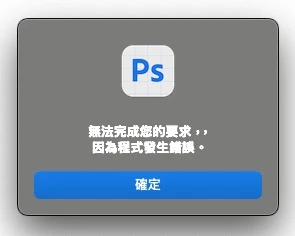
Photoshop triggers input errors when using ⌘ + any key with Zhuyin input method enabled.
Photoshop version: Adobe Photoshop Beta 26.9.0
OS version: macOS 15.5
Step 1: Open Photoshop and create or open any document.
Step 2: Set input method to Zhuyin (Bopomofo) using macOS built-in input source.
Step 3: Try using any shortcut involving the ⌘ key (e.g., ⌘ + Z for Undo, ⌘ + S for Save).
Expected result:
Photoshop should execute the intended shortcut command without interference from the input method.
Actual result:
Instead of executing the shortcut, the input method is disrupted or an incorrect character/input is triggered, preventing the shortcut from working as intended.


 AdChoices