

Participant
October 28, 2023
Answered

Please check your internet connection
  • October 28, 2023
  • 17 replies
  • 18853 views
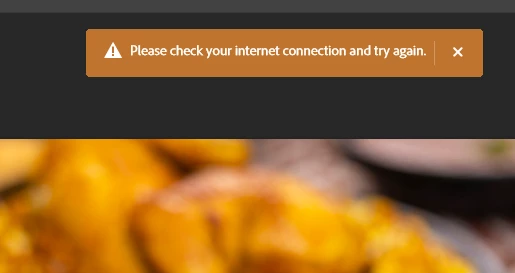
Please check your internet connection and try again.


[Topic changed to macOS as per later post by OP]



Correct answer Kevin Stohlmeyer

@DarkDeviL you dont have to turn off Windows Defender Firewall - just add Photoshop to the allowed list. Turning off is a pretty drastic/risky maneuver.

17 replies

Participant
January 15, 2024

All you have to do is to turn off any firewall on your device and try again

Participant
July 29, 2024

that really helped.


jane-e
Community Expert
Community Expert
January 8, 2024


quote

well actually I am a Mac user

By @MOHAMED SAMEH A MOHAMED


In addition to using the Cleaner tool, check your system for malware, as it is frequently included on pirated software.


Since you are a Mac user, I've edited your Topic from Windows to macOS for you.


Jane


Kevin Stohlmeyer
Community Expert
Community Expert
December 15, 2023

@kushalpratap.rajawat the fact that you attempted to use cracked software may have left breadcrumbs behind - always a risk with pirated software.

Uninstall the current installs with the Creative Cloud Desktop app, then run the Creative Cloud Cleaner tool to remove any remnants.

https://helpx.adobe.com/creative-cloud/kb/cc-cleaner-tool-installation-problems.html

If you still have issues - check your firewall settings. Not sure what "lulus" are.

Participant
December 10, 2023

well actually I am a Mac user and I have a subscription to all Adobe apps first I tried to use its cracked ver but it didn't work as  I actually blocked the adobe server  firewall using lulu's but now when I bought it and reinstalled everything genuine still  it shows the same error   but the issue persists 

CShubert
Community Manager
Community Manager
October 30, 2023

Hi @MOHAMED SAMEH A MOHAMED could you share your workflow and what you were doing when this message popped up?  Are you still seeing this issue or has it been resolved using @jane-e suggestion?


jane-e
Community Expert
Community Expert
October 29, 2023


@MOHAMED SAMEH A MOHAMED 


Try this: Quit Photoshop and Relaunch. This resets the connection Photoshop has to the server.


Let us know if this works for you.


Jane

Trevor.Dennis
Community Expert
Community Expert
October 29, 2023

Hi Mohammed.  Seeing as you were able to start this thread, your Internet has to be working, but how good is it?

If this error came up while trying to use Generative Fill, then we know a lot of people are having problems because of the heavy traffic on the site, so try later.


If it is none of the above, then please provid much more detail about your issue.
