

Adobe Employee
August 5, 2025
Question

Projects Available in Photoshop (Beta)

  • August 5, 2025
  • 1 reply
  • 705 views

We’re excited to share that Projects is now available in Photoshop (Beta), and we’d love to hear your thoughts!
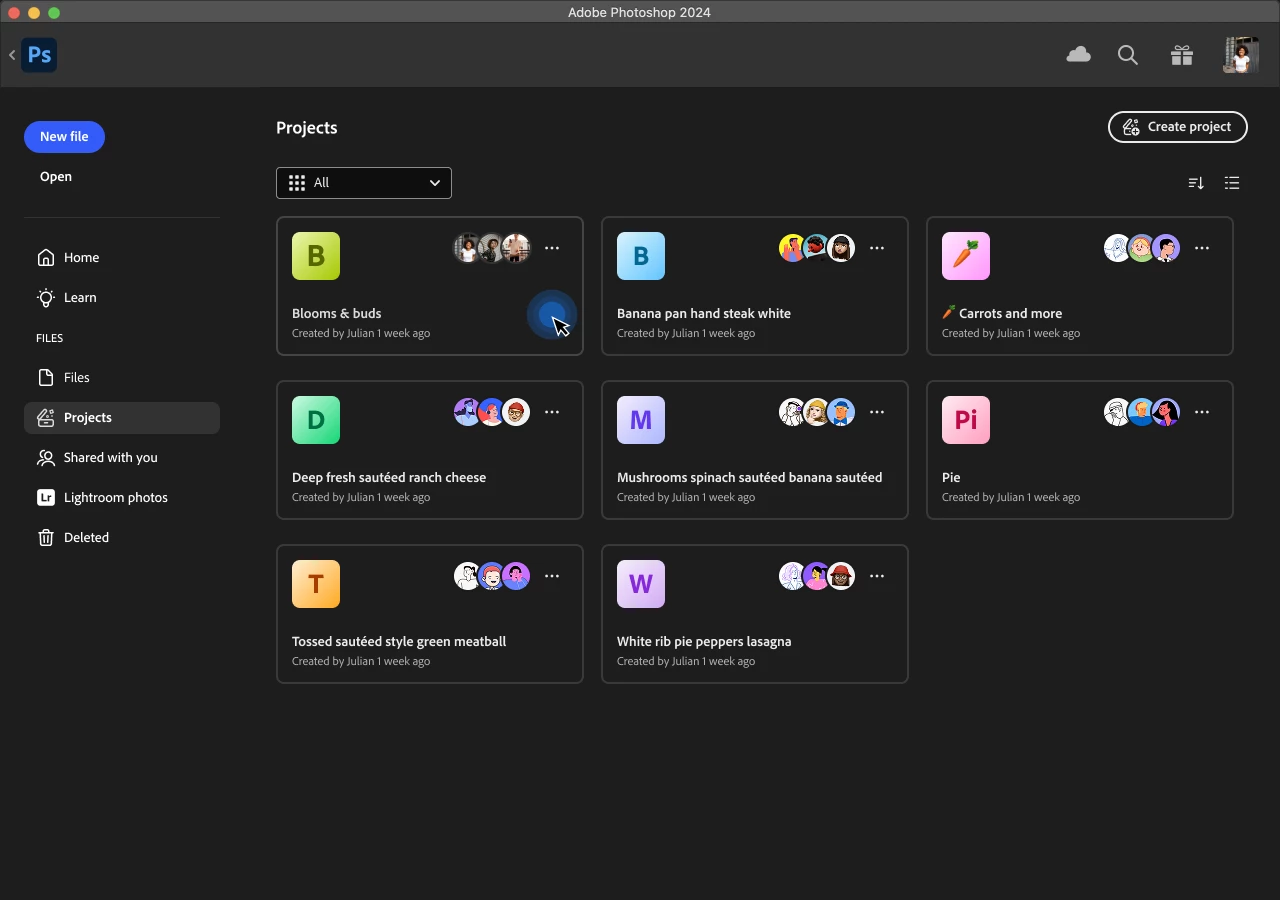


What Are Projects?

Projects help you keep your work structured, connected, and easy to manage within the Creative Cloud ecosystem. Whether you're editing or preparing files for review, Projects gives you one place to create, collaborate, and stay in sync across apps.


Projects allow you to:

  • Share multiple files at once with collaborators, rather than individually
  • Set permissions for collaborators to edit, rename, or delete shared documents
  • Organize files into folders that proliferate across apps
  • Assign editing and commenting roles for more granular sharing permissions
  • View all types of app content in one central location


These capabilities are especially valuable for Teams and Enterprise accounts, where assets are stored in business storage rather than tied to individual users, making collaboration much more seamless.
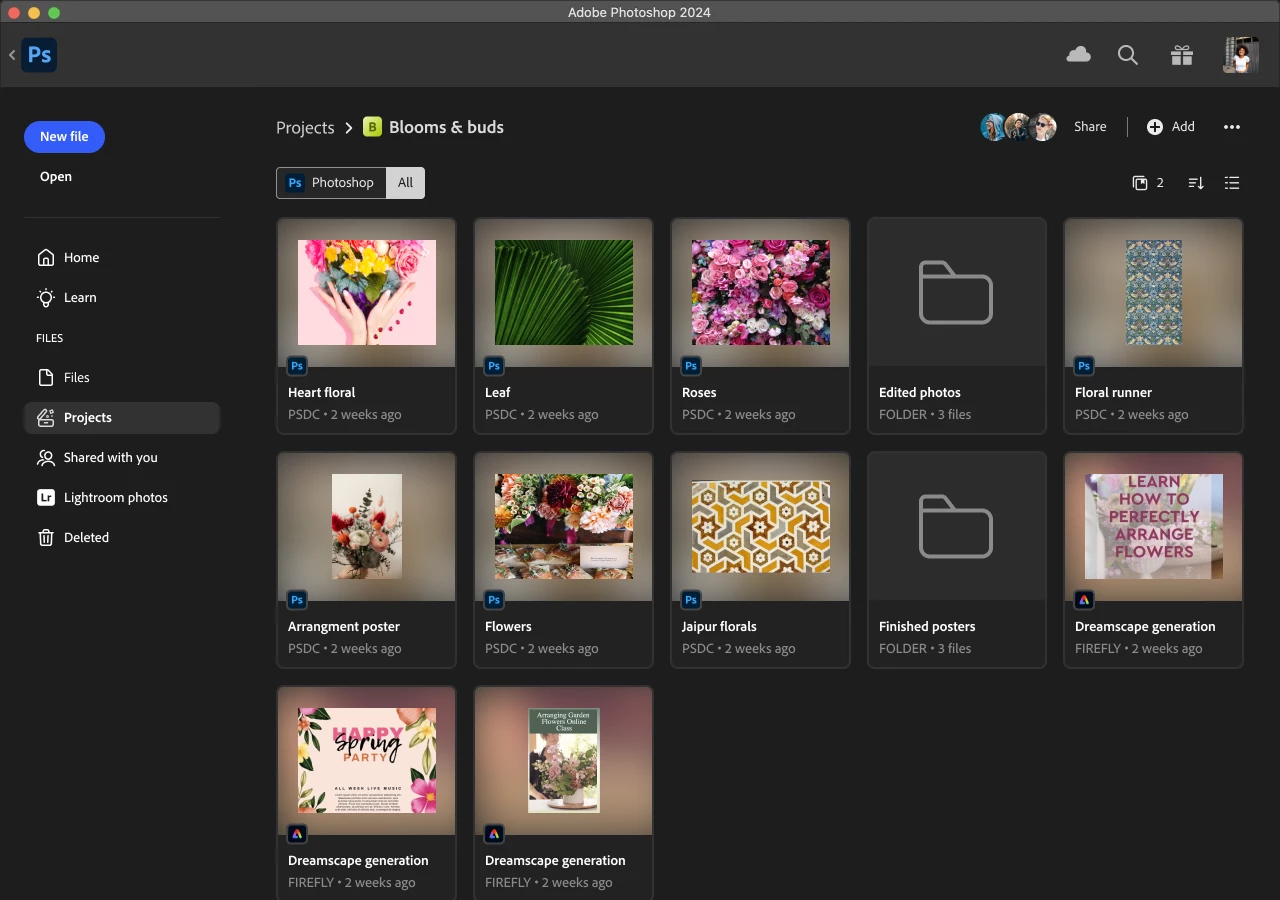


How Can I Access Projects?

Projects are available for use in Photoshop, underneath the ‘Files’ sidebar. Because Projects are supported across Photoshop, Express, and Adobe Home, you'll see consistent content no matter which app you're using.


Additionally, when saving a file as a cloud doc in Photoshop, you’ll now see the Projects tab integrated into the Save workflow. This new workflow helps keep your files organized from the start and automatically shares these saved files with collaborators if permissions are already set.


Give Projects in Photoshop a try and share your thoughts in this thread! The Adobe team will monitor this post and jump in to answer any questions or comments. Your feedback is extremely valuable because it will help us improve and expand this collaborative experience.

1 reply

AlanGilbertson
Community Expert
Community Expert
September 15, 2025

The major drawback to Projects for my kind of work is that the amount of online storage is not enough for projects of the kind I work on. I already have 4TB of cloud storage between MS and Dropbox. Those services allow me to collaborate efficiently with clients because they are already set up with one or the other or both.

lycarinaAuthor
Adobe Employee
September 18, 2025

Thanks for sharing this feedback, @AlanGilbertson! I'm curious: what kind of clients do you work with that require that level of storage? Additionally, do you use Microsoft or Dropbox because your clients use them?

AlanGilbertson
Community Expert
Community Expert
September 18, 2025

I use Dropbox entirely because clients use it, and subscription Dropbox in particular because of an educational publishing client. They have well over 200GB in one set of publications alone, what with book and article files, illustrations, etc., all of which I will work on in the course of a year.


OneDrive (1TB) comes free with my Office subscription, and I use it for file sharing with clients whose IT Sec people won't allow them to go outside the Microsoft/Azure/Sharepoint architecture, so there's no Adobe cloud sharing.


Hard as it may be to comprehend, even some of my savviest corporate clients are not power users. It's a stretch getting them used to colloboration using anything other than PDFs, email, and Zoom meetings. Even "Share for Review" has given me mixed results.


When it comes to photographic assets, these days I'm often working with Photoshop files in excess of 1.5GB, and it's not unusual to have over 100GB of photo assets online for one client. Add to that the InDesign, Illustrator, and Stager files, plus CC Libraries, and it would be easy to shoot past my meagre 200GB if I tried to use all the CC cloud document offerings.


I don't do much peer-to-peer collaborative work, so the only real potential benefit for me of CC cloud is versioning, which I have in both OneDrive and Dropbox. Nor do I need yet another cloud storage solution. It's a tough sell, because it solves no problem. My working files are in local SSD drives, NVMe and SATA. I keep my OS and application software on one NVMe and my "live" project files on another. Even my laptop has two NVMe drives similarly split.