
PSD File Corrupted After Power Cut (Phtoshop Stable + Beta 2025 ) — Urgent Recovery Help Needed
Hi everyone,
I'm experiencing a recurring issue with Adobe Photoshop (both stable and beta versions). My PSD file gets corrupted after a power outage, even though I save it multiple times manually during the session. Today, after a short power cut, I reopened my PC and found that my PSD file only shows a solid red and black bar; all the layers and work are gone.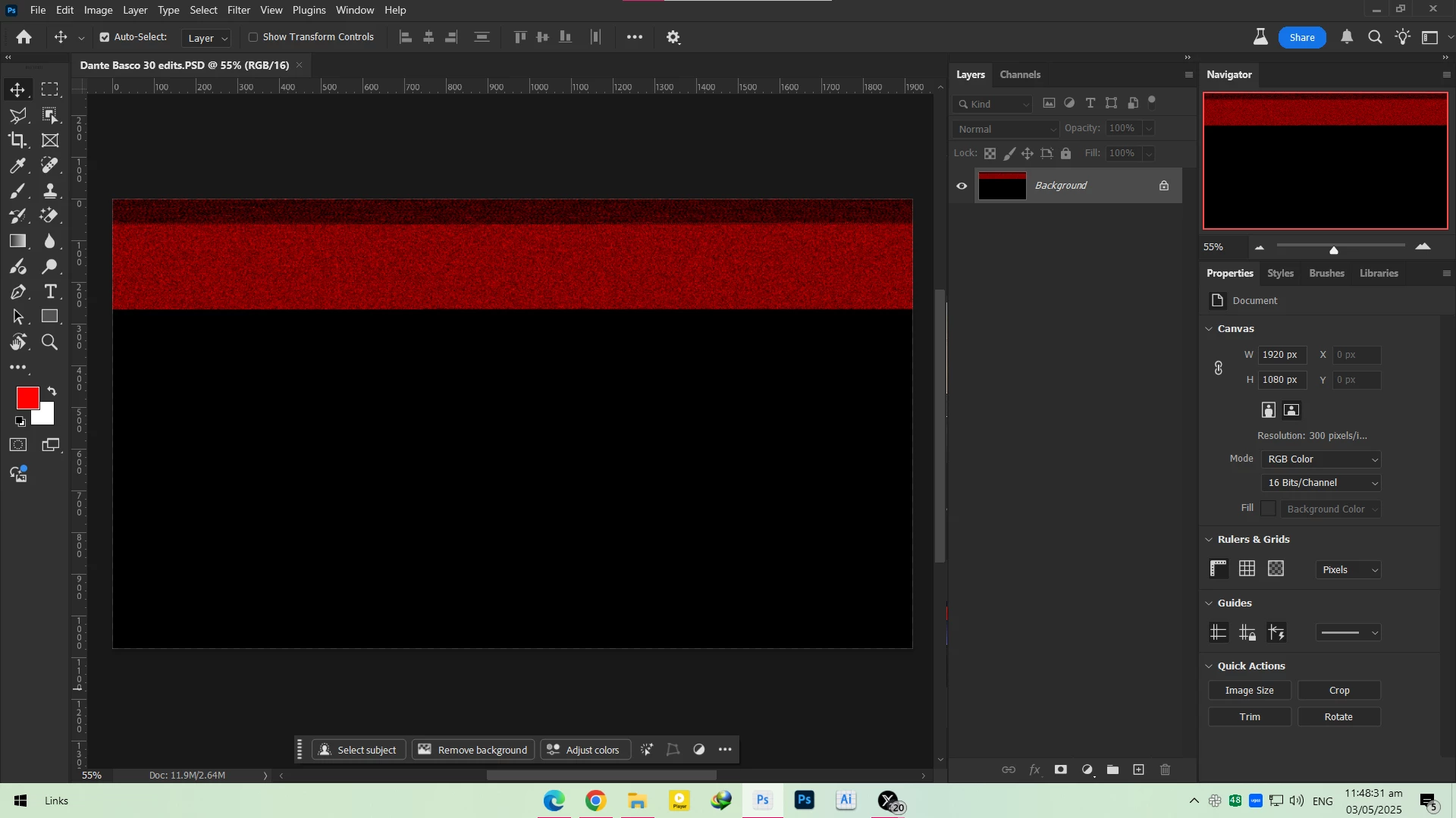
This has happened 3–4 times before as well. I had been saving my work frequently, and I wasn't working from the cloud.
I'm attaching a screenshot of how the corrupted file looks.
Is there any way to recover this PSD?
And why has Adobe not addressed this data-loss issue yet, especially for local savings when power cuts or crashes occur?
Any help would be really appreciated. My deadline is very close, and this file is almost complete.
Thanks in advance.


 AdChoices