



Question
Remove Background in Reference Image for Generative Fill (Beta)
Hello
The June 7th, 2024 Beta version of Photoshop for Desktop has a new checkbox in the Reference Image fly-out.
Remove Background- will automatically identify the area behind the subject in your Generative Fill Reference Image and remove it so you get better results.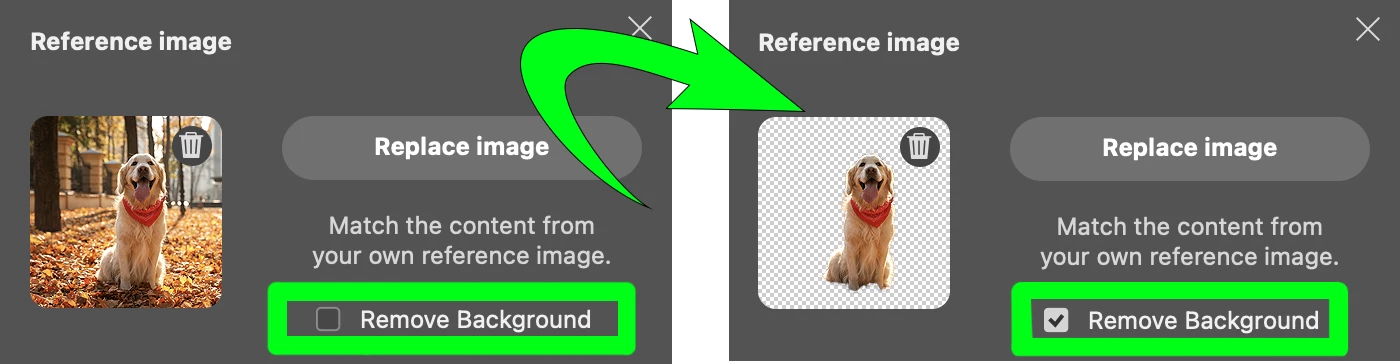
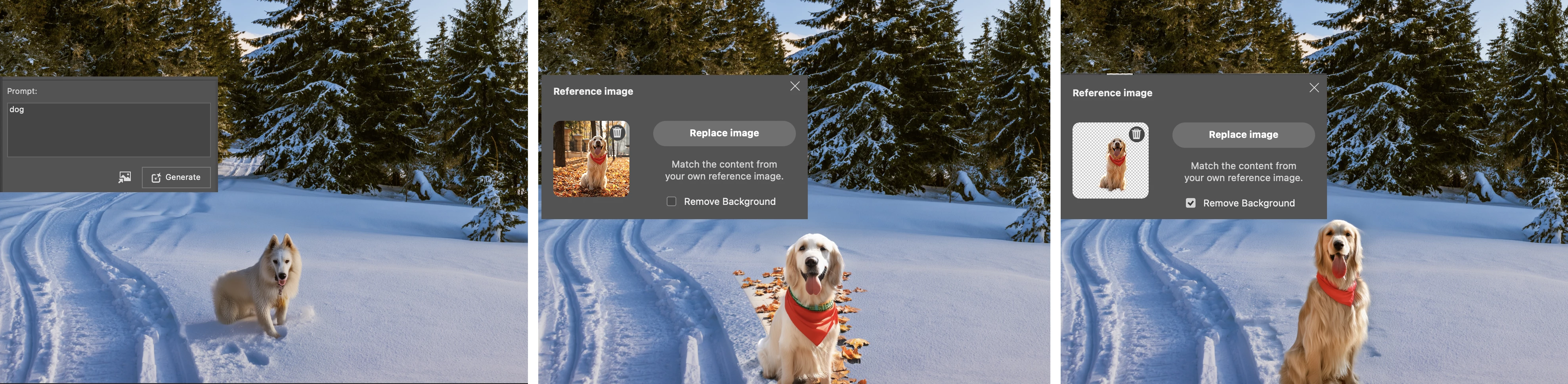
- This addresses one of the main Reference Image problems of unwanted areas in the Reference Image appearing in the variations.
- Remove Background is available in the Reference Image fly-oout for Generative Fill and Generative Expand - which uses the content of the image. It is not available or applicable for Generative Image, which uses a Style Reference Image.
- Select Subject technology is behind this feature and it uses mode set by your current preference (Local vs Cloud)(Settings > Image Processing: "Select Subject and Remove Background") .
- Select Subject detects and selects the most obvious subject(s) in your image. How well does that work for your Reference Images?
Please give it a try!
Let us know if the Remove Background meets your expectations for isolating the subject and providing better results.
Generative Fill -> Reference image -> Remove Background on Reference Image fly-out
Thank you,
The Photoshop Team


 AdChoices