




Question
Remove Tool & Remove button update in Photoshop (Beta) January 2026
The Remove Tool & Remove button were updated in Photoshop (Beta) today, January 8th 2026.
By default, users will now be accessing the updated model (Remove Tool 3) which includes the following improvements:
- More accurate & realistic people
- Example: Use the Remove Tool or button to remove an object in front of a person or their face.
- Even fewer random objects
- Even more improvements to ensuring an unexpected object replaces the object being removed.
- Better reconstruction in complex structure
- Example: better pattern completion when removing an object in front of something like a wallpaper background.
- Example: better symmetry and completion removing an object in front of a window; the window is more likely to resemble the other windows on the building.
- Improved harmonization and color consistency; less chance of seams.
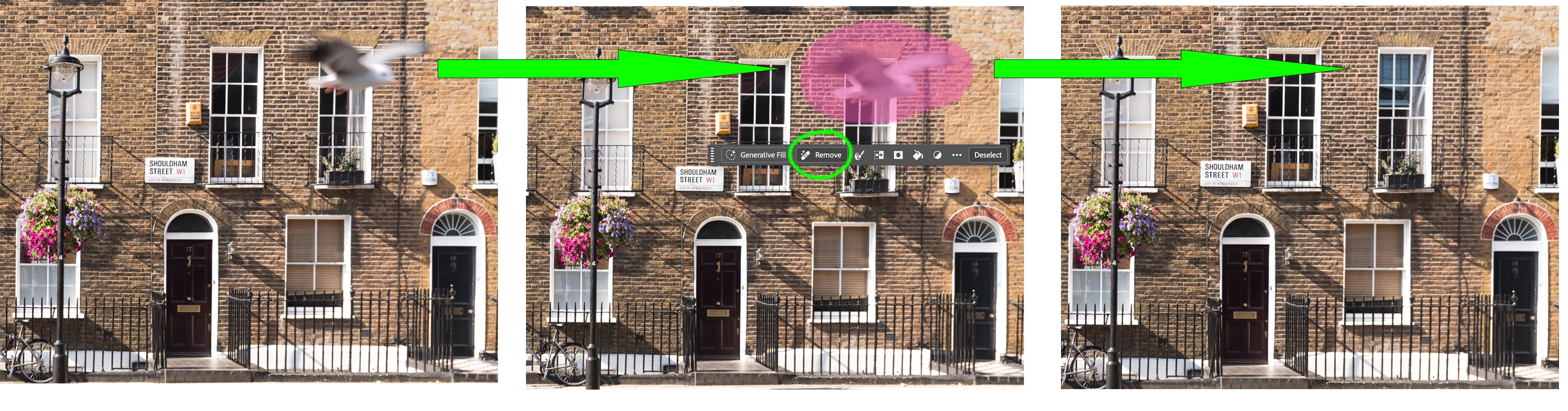
What changed January 8th 2026 in Photoshop (Beta):
- Remove Tool model picker has been retired.
- Previously, beta users could choose between Remove Tool 2 and Remove Tool 3.
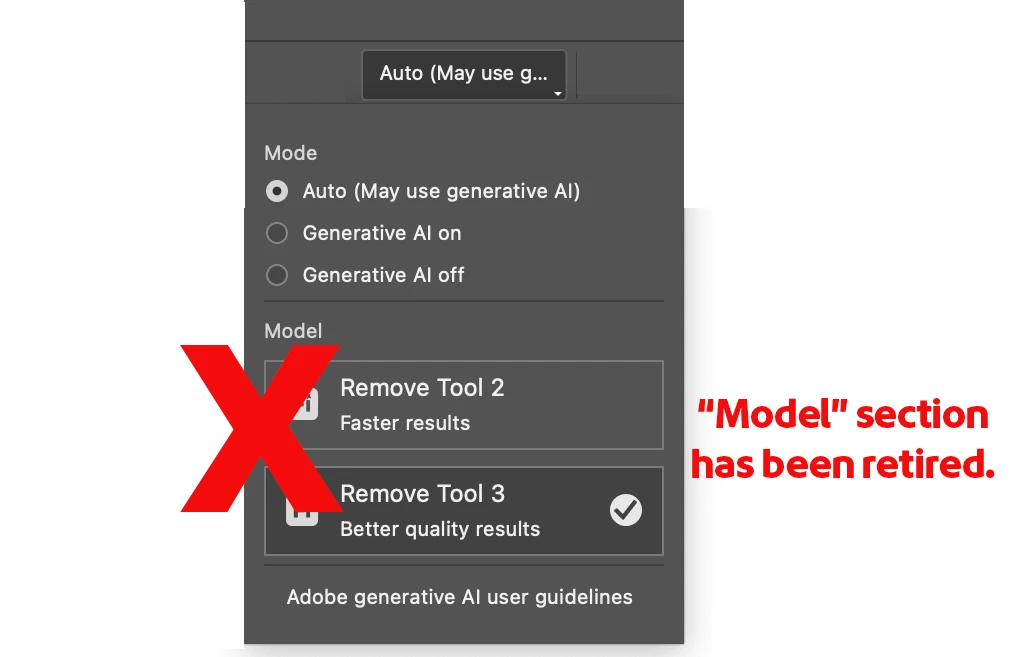
- Previously, beta users could choose between Remove Tool 2 and Remove Tool 3.
- Remove Tool now uses Remove Tool 3 exclusively in Photoshop (Beta) and by default.
- Previously, Remove Tool 2 model was default for beta.
- The Remove Button now uses Remove Tool 3 technology.
- Previously, the Remove button used Remove Tool 2, no matter the Remove Tool setting.
- The Remove Tool 3 model has a performance update.
Please reply to the thread if you see anything unexpected and unwanted. Also please drop a note if you’ve noticed the improvement!
Thank you!
 AdChoices