
Inspiring
October 21, 2023
Answered

Save As Window is only showing a portion of image

  • October 21, 2023
  • 3 replies
  • 314 views

In Photoshop 2024, ver 25.0, when I do a "Save For Web" the window that pops up only shows a portion of the image/photo.  See attach for reference.  How to fix this so that the full image appears.
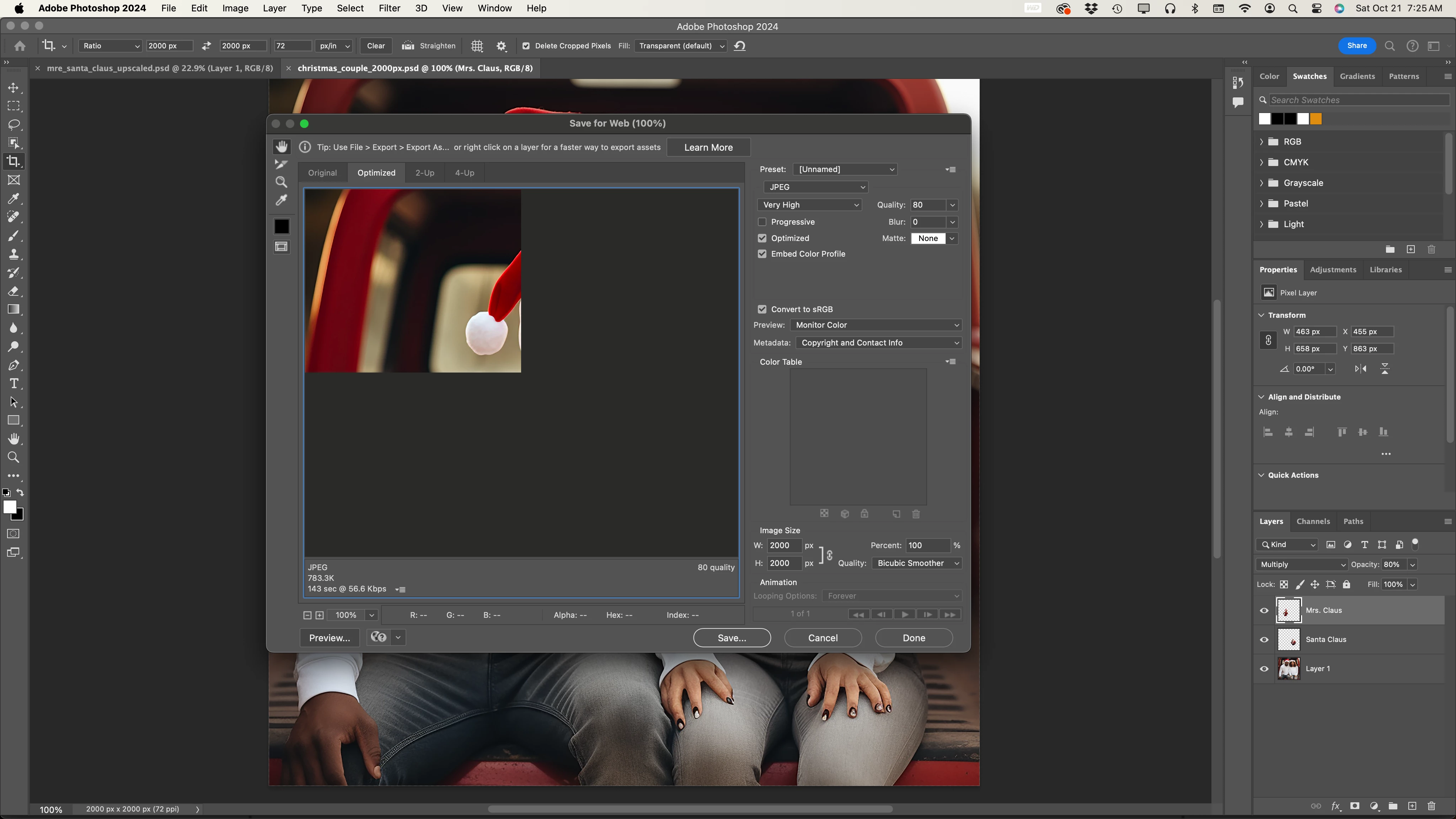
 

Thanks for your assistance.


This topic has been closed for replies.
Correct answer MLiborio

Hi vrjoyner, the bug is corrected with the new photoshop update (25.1 I think). Install it asap.


3 replies

vrjoynerAuthor
Inspiring
October 27, 2023

Apple -- can this be fixed????


vrjoynerAuthor
Inspiring
October 27, 2023

I meant Adobe . . . not Apple!


MLiborioCorrect answer
Participant
October 27, 2023

Hi vrjoyner, the bug is corrected with the new photoshop update (25.1 I think). Install it asap.


Participant
October 26, 2023

Same here... 

Trevor.Dennis
Community Expert
Community Expert
October 22, 2023

The firsat thing to try with display type issues is Deactivate Native Canvas.

Tick to enable it. Restart Photoshop, and see if it works.

vrjoynerAuthor
Inspiring
October 25, 2023

Hello Trevor,

Thank you for your reply.  Unfortunately, that did not fix the problem, still only seeing 1/4 of the image in the upper left hand corner of the "Save to Web" window.