



Select Subject and Remove Background features using DEVICE processing has improved! (Beta)
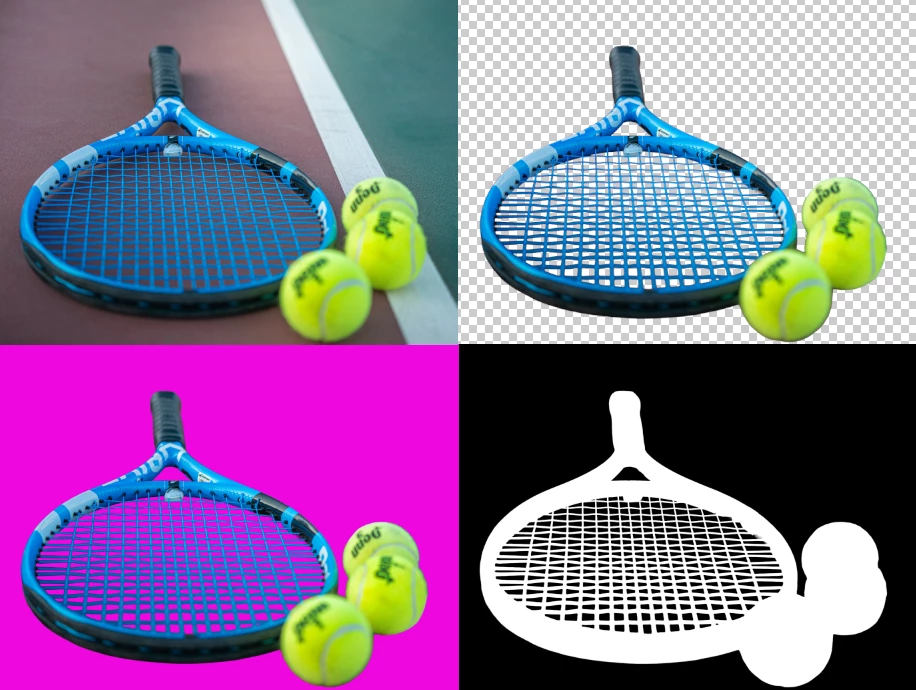
Photoshop's Select Subject feature automatically detects and selects the main object in an image, making precise selections faster and easier. It's useful for cutting out, extracting, or isolating subjects for tasks like generative fill, composites, effects, or adjustments. Remove Background simplifies background removal with a single click, masking everything except the subject. It uses your Select Subject preference to detect the main subject, then inverts and removes the background.
In April 2025, we updated Select Subject using Cloud processing. We are now working on updating the feature with DEVICE processing. We would love your help in testing and get your feedback!
Similar to the Select Subject and Remove Background Cloud Improvements, the Device improvements include:
- Better subject detection
- Exceptional detection, selection, and masking of fine details
- More accurate selection of edges
- Better detection, selection, and masking of “holes” in an image
- Detection, selection, and masking of vector images

HOW TO TEST
1. Go to Preferences > Image Processing > Ensure the "Device (Quicker Results)" processing default is selected.
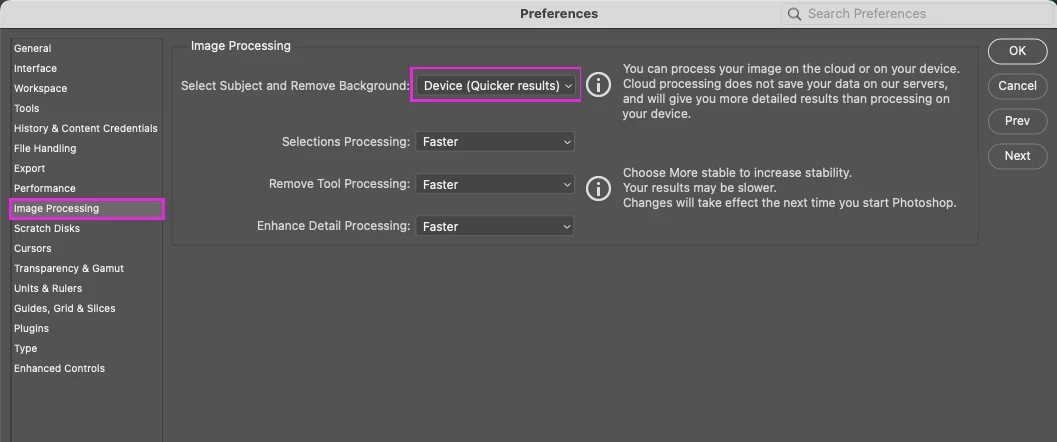 2. Select Subject and Remove Background will use the device processing for the following entry points:
- App Menu: Select > Subject
- Select Tools: Magic Wand, Quick Select, Object Selection > Options Bar > Select Subject
- Properties Panel > Pixel Layer > Quick Actions > Select Subject and Remove Background
- Contextual Task Bar
- Reference image and object in GenFill
- Remove background action playback
- Select and Mask workspace


 AdChoices