
Omineus
Known Participant
May 24, 2023 9:37 AM UTC
Question

Text Layer style copy

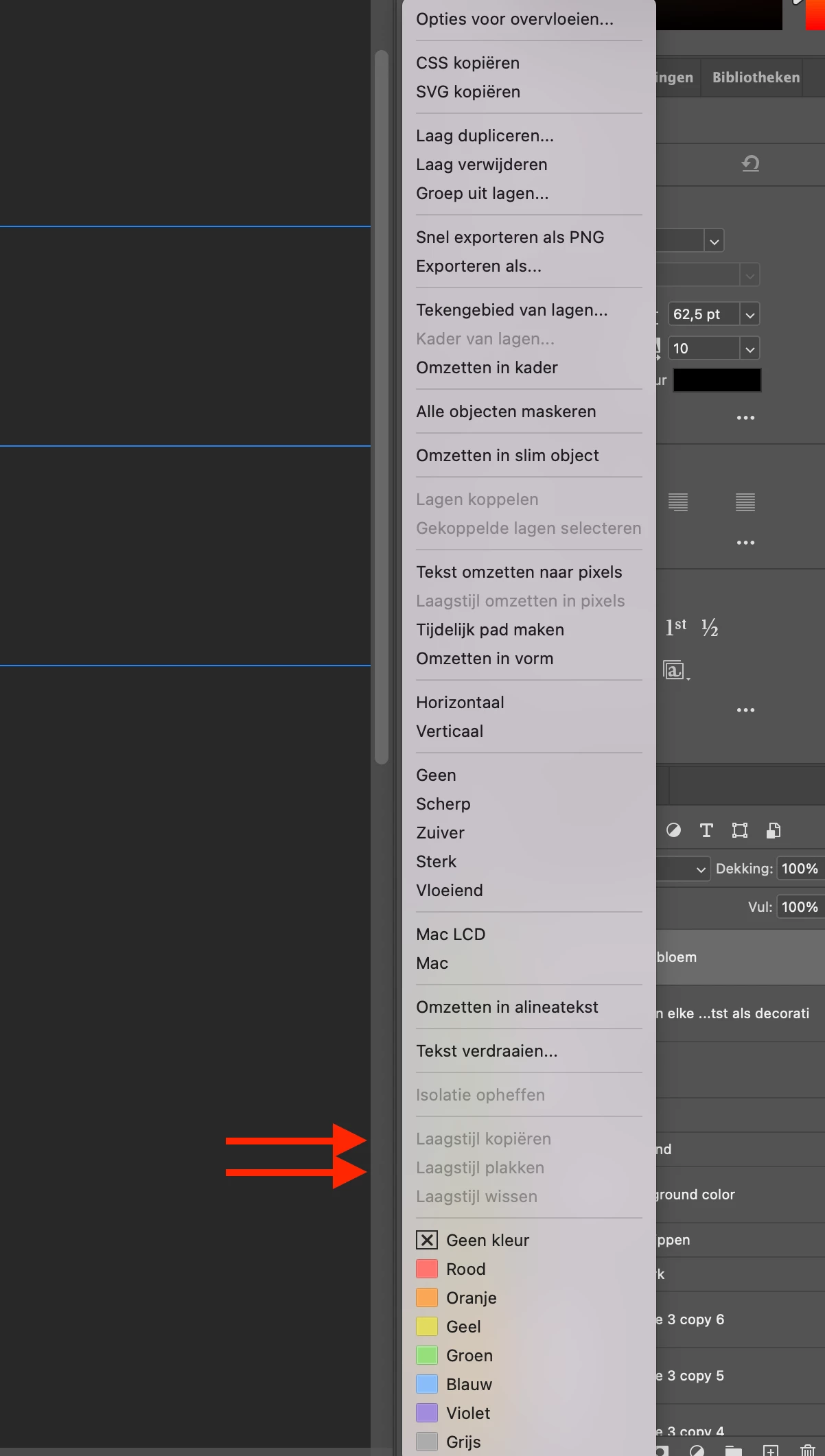
When I want to copy layer style from my text, to paste it to other text. 

The options are not available. Is there a setting that I am missing?


I normaly do it: 

Control + click on text later
 

This topic is closed to new replies. Start a new post to keep the conversation going.

10 replies

Kevin Stohlmeyer
Community Expert
Community Expert
May 26, 2023 6:12 PM UTC

Hi @Omineus from what little I can see of your layers panel - it appears there isnt a layer style applied to the layer selected to copy from.

Translate
Omineus
OmineusAuthor
Known Participant
May 30, 2023 10:58 AM UTC

Is that needed? 

I only want to copy and paste the font + size to a different layer text

Translate
jane-e
Community Expert
Community Expert
May 30, 2023 11:07 AM UTC

@Omineus 

The copy and paste is for Layer Effects/Styles, not for text formatting.

Jane

Translate
jane-e
Community Expert
Community Expert
May 26, 2023 5:08 PM UTC

@Omineus 

There are several ways to copy a layer style to another layer:

  • Right-click one layer and copy; right click second and paste
  • Use the panel menu
  • Drag the fx icon to move the effect; Alt+drag to copy (Option for macOS)


Details here:

https://www.photoshopessentials.com/basics/copy-layer-effects-photoshop/ 


Is your question about the beta version or the released version?


Jane


Translate
Omineus
OmineusAuthor
Known Participant
May 30, 2023 10:52 AM UTC

Hi Jane, 


Thanks for the reply


Unfortunately it is not completely clear to me, perhaps there are options missing in my version of Photoshop?


I am using the new Photoshop beta 24.6.


Where is the copy button after right-click one layer?


How to do it using the panel manu?

Translate
Omineus
OmineusAuthor
Known Participant
May 30, 2023 10:56 AM UTC

Oeps, I did not want to upload this picture.. How can I delete this post?

Translate
