

Ivny Coura
Inspiring
September 7, 2023
Answered

Unable to Update Photoshop Beta Error 190

  • September 7, 2023
  • 13 replies
  • 10121 views

Hi!


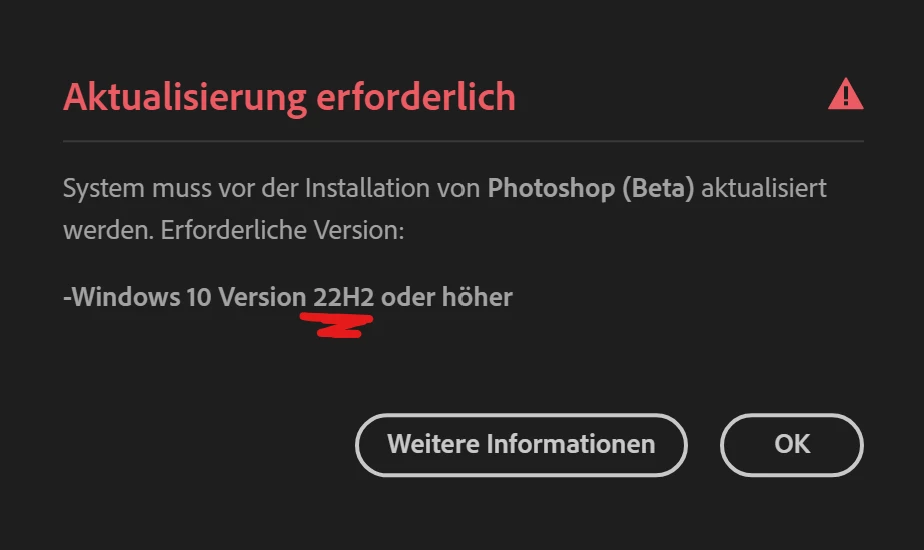
Today I got a message asking me to update Photoshop Beta to the latest version (25.1). Anyway, I kept getting this error:

Exit Code: 190
-------------------------------------- Summary --------------------------------------
 - 2 fatal error(s), 0 error(s), 0 warnings(s) 

FATAL: Sanity check for installation failed. Current OS version 10.0.19044 doesn't satisfy OS requirements.
FATAL: Error occurred in install product workflow with error code 190 error message 
-------------------------------------------------------------------------------------


But, from what I checked, my device meets the minimum system requirements for installing the application, as you can see:

  • Windows 10 PRO 21H2 version
  • Intel(R) i5-9400F CPU 2.90GHz
  • 32GB RAM
  • Monitor resolution 2560 x 1440
  • GPU AMD ASUS Radeon RX 6600
  • Hard disk space: 510 GB of available hard-disk space


Any idea to fix it? TIA.
Correct answer

Found the Problem... deinstalled it completely and  then another report popped up. 

13 replies

Ivny Coura
Inspiring
September 8, 2023

I chose wrong, it's not "web", but "desktop-windows".

Participant
September 7, 2023

Hola, me aparece error 190 al querer actualizar photoshop beta


Moved to the Photoshop Beta forum... Moderator

Peru Bob
Community Expert
Community Expert
September 7, 2023

Error code 190 indicates that your device does not meet the minimum system requirements for installing the application.

Ivny Coura
Inspiring
September 8, 2023

Hi! I got the same error, but my device meets the minimum system requirements for installing the application. Must be some bug.


Windows 10 PRO 21H2 version
Intel(R) i5-9400F CPU 2.90GHz
32GB RAM
Monitor resolution 2560 x 1440
GPU AMD ASUS Radeon RX 6600
Hard disk space: 510 GB of available hard-disk space

Inspiring
September 7, 2023

All prior Beta versions have installed correctly.

Beta 25.1 reports "System requirements not met ... Error Code 190"

Error log shows:

Exit Code: 190
-------------------------------------- Summary --------------------------------------
 - 2 fatal error(s), 0 error(s), 9 warnings(s) 

FATAL: Sanity check for installation failed. Current OS version 10.0.19044 doesn't satisfy OS requirements.
FATAL: Error occurred in install product workflow with error code 190 error message 
WARN: GetIEProxyInfo - Failed to get proxy for the url, error:12180

Windows recently updated to the build shown in the Error Log.


CShubert
Community Manager
Community Manager
September 7, 2023

Hi @Allen Cobb do you know what version of Ps beta you were trying to install, the most recent is: Adobe Photoshop Version: 25.1.0 20230905.m.2316 979c86d x64

This error code means your system does not meet the specs for Ps.
https://helpx.adobe.com/creative-cloud/kb/troubleshoot-download-install-logs.html#error190


If you launch your release version of Ps, could you share your sysinfo?

Launch Photoshop beta, and select Help >System Info...and copy/paste the text in a reply.