Pranesh_ZA
Known Participant
August 6, 2023
Answered

Uninstall Photoshop Beta

  • August 6, 2023
  • 3 replies
  • 18831 views

Hi

I installed the photoshop beta a while back to test the generative AI technology.  A lot of that has been built into the normal version of Photoshop, which also has all my brushes and presets.  However I cannot set photos to open with the normal photoshop by default anymore. Double clicking on a photo opens in the Beta and I don't want this.

I went to uninstall the Photoshop Beta from my creative cloud but see that is not an option.  How do I get out of the photoshop beta?
 

Correct answer ralphlouzon

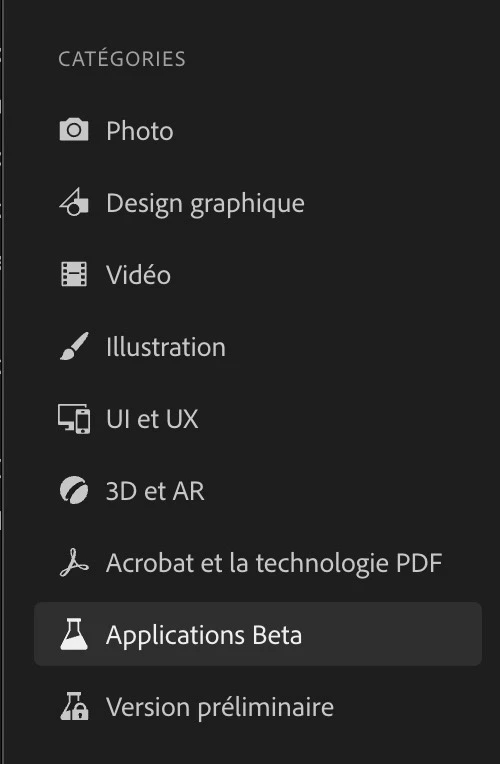
PS Beta is lower on the left handside panel


3 replies

Participant
October 15, 2025

i cant fint anywhre in beta section uninstall and this is what my computer says 

Participating Frequently
January 12, 2024

The tips listed here to uninstall beta version worked however my current photoshop (latest but not beta) no longer associates image files with photoshop. I get an error message whenever I double click a file to pull it into photoshop. Same to same when double clicking on image in bridge - error message. I can pull a file into photoshop using 'open' command inside photoshop.


Suggestions? I am currently uninstalling photoshop and will reinstall it. If that doesn't work, I'm at a loss.

Thank you inadvance for your reply. Love you guys... and there's nothing you can do about it.

Participant
February 16, 2024

i'm sure you fixed this by now, but....right click on any openable file (psd, jpg, etc that you usually want to open with photohsop) > 'open with' > 'other' > *click applications in left bar, assuming it didn't auto-open to applications* > select photoshop in list (adobe photoshop 20xx) > then before you click 'open' at the bottom, tick the 'always open with' box.

Participant
August 19, 2024

 I have also had to change the default to 'open with PS 2024' with all photo associated files for my default but everytime I turn my MAC back on, it automatically changes back to beta. Also when opening Creative Cloud and looking for the Beta version to uninstall there are no 3 dots to be found. Suggestions please?

Pranesh_ZA
Known Participant
August 6, 2023

A screenshot of my creative cloud apps

ralphlouzon
ralphlouzonCorrect answer
Inspiring
August 9, 2023

PS Beta is lower on the left handside panel


Pranesh_ZA
Known Participant
September 20, 2023

Thanks I missed the notification of your reply but this helps me a lot.