Inspiring
Jan 25, 2023 5:36 AM UTC
Question

Update notification
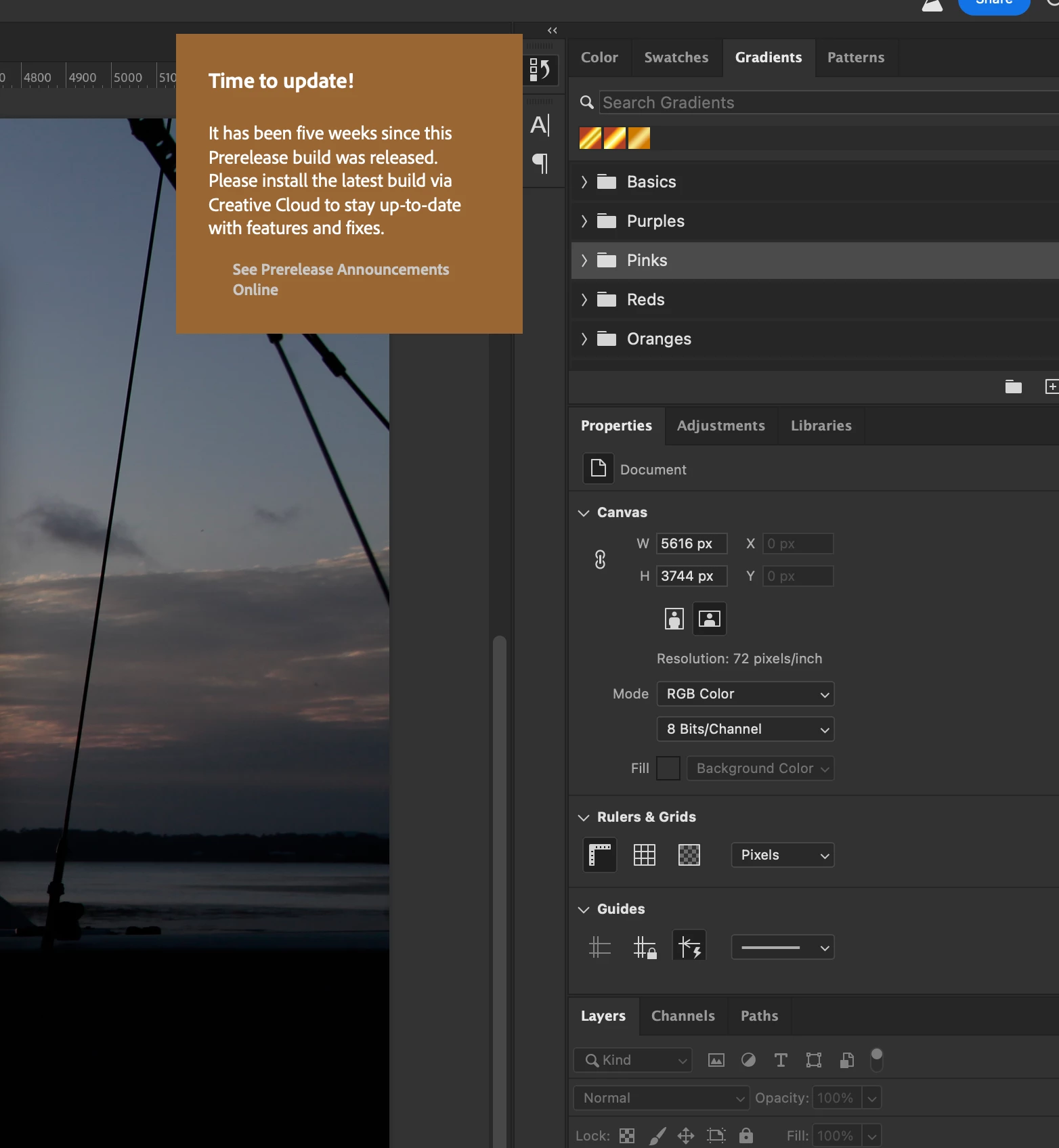
My app is up to date. How to get rid of this notification. Mac OS 12.6.2 (21G320)

AMD Radeon R9 M380 2 GB Please Help

. Please help

This topic is closed to new replies. Start a new post to keep the conversation going.

9 replies

Sameer K
Community Manager
Community Manager
Jan 25, 2023 2:08 PM UTC

I'll help you figure this out. What exact version of Photoshop are you working on? Is this Photoshop Beta? The latest Photoshop (public/stable) build is v24.1.1 & v24.2 for Photoshop Beta via the Creative Cloud desktop app.


To refresh your Adobe Creative Cloud App, press Cmd+Opt+ R and download the updated version. If this does not help, press CMD + OPT + T (macOS) to launch Creative Cloud Troubleshooter & select 'Close Creative Cloud and related processes' > click on Go.


Let me know how it goes.
Thanks!
Sameer K

Translate
Inspiring
Jan 25, 2023 10:08 PM UTC

Thank you Sameer for the response.

Here is some more screenshots .

I tried to delete CC app. When I double click on Uninstoll Creative Cloud, the dialog box apeared " Do you want to repare it?" I clicked on Repare it. I watched progress bar for about 2 min Then I have started Ps again and warning still there.

Translate
Creative signature
Kevin Stohlmeyer
Community Expert
Community Expert
Jan 25, 2023 10:32 PM UTC

That is known in the Photoshop Beta - there hasnt been a new release but the timelock on the version has kicked off.

Until a new beta version is released publicly it remains.

Translate