
Phil Pickering
Legend
Jul 1, 2022 9:14 PM UTC
Answered

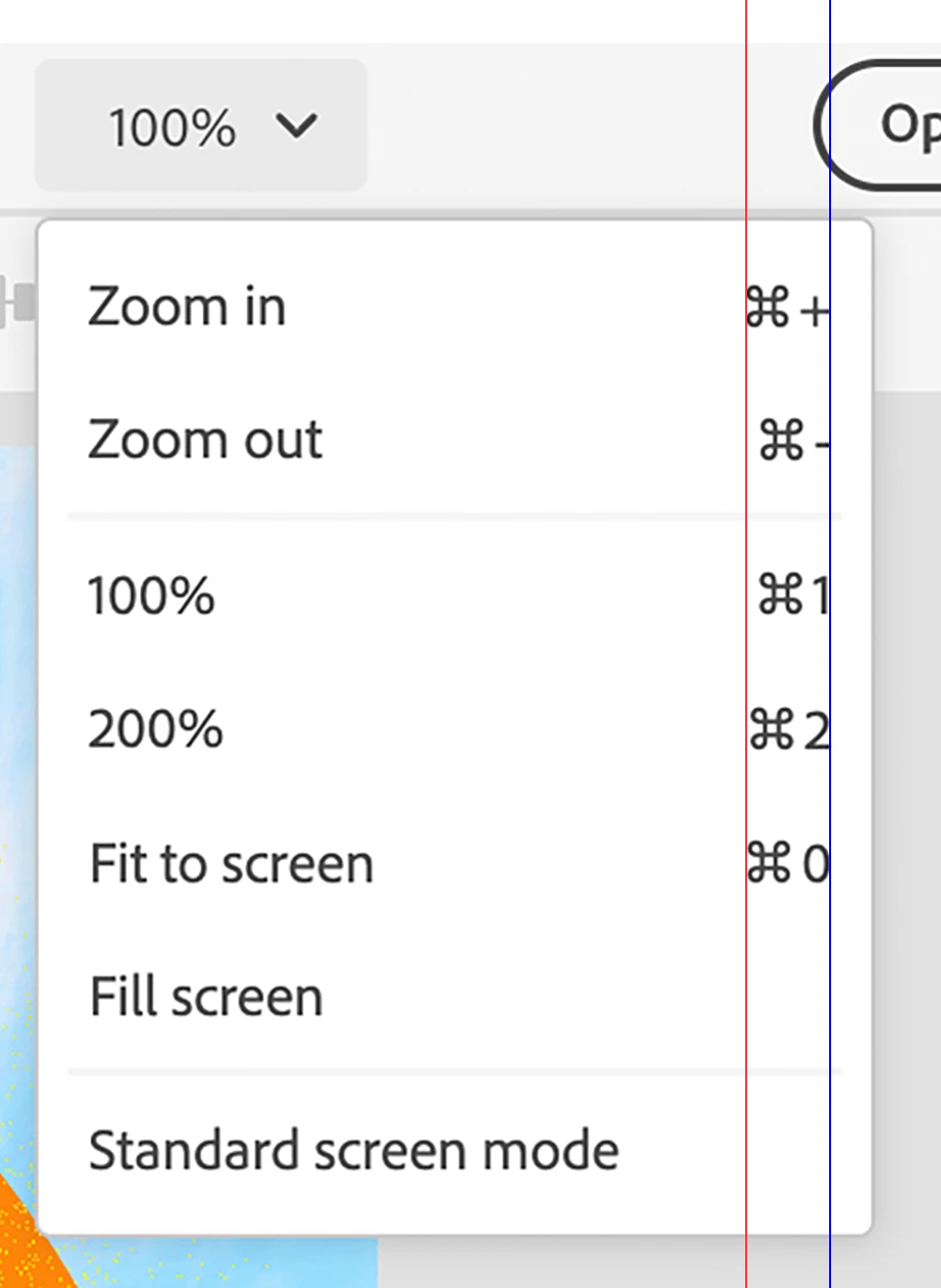
Zoom Options menu keyboard shortcuts are not aligned correctly

Issue:

The Zoom Options menu keyboard shortcuts are not aligned correctly. See attached image where the red vertical line highlights the incorrect alignment.


  • Photoshop on the web (Beta) version: 202206.12.0
  • Hardware: MacBook Air (M1, 2020)
  • OS: macOS Monterey 12.4
  • Browsers: Microsoft EdgeVersion 103.0.1264.44 (Official build) (arm64) and Google Chrome Version 103.0.5060.53 (Official Build) (arm64)


Steps to reproduce:


  1. Open an existing Photoshop document, or create a new one.
  2. Click the down arrow next to the current Zoom level in the Header bar to open the Zoom Options menu.


Image:
This topic is closed to new replies. Start a new post to keep the conversation going.
Pete.Green
Pete.GreenCorrect answer
Mar 17, 2023 7:23 PM UTC

This one looks to be according to design spec. No change will be made here. Thanks for the report though!

2 replies

Pete.Green
Adobe Employee
Pete.GreenCorrect answer
Mar 17, 2023 7:23 PM UTC

This one looks to be according to design spec. No change will be made here. Thanks for the report though!

Translate
Pete.Green
Adobe Employee
Aug 26, 2022 9:15 PM UTC

Sorry for the late response on this one @Phil Pickering, but thanks for the great bug report. 


Will pass this on to the team to investigate.


Regards,

Pete

Translate