
Answered
2020 color picker question - Photoshop
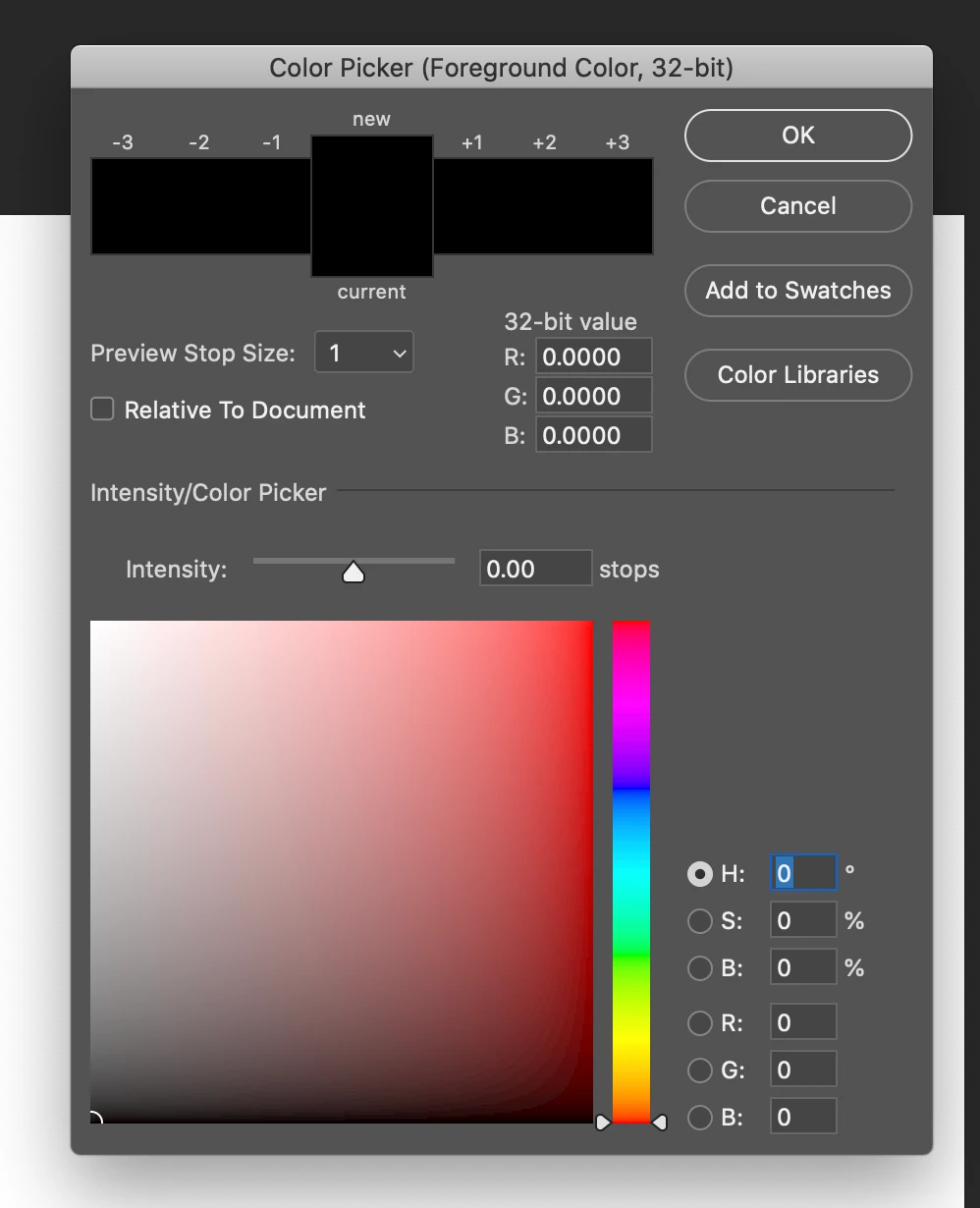
Anyone know how to add a color code #336699 in the new picker. the # field is missing or maybe replaced?
{Thread renamed by moderator}
Anyone know how to add a color code #336699 in the new picker. the # field is missing or maybe replaced?
{Thread renamed by moderator}
Hi Kevin,
As I can see you're working in 32 Bit color mode, the color code field only appears if you're working in 8 Bit or 16 Bit mode, as shown below:
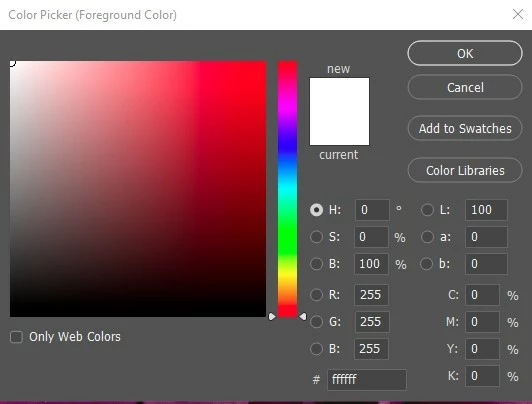
You can change the mode by going to Image > Color Mode.
Let us know if it helps.
Regards,
Sahil
Already have an account? Login
Enter your E-mail address. We'll send you an e-mail with instructions to reset your password.
 AdChoices