rscheetz
Participating Frequently
April 10, 2018
Question

3D Paint and Channels

  • April 10, 2018
  • 1 reply
  • 844 views

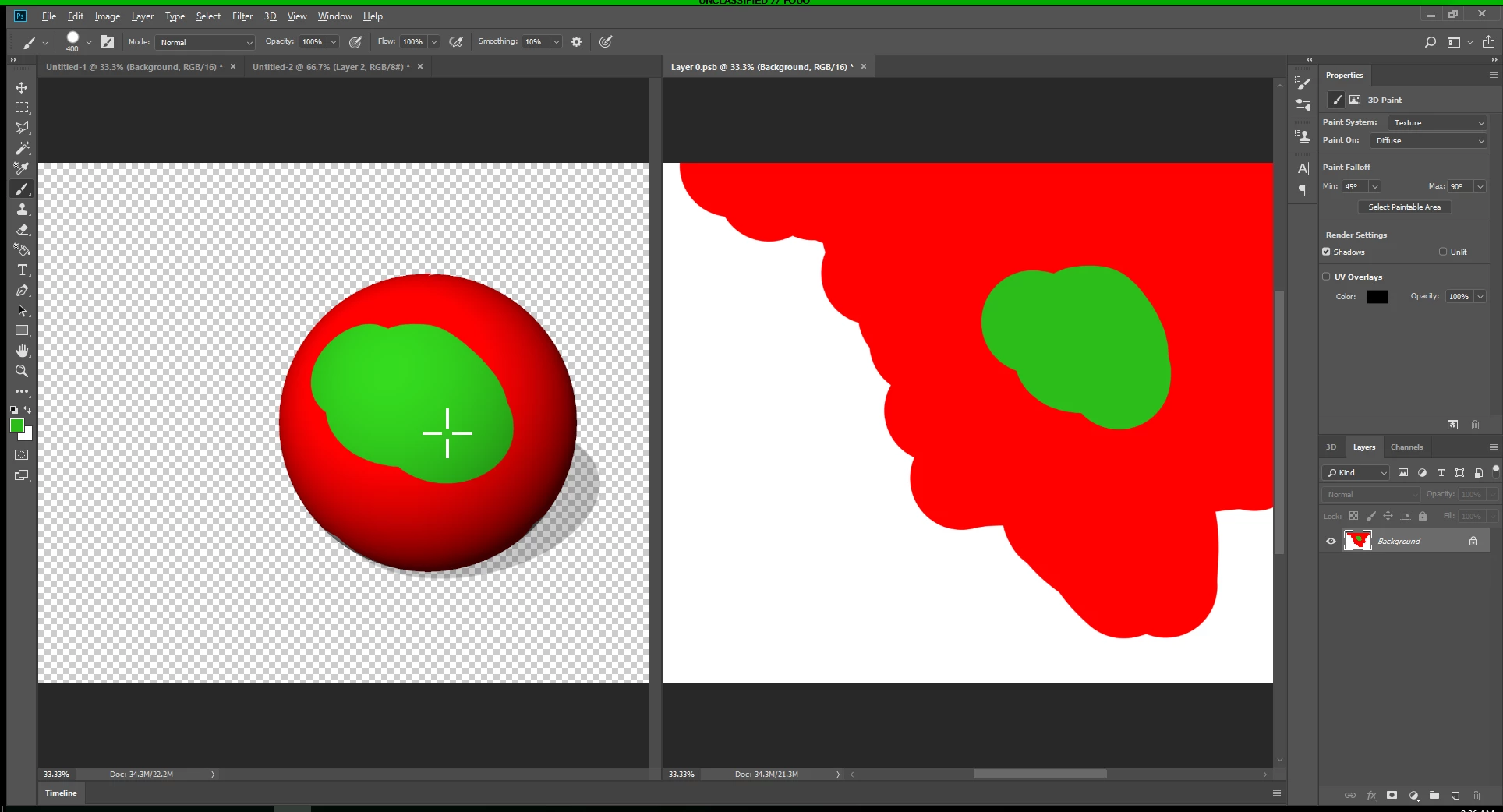
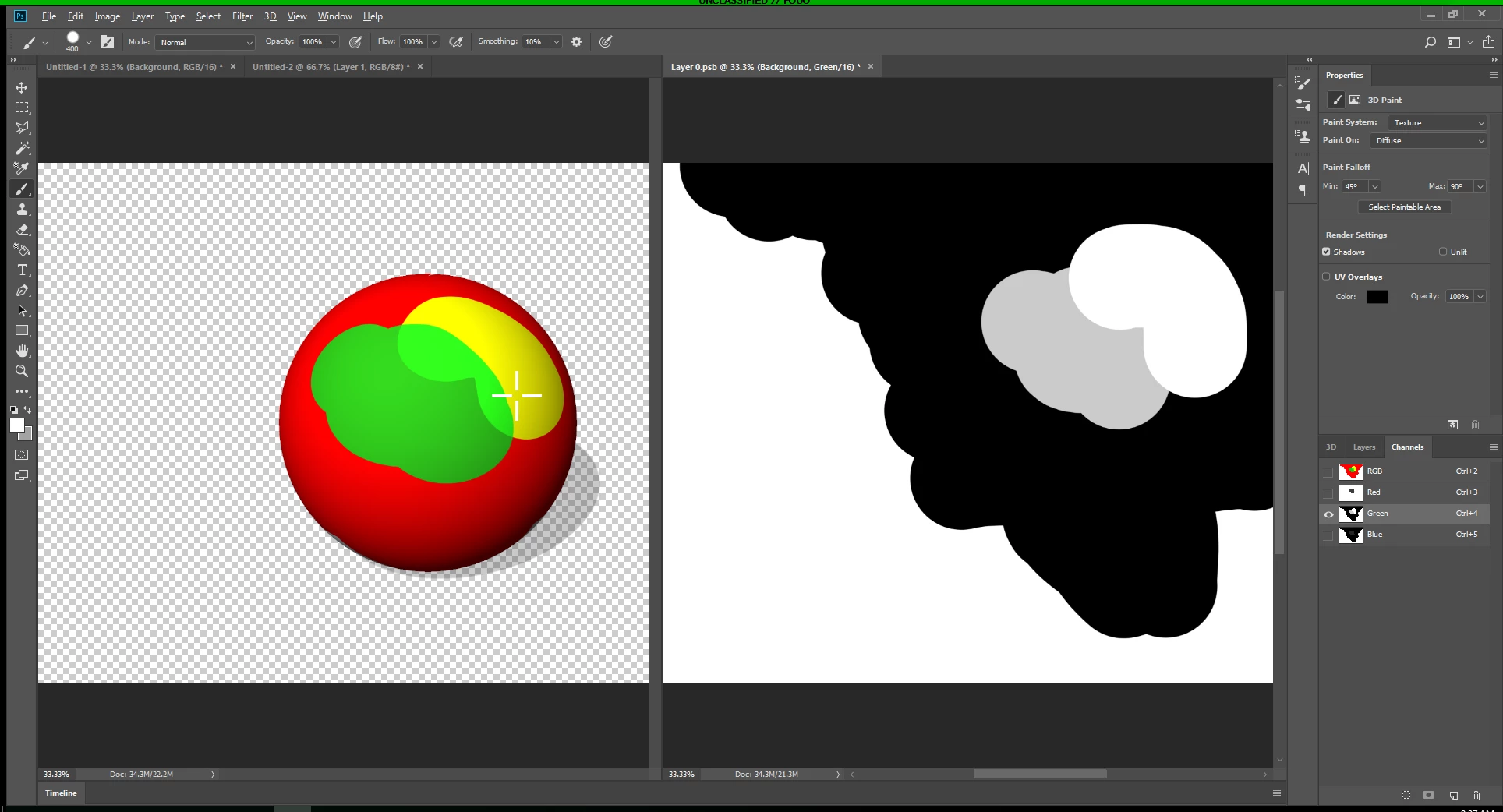
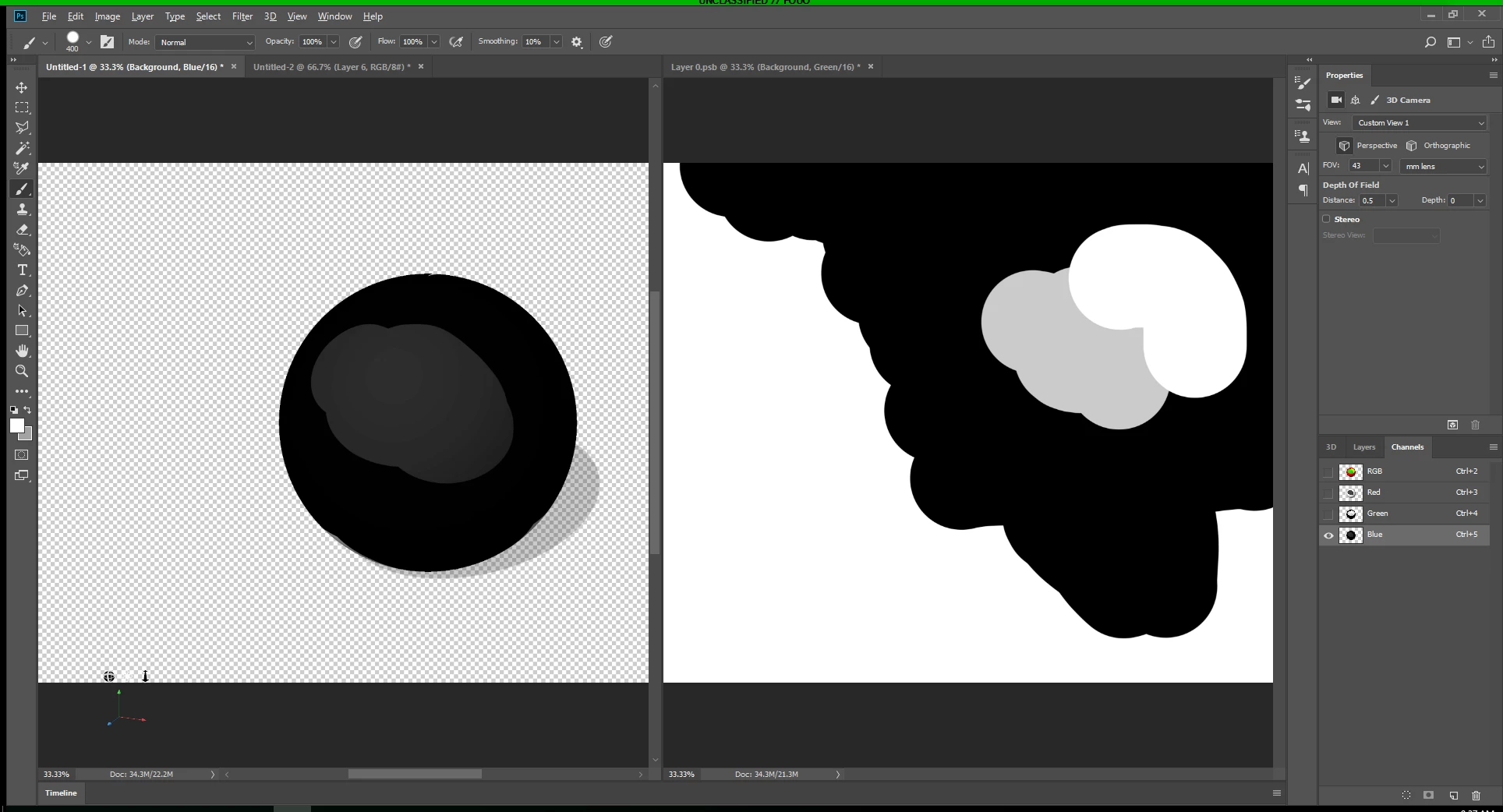
For some reason on my setup, I'm not able to 3D Paint directly to one of the Target Texture's RGB Channels.  These images show some steps I'm following to demonstrate this. 

1.  I can paint on the 3D Object's RGB Composite and the texture clearly updates.

2.  I can paint on the Texture's RGB Composite and the 3D Model updates.

3.  I can paint on the Texture's Green Channel and the 3D Model updates.

4.  I can not paint on the 3D Model's Blue (or any) Channel and neither the 3D Model nor the Texture update.... nothing happens.

It seems like a fairly straight forward approach, but something in my setup is not allowing this feature to be available.  I've tried changing 3D Paint system from Projection to Texture with no effect.  I've also tried different RGB Modes from 8bit, 16bit, and 32bit.  Have also tried creating new layers for both the 3D object and the Target Texture.
This topic has been closed for replies.

1 reply

JJMack
Community Expert
Community Expert
April 10, 2018

JJMack
rscheetz
rscheetzAuthor
Participating Frequently
April 10, 2018

I'm not really sure what setting you're showing.  I'm able to paint on a 3D object in the RGB Composite, but can't 3D Paint on individual channels (Green Channel only for example).

JJMack
Community Expert
Community Expert
April 10, 2018

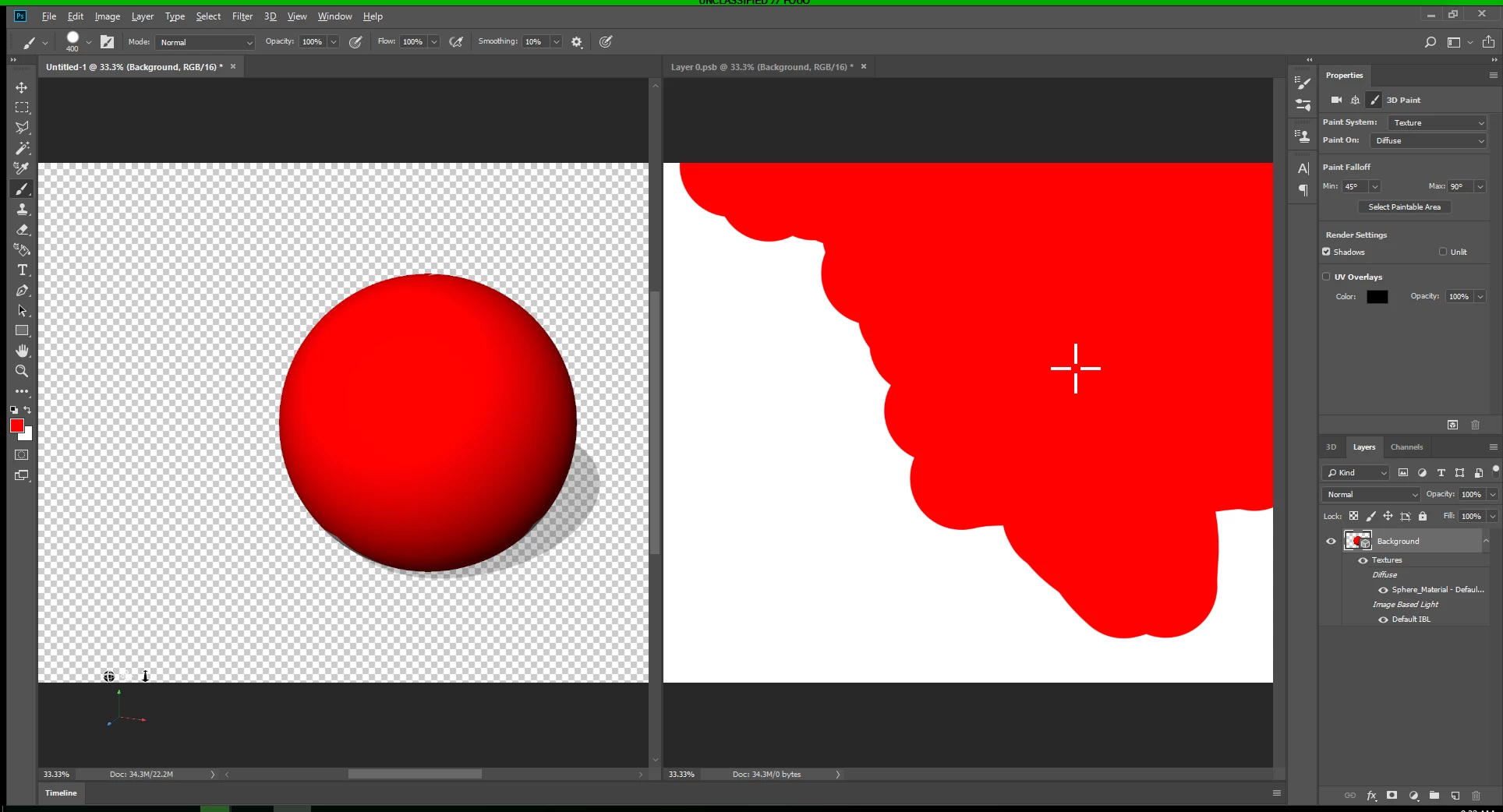
Why are you painting in the 3d layers channels?  Do you want to change what the sphere surface look like.  If that is what you want  to do you should paint on the 3d Object surface material properties.  Paint on 3d things like its opacity map,  Bump map, surface etc,   You are not dealing with 2D pixel layers. There a lot of geometry involved with 3d layers.   Do you normally paint on 2d layers channels other then Layer mask channels?  What are you trying to do painting on these channels. The are just gray scale maps and your screen capture shows you had no problem painting on the blue channel as shown by its gray scale thumbnail.. You lowered some red son green and some blue areas changing white to gray and black.  Some of the area effect the sphere.   If you paint one the Sphere surface work psb document and also have the document with the 3D layer visible in Photosh window. Photoshop will display a cross hair on the 3d object  so you can know where on the 3d surface you are painting on in the surfaces's flat view in the PSB work document.  When you close and save the psb the 3d object surface will be updated in your document with the 3d object.  You paint on the flat layer not the channels in the PSB document.  Why are you trying to paint ib its channels? How did you open the PSB file you show.  If you opened the surface texture the whole canvas should have been red Like I showed not white like yours Switch between document to rotate the 3d object so you can paint on hidden area by rotating them into view....

JJMack