
Participant
November 30, 2016
Question

3D Rendering Problem

  • November 30, 2016
  • 2 replies
  • 2735 views

I have followed many tutorials online on how to create 3D text logos, but every time I come to the post render stage, mine looks a lot different to the tutorials. For example this is the tutorials before and after render:

As you can see the lighting changes and clear and clean shadows appear on a grey background.

This is my before and after:
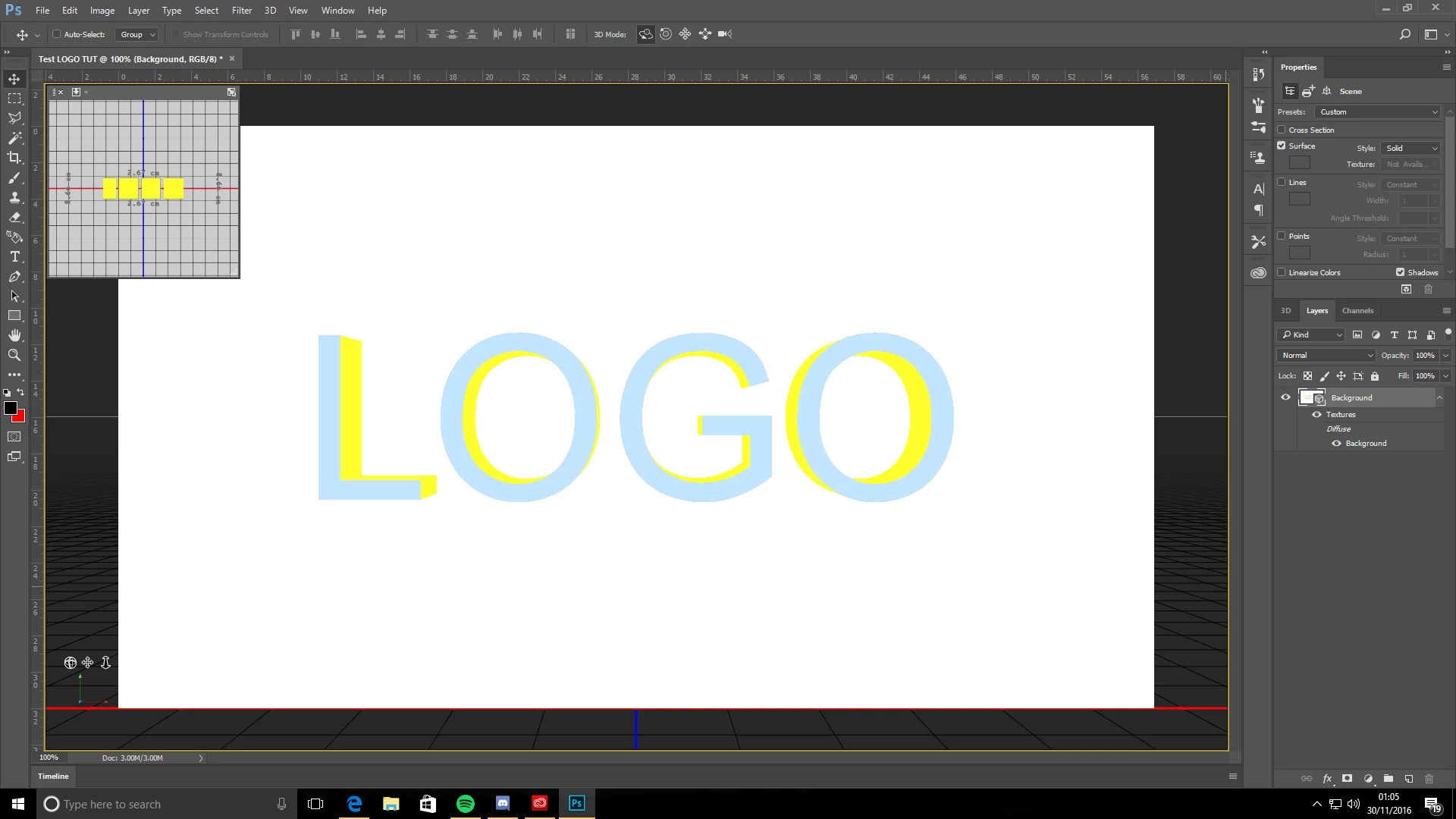
Looks very rough, little change in lighting and next to no drop shadow!

If anyone has any idea on how I can fix this problem I would much appreciate it!

Here is a link to the tutorial: How to Make 3D Text | Photoshop CS6 Tutorial - YouTube

P.S I have followed this tutorial step by step, along with others online, so I'm pretty sure I'm not making an error when it comes to following the instructions!

This topic has been closed for replies.

2 replies

davescm
Community Expert
Community Expert
November 30, 2016

Your not the first to ask the same question on that tutorial.

Click on the diffuse material for the background card and reduce its brightness. You should then see something similar to the video

Dave

Trevor.Dennis
Community Expert
Community Expert
November 30, 2016

davescm wrote:

Your not the first to ask the same question on that tutorial.

Click on the diffuse material for the background card and reduce its brightness. You should then see something similar to the video

Dave

Yes.  Even with my limited experience with Photoshop 3D, it looks like the the background is reflecting the colour of the extrusion material. Although I did at first wonder if the shadow colour had been set to that yellow.

davescm
Community Expert
Community Expert
November 30, 2016

One of the problems when someone watches a tutorial, and gets stuck, is that Adobe's help pages for 3D are still referring to panels and options that went out with CS5.

It does show though, that missing out some simple steps from a tutorial can throw people off entirely

Dave

Mylenium
Legend
November 30, 2016

Since the video never shows the actual render settings, this is a moot point, I'm afraid. It simply seems he's using a different brightness for the image-based lighting/ radiosity and other things. You're not necessarily doing anything wrong, you just don't use the same settings. Find a better tutorial.

Mylenium