
sudhakark58573054
Participant
October 28, 2017
Answered

3D text outlines

  • October 28, 2017
  • 2 replies
  • 4232 views

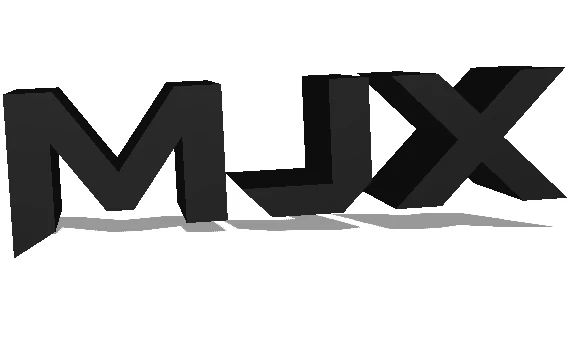
Hi, im a relatively new user to photoshop. I want to make my own profile pictures (for games etc.) and have discovered the 3d option (which is what i always wanted!). When i make a text 3D, i put a clipping mask on it, but when i do that, the text looks very weird. This is the current design.
This is what it looks like with the clipping.

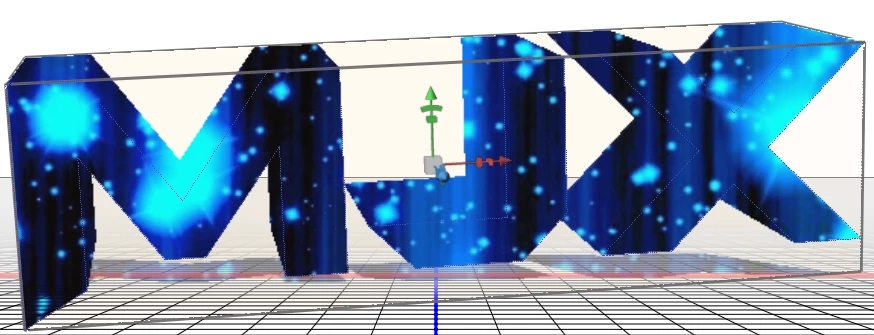
this is what i wanted it to look like. Is there any way i can keep the dashed lines (or any kind of substitute) i can do? I have tried for many hours without any success.
    This topic has been closed for replies.
    Correct answer davescm

    If you used the first method I showed then put the same texture image on the extrusion material.

    If you use the second method then ensure the extrusion material is white.

    Dave

    2 replies

    October 28, 2017
    davescm
    Community Expert
    Community Expert
    October 28, 2017

    There are a couple of ways - depending on what effect you are trying to achieve:

    1. Put the image onto the material as a diffuse  texture

    Alternatively :

    Change your letters to white .

    Go to scene properties and change the surface from Solid to Cartoon and turn on Lines (set to black)

    Then set the blend mode of your clipped 2D layer to multiply

    Dave

    sudhakark58573054
    Participant
    October 28, 2017

    Hi dave, thankyou for helping me out! I followed your steps and have gotten close to what i have wanted. Just a little problem, behind the text is black. Same problem with the second one, lines turn out beautifully but behind the text is black.

    angie_taylor
    Legend
    October 28, 2017

    If you add some ambient light this will help lighten the sides :-)