
50% Grey Overlay Layer Glitch
I've been encountering a persistent glitch in recent versions of Photoshop, and it's still present in version 25.3.1, which I'm running on macOS Monterey 12.7.2.
My workflow typically involves using a 50% grey layer in overlay blend mode, positioned above my compositions for adding film grain and vignette effects.
However, starting from a few versions ago, I've noticed an issue: when I paint on a layer beneath the grey layer, a grey glitch appears over my brush strokes.
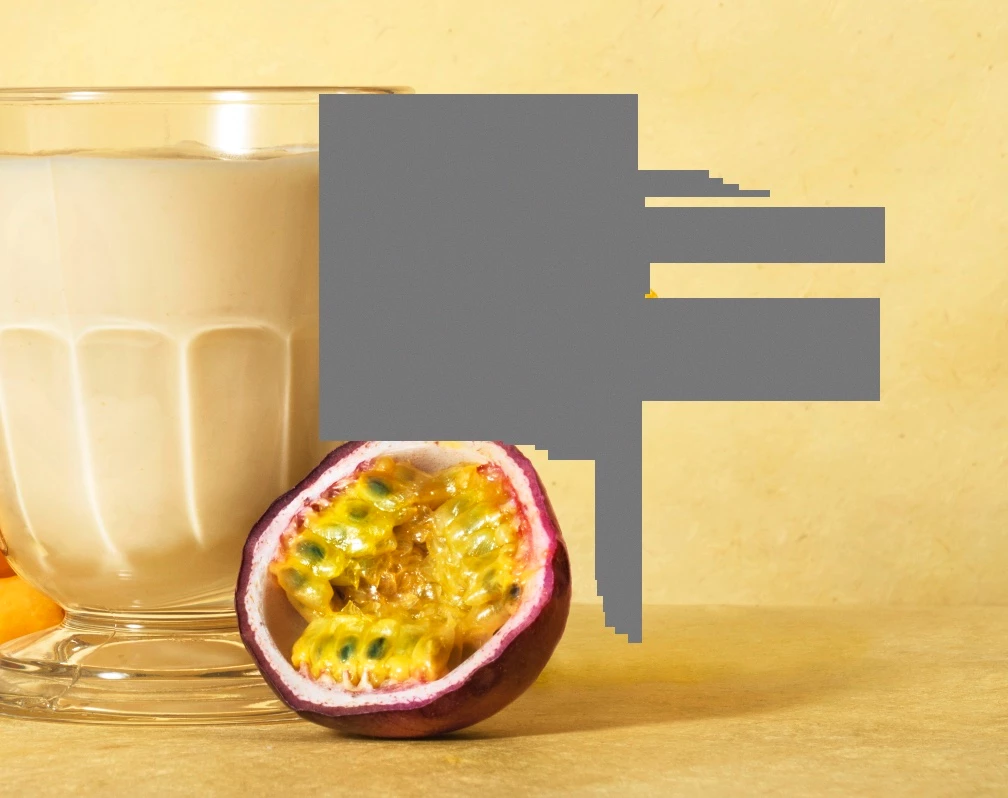
I've attached an example image to illustrate this problem. This glitch occurs almost every time I work in this way.
The only workaround I've found so far is to temporarily disable the overlay grey layer to eliminate the glitch.
I'm confident this issue was not present in Photoshop versions before 2022.
I'd appreciate it if you could investigate and address this issue!
Thank you.
in order to get rid of the glitch I need to turn off the overlay grey layer.
this issue was certainly not present in the PS versions prior 2022
please look in to the issue!
 AdChoices