
Answered
ABOUT AUTO BLEND.
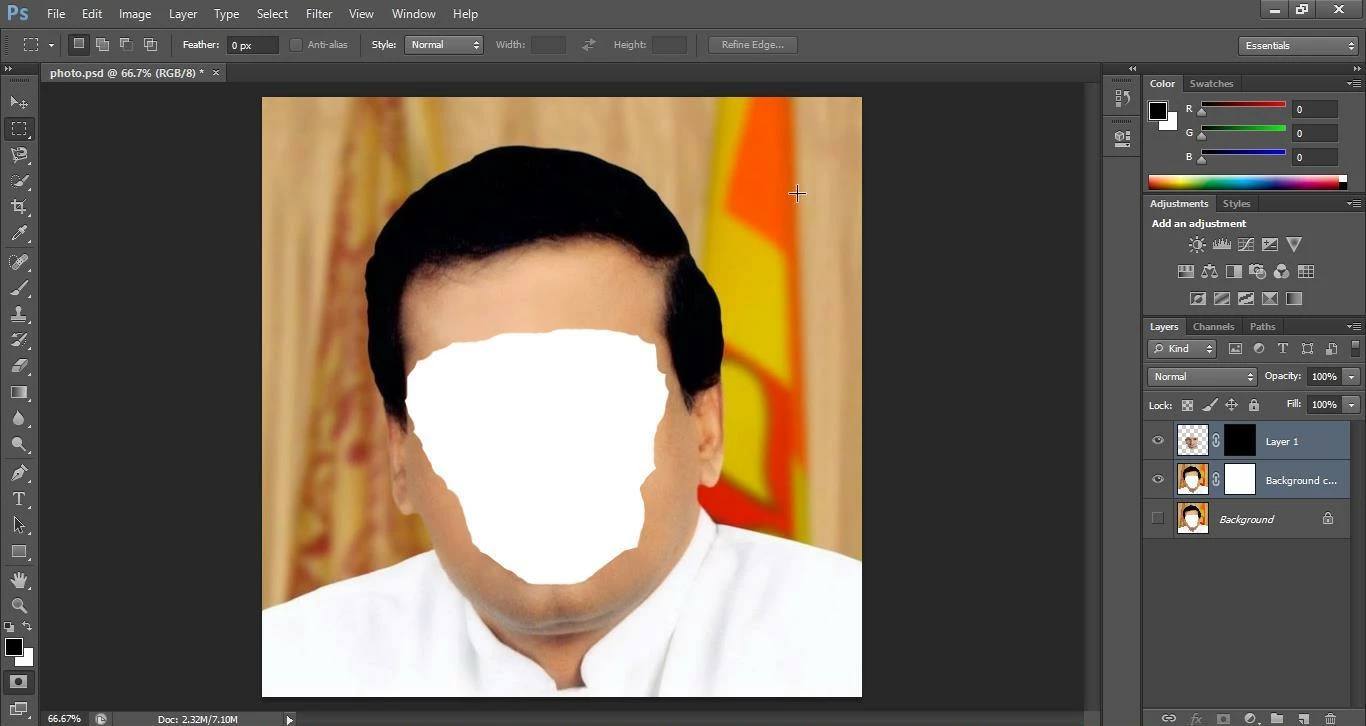
I have tried auto blend correctly by watching youtube video.But It was not succeeded.please help me.This is my screenshot.
[Moved by a moderator from the general Forum comments area to a product-specific support forum]

I have tried auto blend correctly by watching youtube video.But It was not succeeded.please help me.This is my screenshot.
[Moved by a moderator from the general Forum comments area to a product-specific support forum]
Hello!
The Face (I assume that it is the one you want to merge) does not show because its mask is black. Target the layer mask of the topmost layer (the black square) then paint with white to make it appear... Remember, black hides, white reveals (like a flashlight in a dark room)
Already have an account? Login
Enter your E-mail address. We'll send you an e-mail with instructions to reset your password.
 AdChoices