
Action with two scripts only works once
Hi
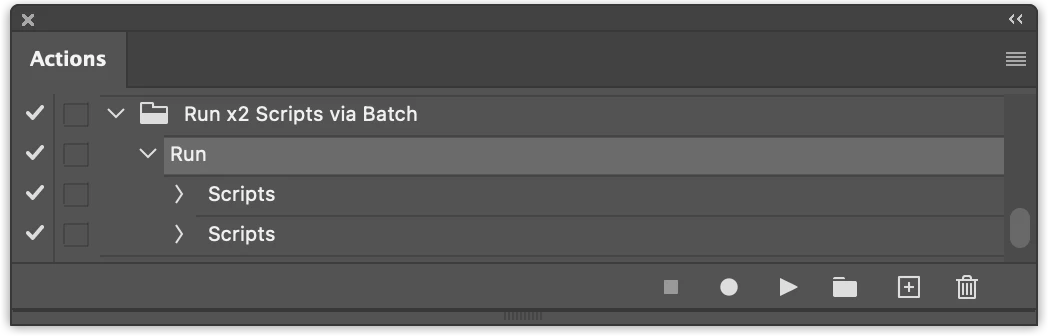
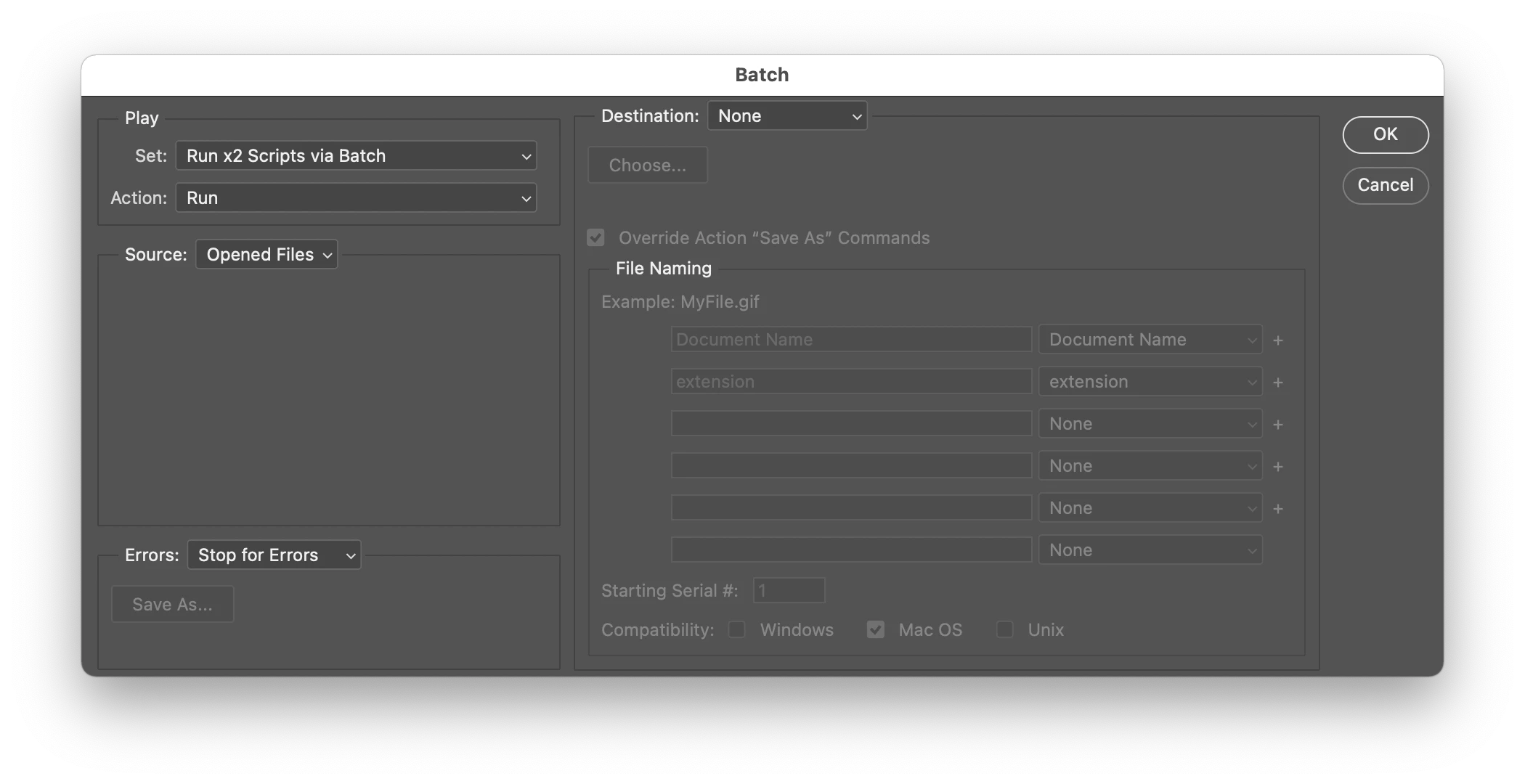
I would like to run the two scripts below on a number of open images using an Action. The first script uses Image Size to make the image square using the shortest side of the image. The second script saves the image. The scripts both work when run as seperate scripts. The Action works on the first image but not on the other open images. If anyone can solve this problem for me I would be very grateful. Thanks in advance for any help I may receive. Both scripts were posted on threads here and I have tweaked them. Thanks to the original people who posted them. Cheers Leo
SCRIPT ONE
=======
if(documents.length){
var doc = activeDocument;
var Width = doc.width.as('px');
var Height = doc.height.as('px');
var Max = Math.max(Width,Height);
var Min = Math.min(Width,Height);
var White = new SolidColor;
White.rgb.hexValue = 'ffffff';
backgroundColor = White;
// doc.resizeCanvas(new UnitValue(Max,"px"),new UnitValue(Max,"px"),AnchorPosition.MIDDLECENTER);
doc.resizeImage(new UnitValue(Min,"px"), new UnitValue(Min,"px"), undefined, ResampleMethod.BICUBIC);
}
=======
SCRIPT TWO
app.displayDialogs = DialogModes.NO;
try {
var tmp = app.activeDocument.fullName.name;
ftype = decodeURI(tmp.substring(tmp.lastIndexOf("."),)).toLowerCase();
if (ftype==".nef" || ftype==".cr2" || ftype==".crw" || ftype==".dcs" || ftype==".raf" || ftype==".arw" || ftype==".orf") { throw "error1"; }
fname = app.activeDocument.name.replace(/\.[^\.]+$/, '');
SaveAsJPEG(activeDocument.path + "/" + fname, 10); // Quality Level 10
app.activeDocument.close(SaveOptions.DONOTSAVECHANGES); // or (SaveOptions.SAVECHANGES) or (SaveOptions.PROMPTTOSAVECHANGES)
// alert("The document has been saved as a JPEG!");
}
catch(e) {alert("The document has not been saved yet!")}
function SaveAsJPEG(saveFile, jpegQuality){
var doc = activeDocument;
jpgSaveOptions = new JPEGSaveOptions();
jpgSaveOptions.embedColorProfile = true;
jpgSaveOptions.formatOptions = FormatOptions.STANDARDBASELINE;
jpgSaveOptions.matte = MatteType.NONE;
jpgSaveOptions.quality = jpegQuality;
activeDocument.saveAs(File(saveFile+".jpg"), jpgSaveOptions, true,Extension.LOWERCASE);
}
app.displayDialogs = DialogModes.YES;
==========
 AdChoices