Participant
November 1, 2024
Answered

Actions: automating image sequences that import image sequences

  • November 1, 2024
  • 1 reply
  • 310 views

I'm working with image sequences, and I'm trying to find a way to use two image sequences in one action. 

For example:

1. Open image "water sequence_01.png" 

2. import "water sequence overlay_01.png" 
3. adjustments and effects

4. save for web


--

1a. Open image "water sequence_02.png"

2a. import "water sequence overlay_02.png"

3a. adjustments and effects

4. save for web.


etc etc...


-- 

Is this possible?

Thanks
This topic has been closed for replies.
Correct answer Stephen Marsh

@Old Dolio 


Actions can't do the variable loading/stacking – but scripts can.


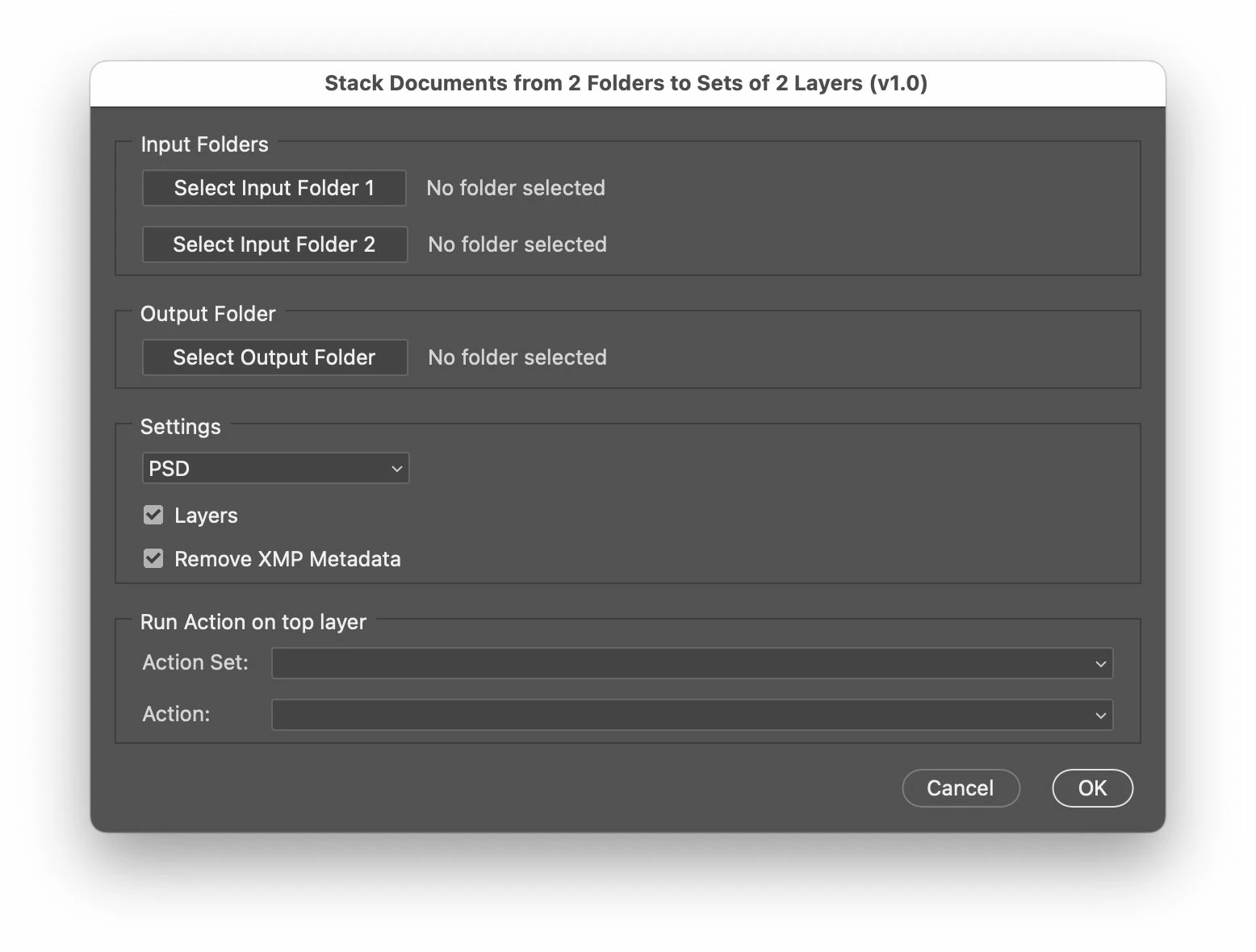
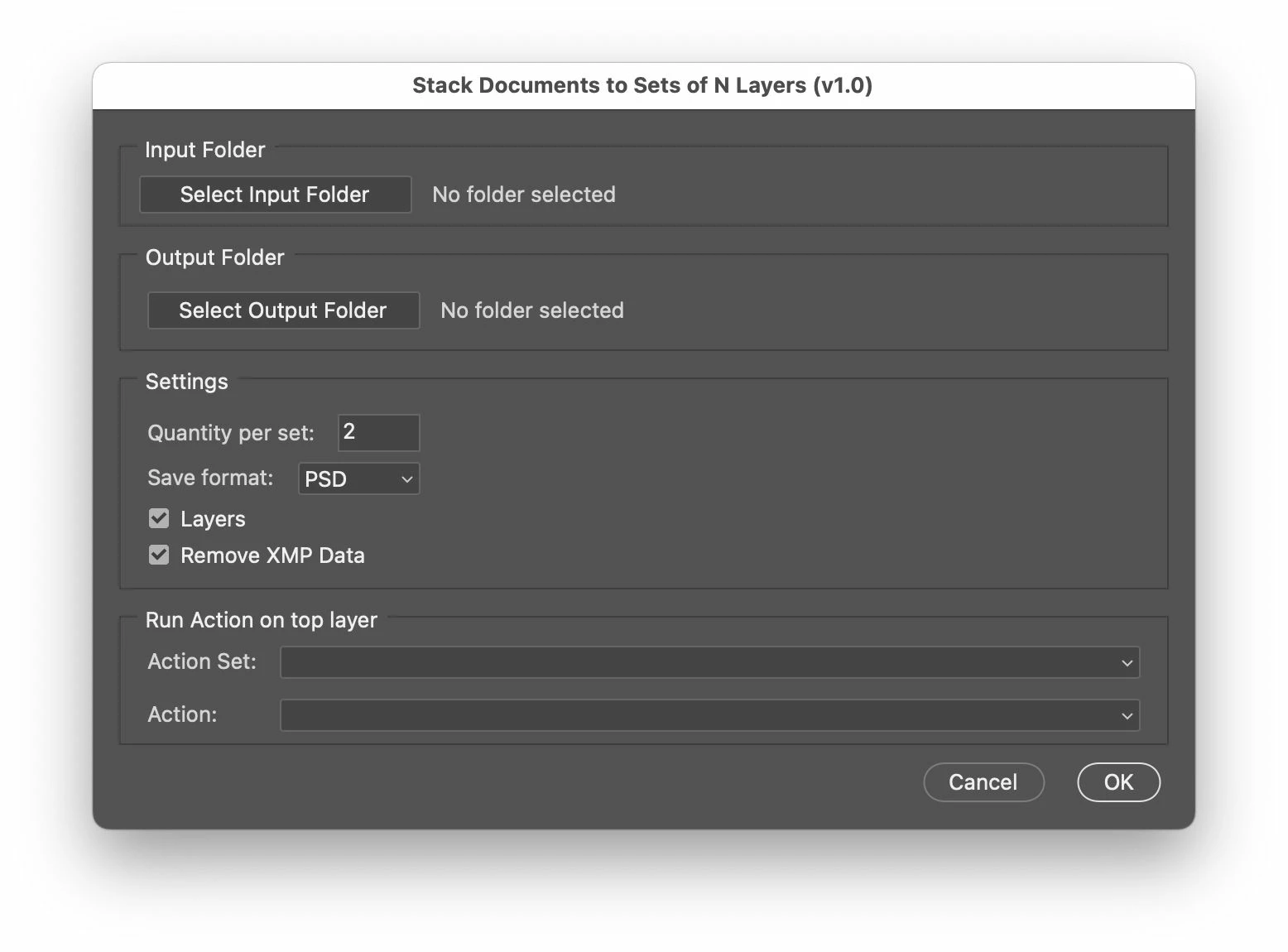
I have some generic scripts that allow you to load alpha/numeric sorting image sequences into a "set" from a single folder:


https://community.adobe.com/t5/photoshop-ecosystem-discussions/script-to-automate-load-files-into-stack/m-p/13499068#U14928257


Or load alpha/numeric sorting images from two separate folders:


https://community.adobe.com/t5/photoshop-ecosystem-discussions/script-to-open-files-and-layer-them/m-p/12532657#U14933502


What you then do is create an action to "do stuff" to the layered images. What the action does is up to you, the action works from the upper layer, so if you need to do something to the lower layer then the action should use a relative keyboard shortcut to select the backwards or back layer.


These scripts are based on other scripts that I have created for specific workflows, it is hard to make these things generic.

1 reply

Stephen Marsh
Community Expert
Stephen MarshCommunity ExpertCorrect answer
Community Expert
November 1, 2024

@Old Dolio 


Actions can't do the variable loading/stacking – but scripts can.


I have some generic scripts that allow you to load alpha/numeric sorting image sequences into a "set" from a single folder:


https://community.adobe.com/t5/photoshop-ecosystem-discussions/script-to-automate-load-files-into-stack/m-p/13499068#U14928257


Or load alpha/numeric sorting images from two separate folders:


https://community.adobe.com/t5/photoshop-ecosystem-discussions/script-to-open-files-and-layer-them/m-p/12532657#U14933502


What you then do is create an action to "do stuff" to the layered images. What the action does is up to you, the action works from the upper layer, so if you need to do something to the lower layer then the action should use a relative keyboard shortcut to select the backwards or back layer.


These scripts are based on other scripts that I have created for specific workflows, it is hard to make these things generic.

Old DolioAuthor
Participant
November 1, 2024

Thank you for your reply! I will experiment with your script. Sounds like it'll do what I'm looking for 🙂

Stephen Marsh
Community Expert
Community Expert
November 1, 2024
quote

Thank you for your reply! I will experiment with your script. Sounds like it'll do what I'm looking for 🙂


By @Old Dolio


Let me know how you go, I'm interested to hear how others use them. I recommend that you use a smaller quantity of images for testing and that you use layered PSD or TIFF to understand how the script orders the files. Once you have an understanding of what is taking place you can save to PNG or JPEG with more confidence.