bartonlew
Legend
June 16, 2019
Answered

Actions dialog box disappears after closing file

  • June 16, 2019
  • 2 replies
  • 966 views

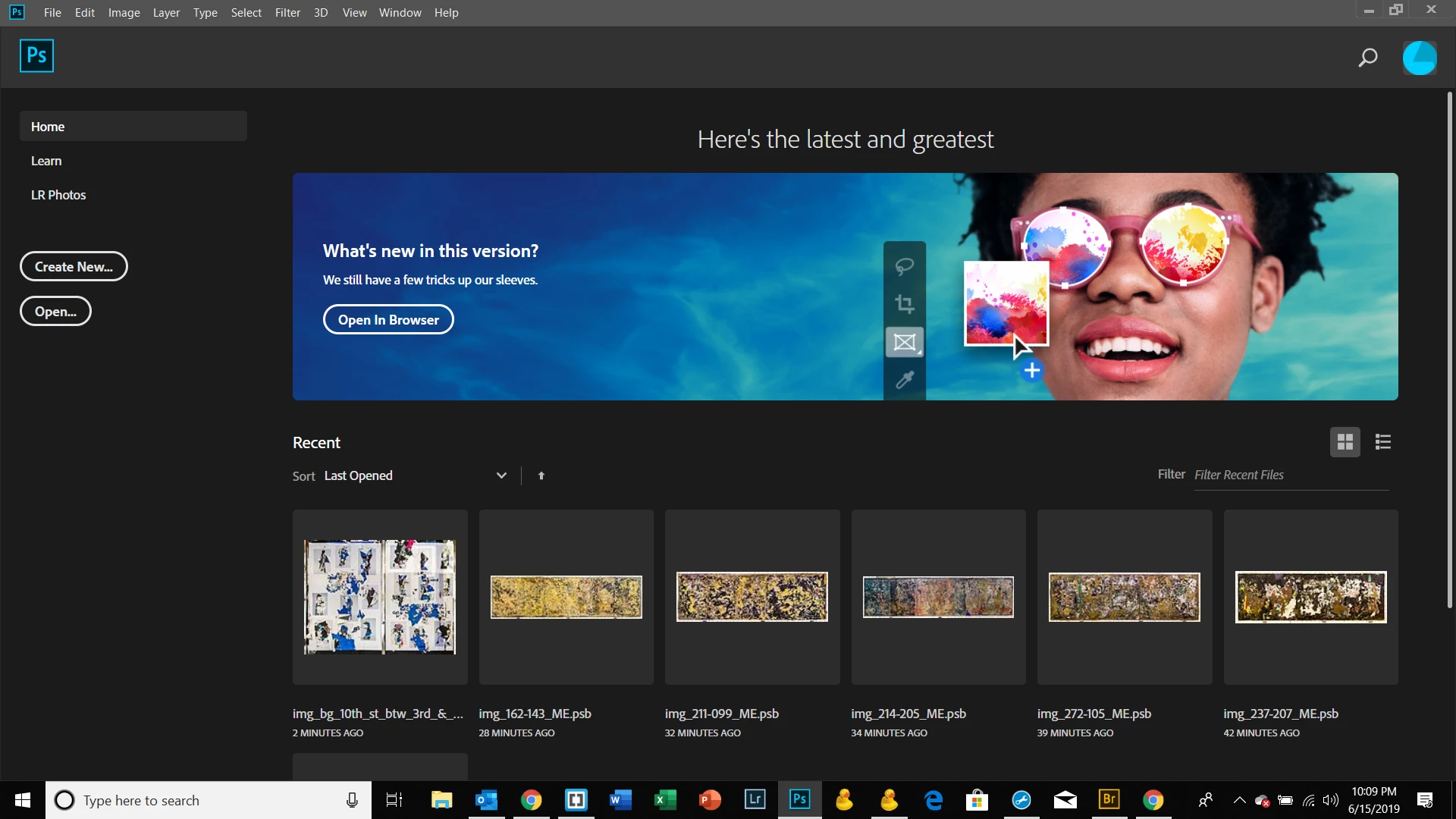
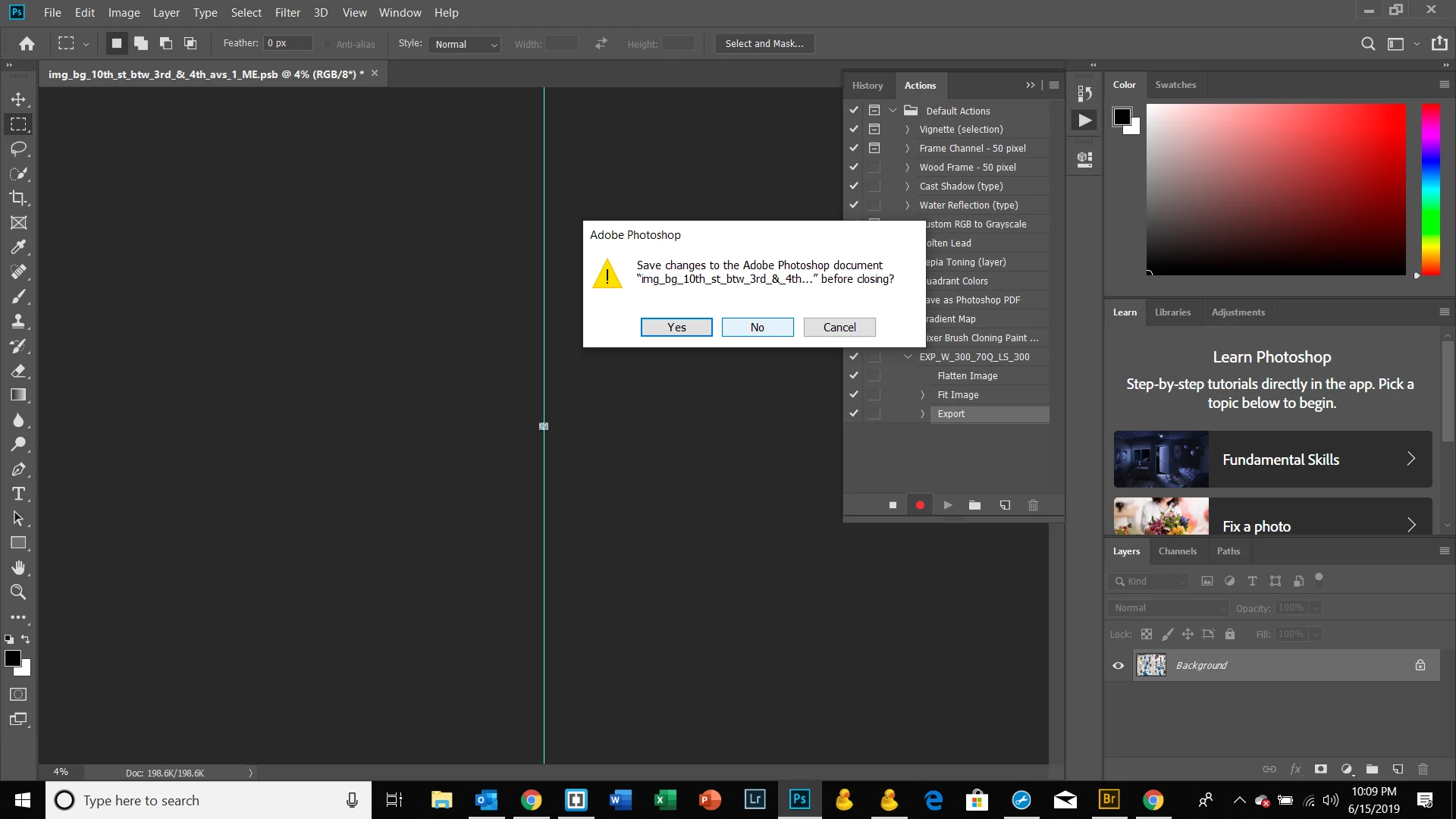
I am having the following problem:  I am creating an Action for to use as a batch export for jpg's.  After the last step in the process - which is to say "No" to saving the file after having flattened, resized and exported it - I am taken to a screen where the dialog box for Actions no longer appears.  I had to re-install PS because of a hard drive failure I had and re-installation of a drive.  This screen is not the one I was getting before after I closed my file.  Where is the Actions box and/or how can I revert to the previous user experience where I had a blank screen with the box still showing, allowing me to stop recording?  Thanks.
This topic has been closed for replies.
Correct answer JJMack

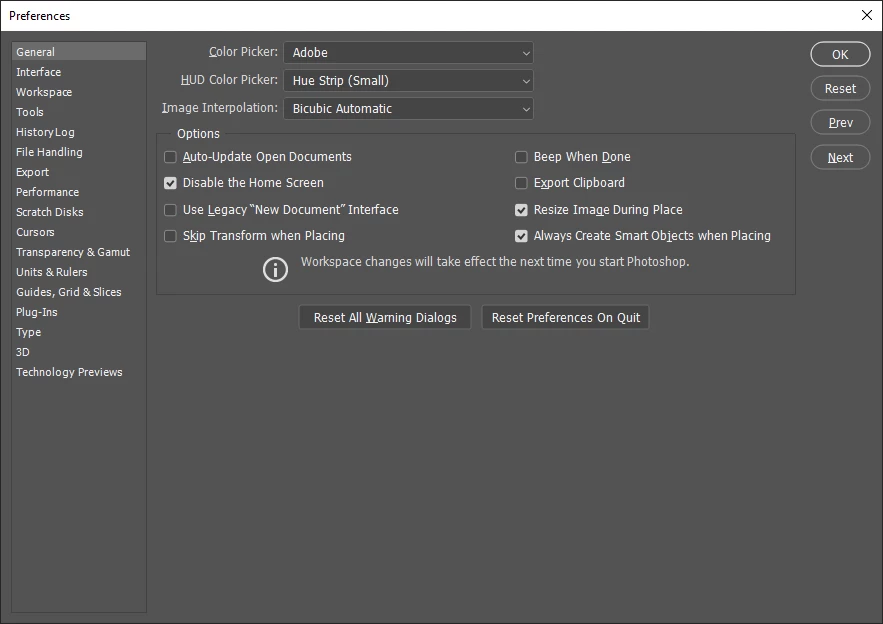
Have two open document in Photoshop when you are recording you action or disable the home screen. I never use the home screen.  It look like you were recording and action after you exported the document you were recording the action with you closed the document out of Photoshop. So there thers was then no open document in Photoshop so Photoshop opened the home workspace.

2 replies

JJMack
Community Expert
JJMackCommunity ExpertCorrect answer
Community Expert
June 16, 2019

Have two open document in Photoshop when you are recording you action or disable the home screen. I never use the home screen.  It look like you were recording and action after you exported the document you were recording the action with you closed the document out of Photoshop. So there thers was then no open document in Photoshop so Photoshop opened the home workspace.

JJMack
bartonlew
bartonlewAuthor
Legend
June 16, 2019

That worked, thank you.

Daniel E Lane
Inspiring
June 16, 2019

It sounds like you are trying to make the action actually close the image after you have it exported. I just tried it out a few times. The easiest way I found is to get rid of the Application Frame. That is what is making the Home screen go full screen where you can no longer see any of your other Control Panels including the Action Panel. So just go up to Window, and down toward the bottom, uncheck Application Frame. This will make Photoshop use your whole screen, but allow you to see your desktop behind it all and your image windows will open up in the middle area. Then, when you close the image, you will still see the Actions Panel and can finish the record process.

bartonlew
bartonlewAuthor
Legend
June 16, 2019

I'm on a PC and I couldn't see the Application Frame listed in the Window tab, I think it must be somewhere else.  But I disabled the Home Screen and that worked.  Thank you for your reply.