Participant
February 24, 2022
Question

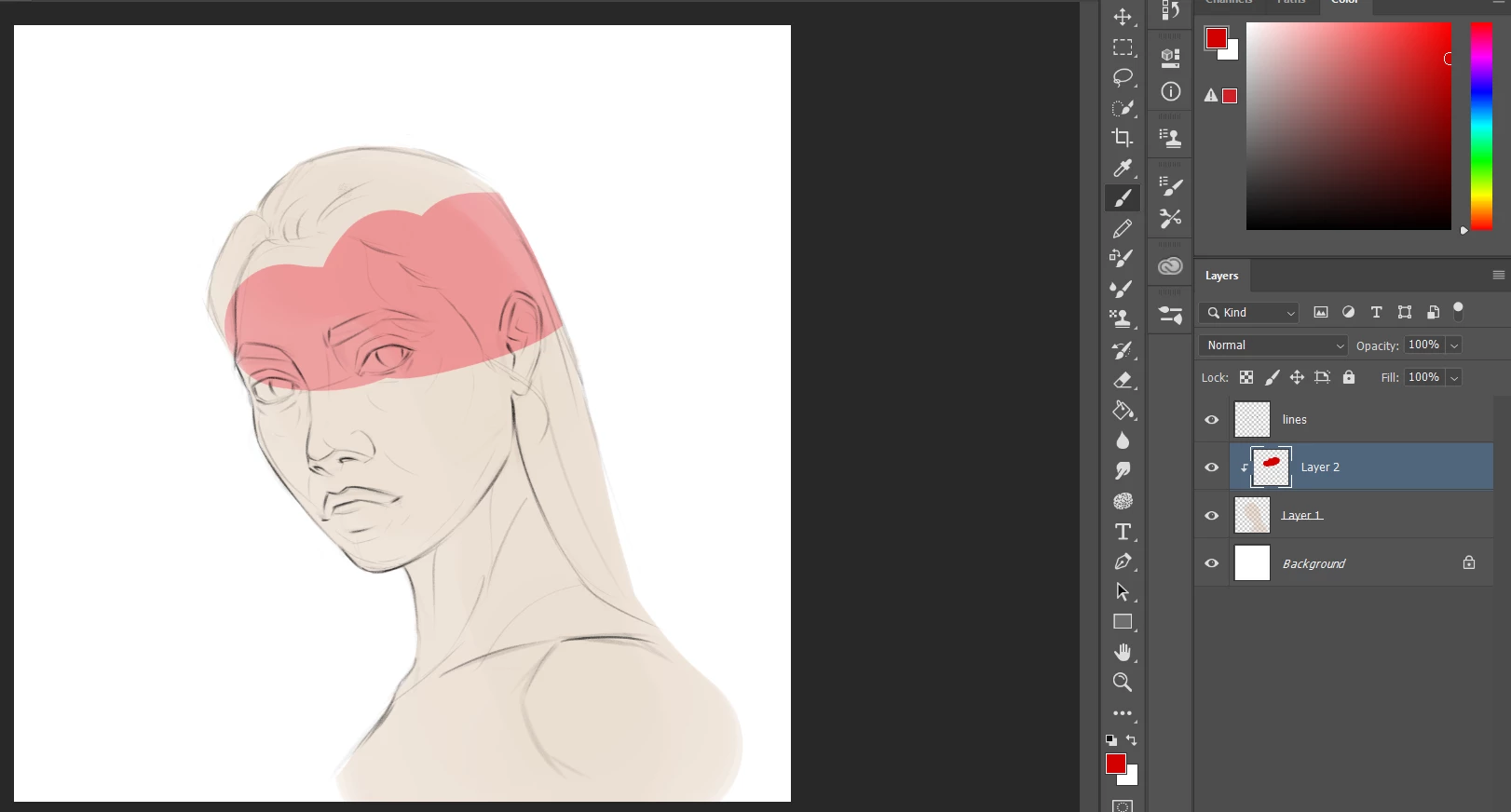
Adding layer mask changes my brush color.

  • February 24, 2022
  • 1 reply
  • 268 views

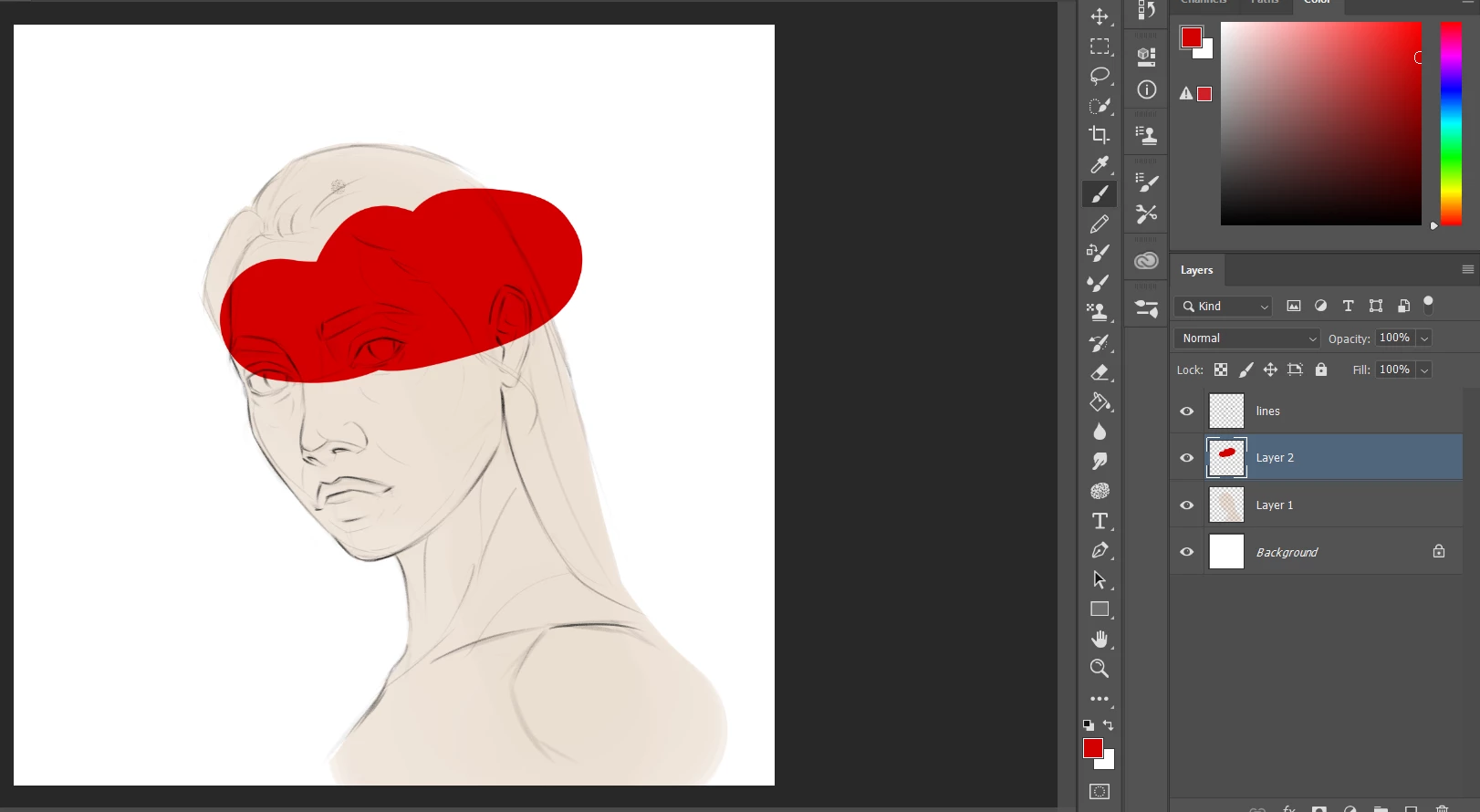
I wanted to add a layer mask above my painting but it keeps changing the color, please help!
This topic has been closed for replies.

1 reply

D Fosse
Community Expert
Community Expert
February 24, 2022

That's not a layer mask. That's a normal pixel layer clipped to the underlying pixel layer.


Add a layer mask by clicking the mask icon in the Layers panel. It will appear as an additional thumbnail beside the pixel thumbnail. A mask is always black and white. Black areas hide the pixel content, white reveals.


Here's how layer masks look:


Participant
February 25, 2022

I'm sorry but i think i confused "Layer Mask", with "Clip Mask Layer" i don't want a Layer mask i want a clip masl layer above my painting so i can only paint over a certain area and not the background. But whener i add it my colors will change.  

c.pfaffenbichler
Community Expert
Community Expert
February 25, 2022

The appearance of the top Layer in a Clipping Mask Group obviously depends on the base Layer. 

So what are the base Layer’s Opacity, Fill, Transparency of the actual pixels, …? 


According to your screenshot it is semi-transparent, so the result would seem to be as expected.