
Question
Adding Lens Flares
Adding lens flare
- Import your images into Photoshop
- Duplicate your images in the layers panel
- Locate the menu bar at the top of the interface
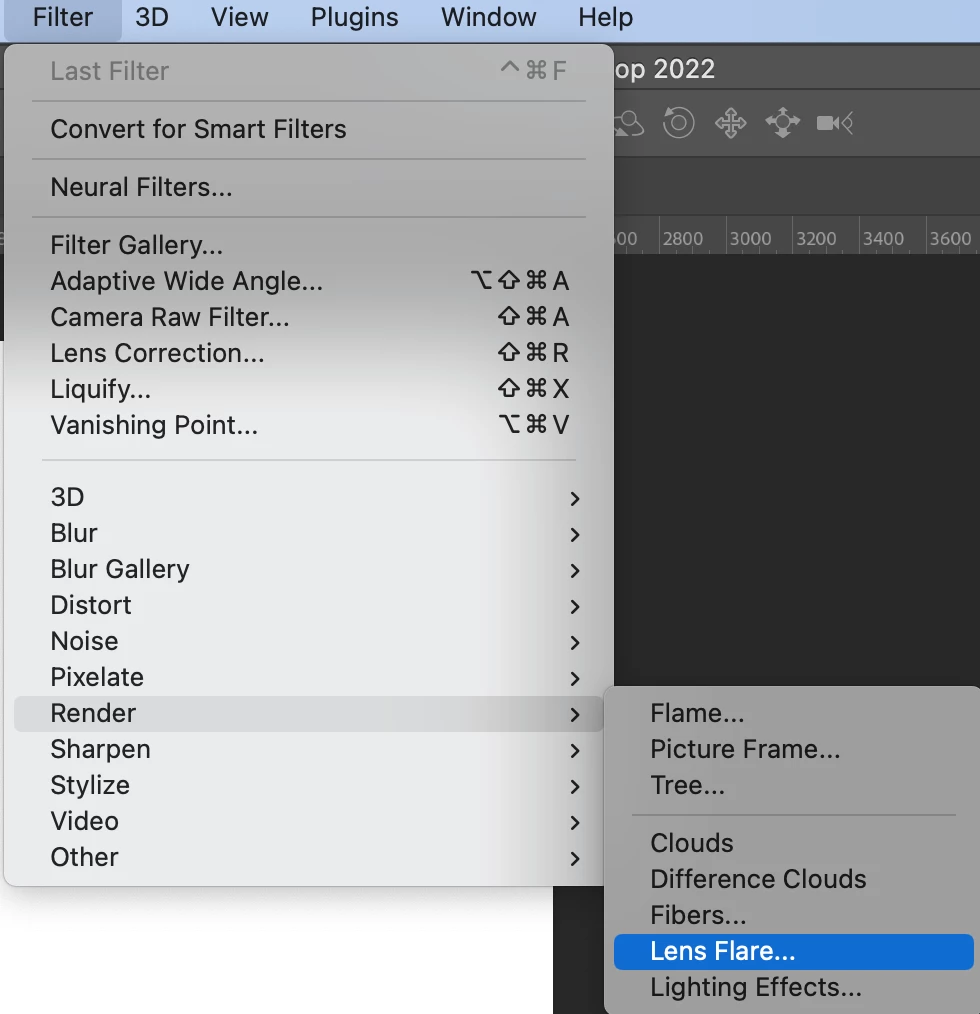
- Locate and select the filter menu
- From the drop-down menu select, Render
- From the drop-down menu select, Lens Flare
- A new dialog box will open and now you can choose a lens flare and manually adjust the brightness. When you are confident with your adjustments select, Ok.
- Adjust the Eraser tool and remove the flare that you do not wish to be present.
 AdChoices