m1b
Community Expert
Community Expert
August 30, 2024
Answered

Adjustment layer clipped to the layer below *after* its mask is applied?

  • August 30, 2024
  • 2 replies
  • 500 views

Hi all, sorry if this has been answered many times, I genuinely couldn't find it. I also feel like I'm missing something obvious and just haven't gotten enough sleep.


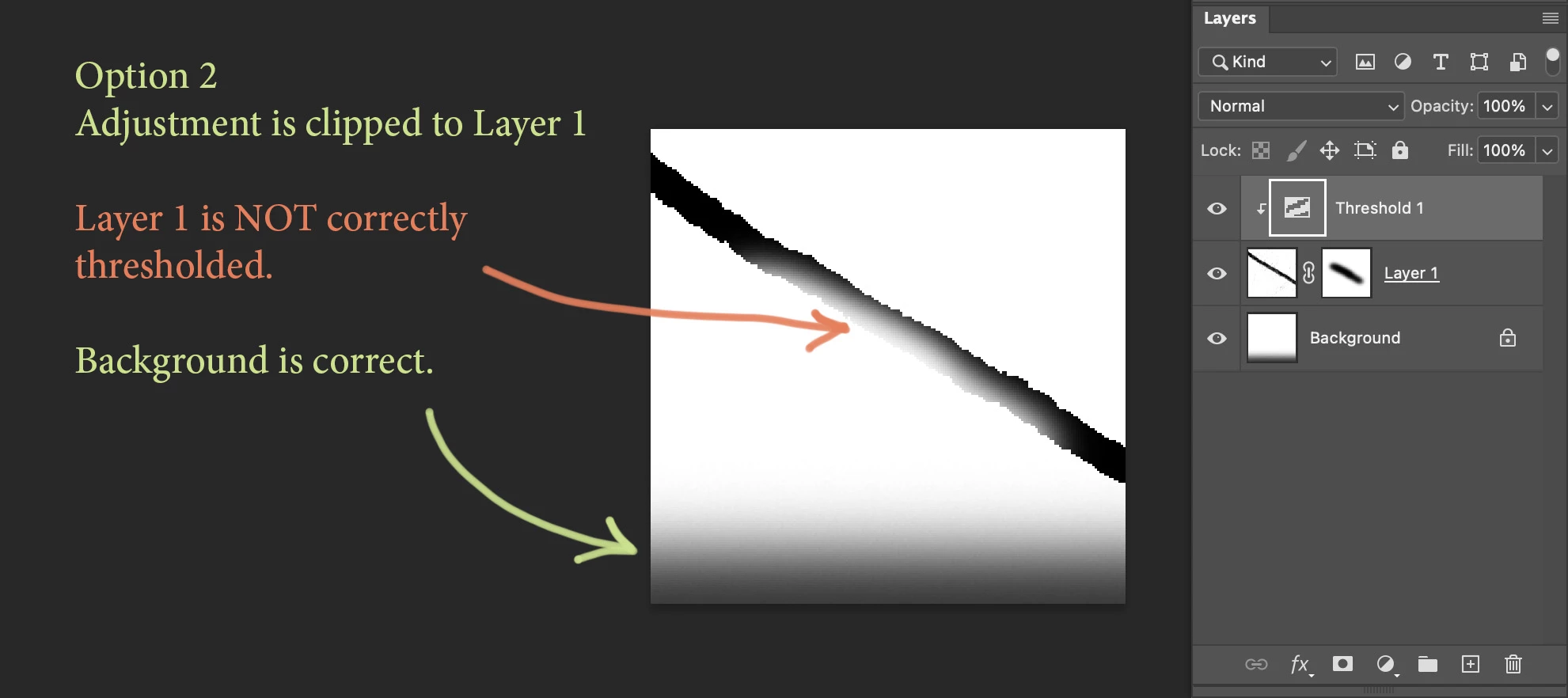
Please see screen shots of Option 1 and Option 2 below. Do you know how I can achieve:

(A) Layer 1 correctly thresholded as in Option 1,

(B) Background not affected by the Thresholding as in Options 2, and

(C) keep the layer mask editable?


I've also attached demo.psd which I used to make these screenshots.
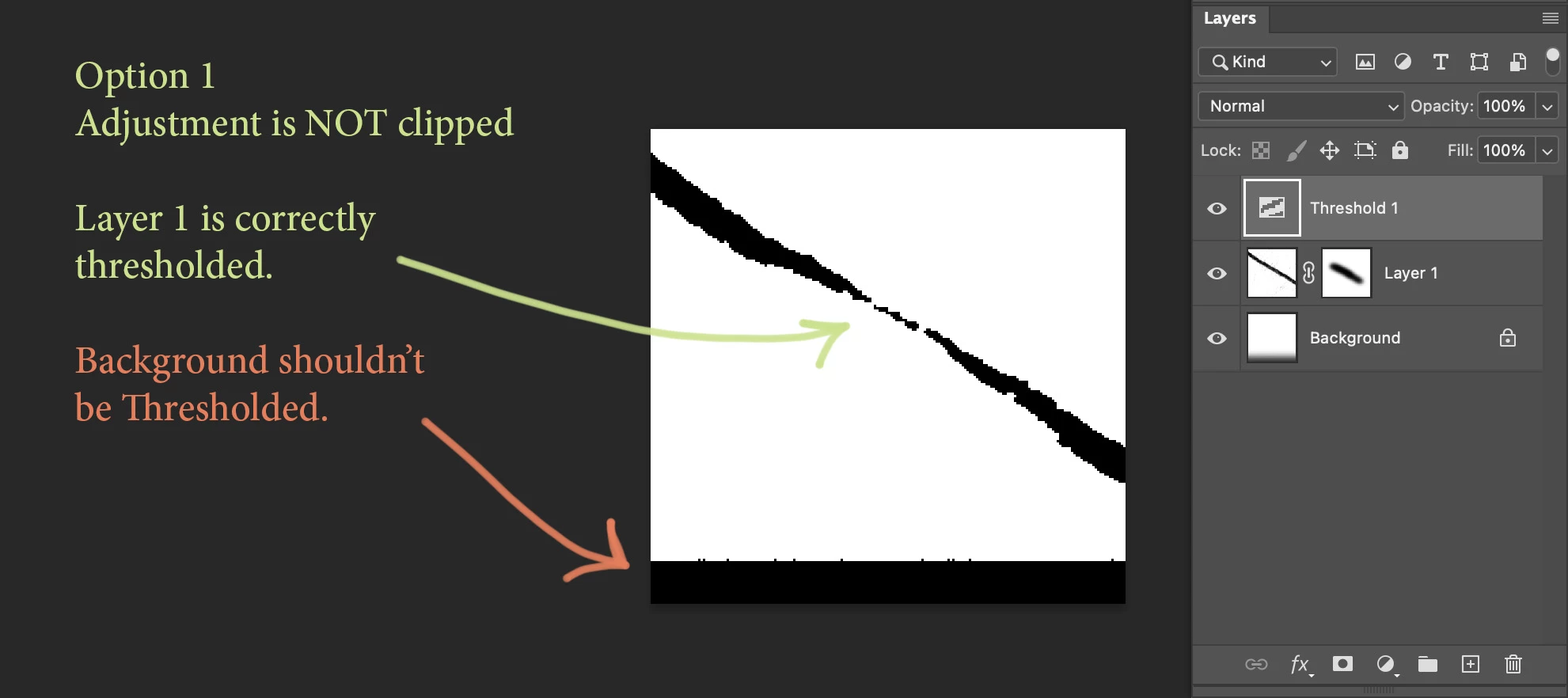
 

Demo file details: Layer 1 is a normal pixel layer with a layer mask (this layer is set to "Darken" so that I can see the Background layer below) and I've got an adjustment layer, above (I've used Threshold because it makes the issue obvious) clipped to that layer.


My problem is I want the Threshold layer to be clipped by Layer 1's transparecy map *after* its mask is applied. This does not seem to be the default, at least on my system. (MacOS 14.6.1, PS 25.11)


Any help appreciated!

- Mark
This topic has been closed for replies.
Correct answer davescm

The clipping mask is working correctly, the adjustment is fully applied where the mask is white and the effect is partial where it is grey.

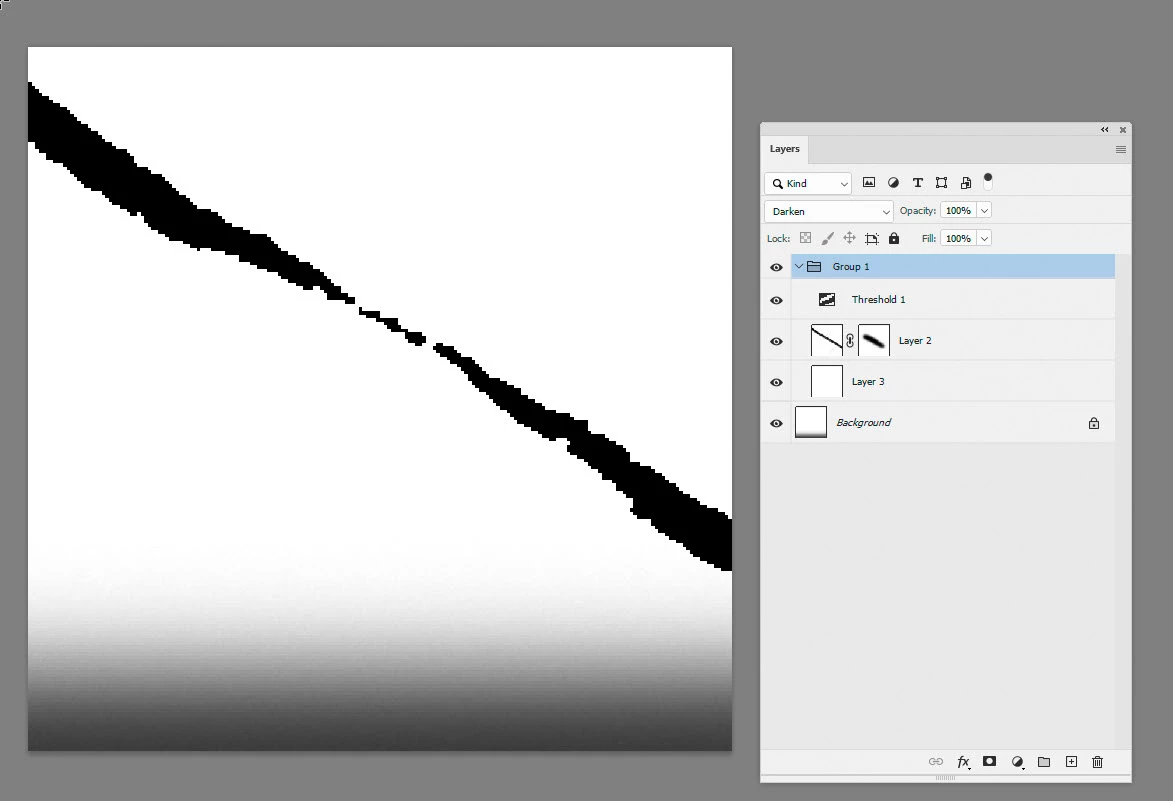
To achieve the result you are looking for, use a group, set the group blend mode to darken and add a plain white layer at the bottom of the group.


Dave

2 replies

davescm
Community Expert
davescmCommunity ExpertCorrect answer
Community Expert
August 30, 2024

The clipping mask is working correctly, the adjustment is fully applied where the mask is white and the effect is partial where it is grey.

To achieve the result you are looking for, use a group, set the group blend mode to darken and add a plain white layer at the bottom of the group.


Dave

m1b
Community Expert
m1bCommunity ExpertAuthor
Community Expert
August 30, 2024

Perfect! Exactly what I needed. Thanks!

D Fosse
Community Expert
Community Expert
August 30, 2024

This is the correct behavior.


The adjustment clips to the underlying pixel data, not the mask.


When the adjustment is not clipped, however, it applies to everything below. Think of everything below as a flattened composite image.