Lynnette7
Inspiring
May 22, 2023
Answered

Adjustment Layers - Is this a Bug or a New Feature that I Hate? :)
  • May 22, 2023
  • 1 reply
  • 589 views

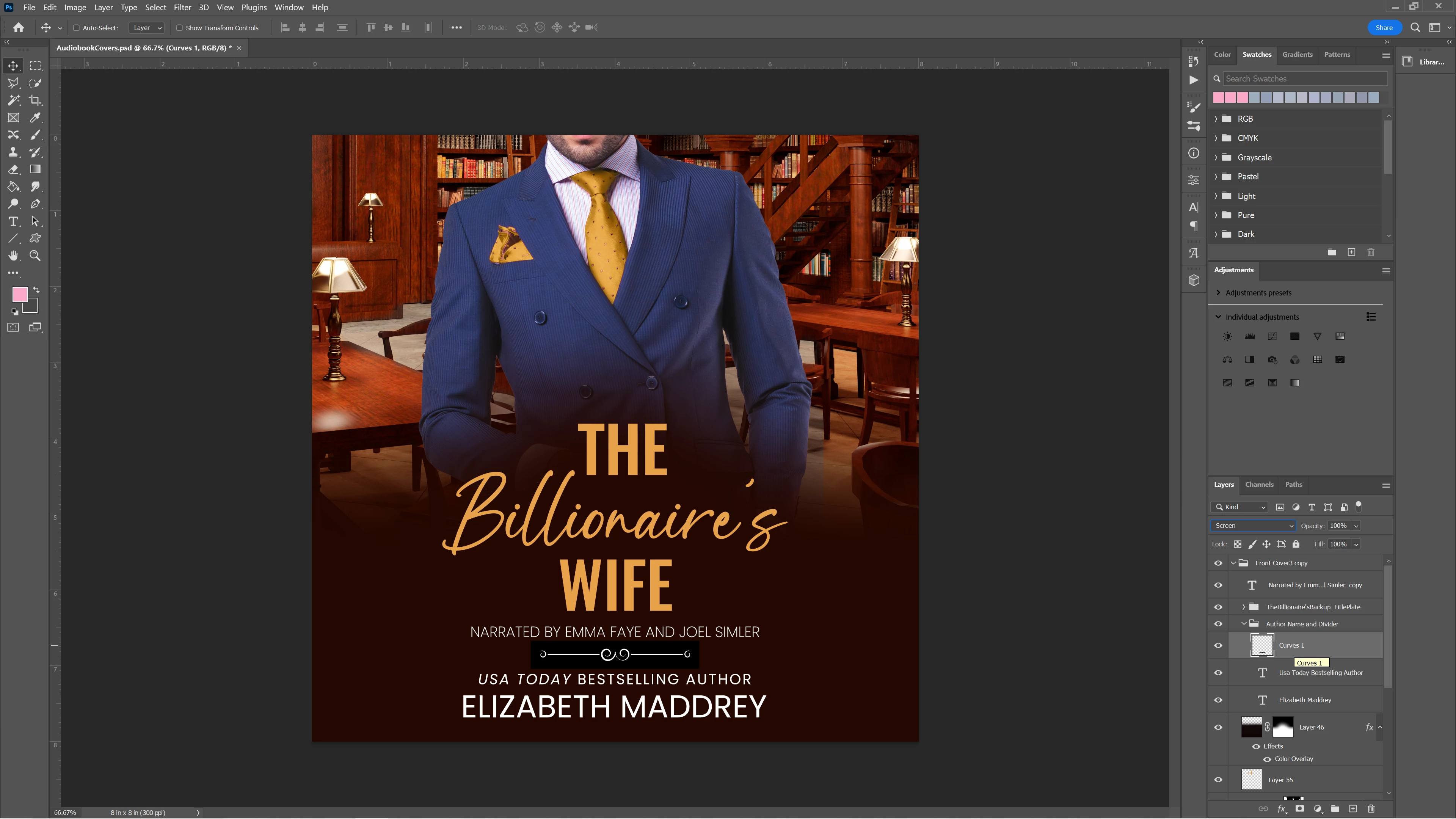
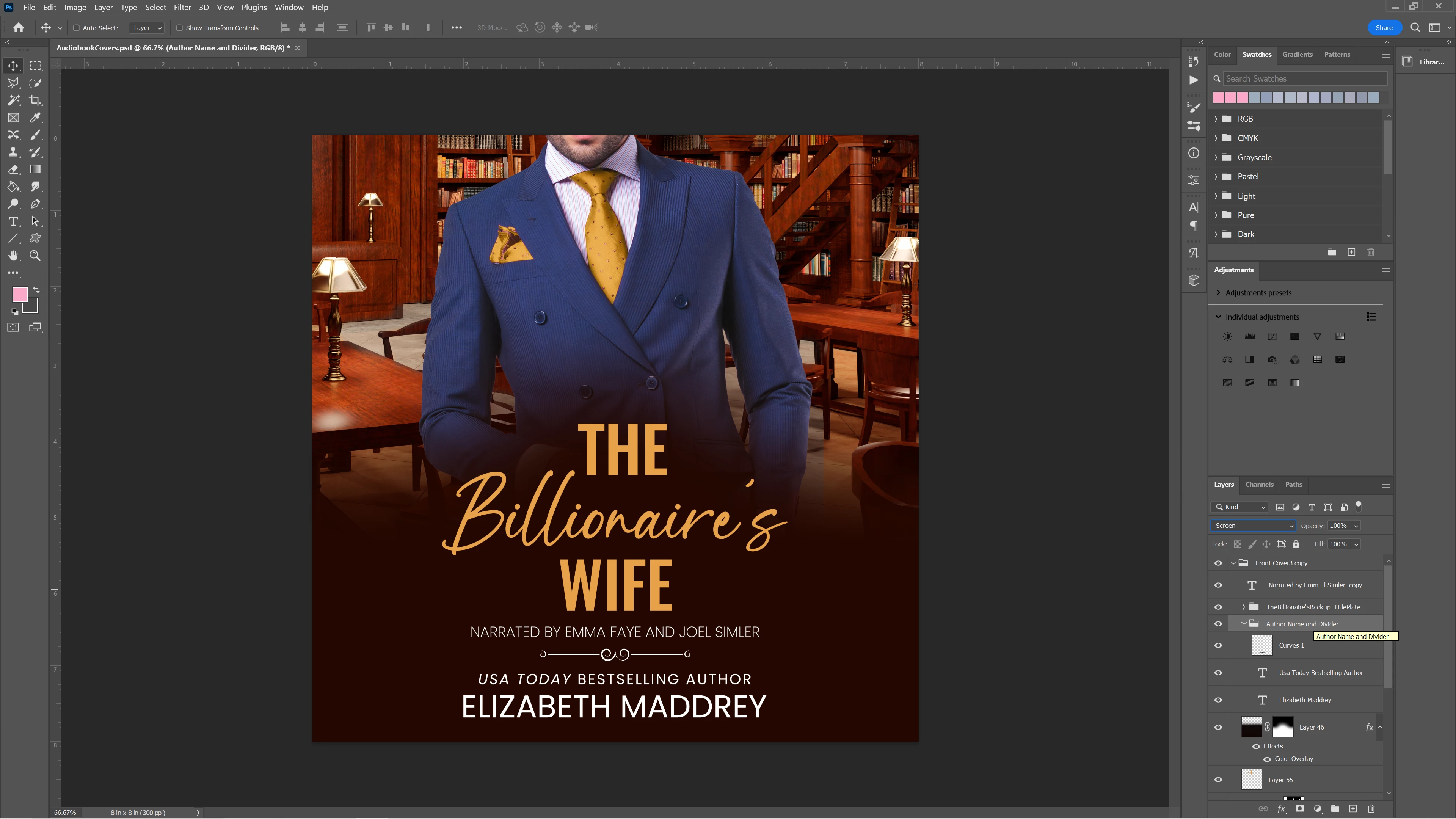
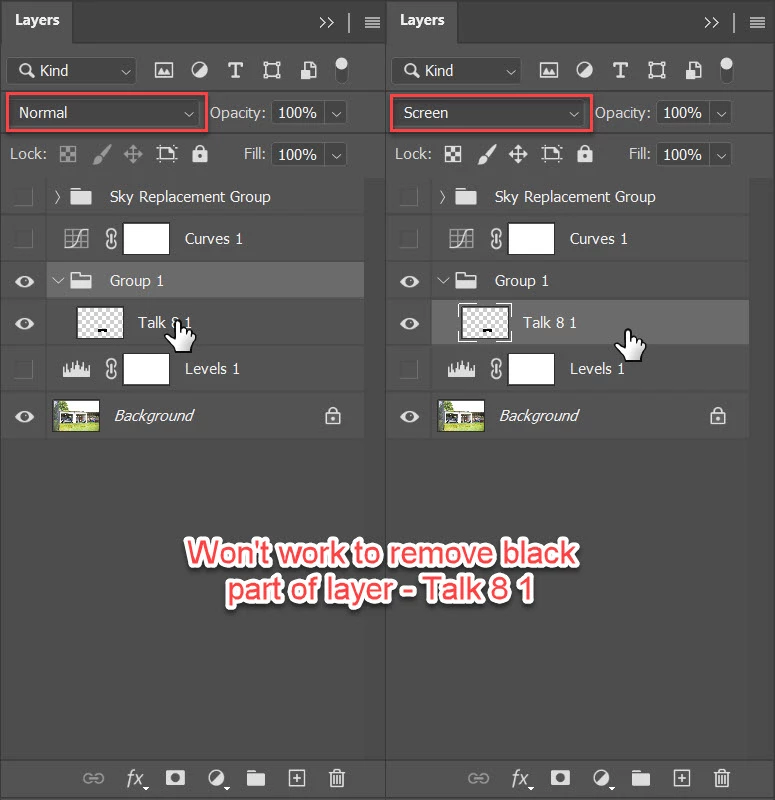
I'm running 24.4.1. See in the above that the white scroll divider image is set to screen but is in fact not screening. The group it is in is set to normal. But If I either set the group to screen (not ideal), or move the layer outside of the group (still set to screen) it works as intended. 
This is not the way this has worked for me in the past. It is super annoying as I like to keep my layers grouped for organization. Is this a bug? Or a new thing that we will have to deal with?
This topic has been closed for replies.
Correct answer Bojan Živković11378569

In other words, Screen works when applied to Layer group and when layer is outside that group. Screen does not work when applied to layer inside group? When you are applying Screen to layer inside layer group what is blend mode set for layer group? Pass Through should work, Normal will behave as you have described.

1 reply

Trevor.Dennis
Community Expert
Community Expert
May 23, 2023

All three screenshots are showing as identical for me.  I have even tried overlaying and setting to Difference and seeing a full black as expected.

Lynnette7
Lynnette7Author
Inspiring
May 23, 2023

The first shot shows the black box that isn't supposed to be there when I set a layer to screen. (around the white divider image.) The other two screenshots show the two options that I can use to get the screen adjustment to work. (With no black box around the white divider image.)

Bojan Živković11378569
Community Expert
Community Expert
May 23, 2023

In other words, Screen works when applied to Layer group and when layer is outside that group. Screen does not work when applied to layer inside group? When you are applying Screen to layer inside layer group what is blend mode set for layer group? Pass Through should work, Normal will behave as you have described.