

dragantomas
Inspiring
June 19, 2023
Question

Adjustments Icons Greyed Out in Photoshop

  • June 19, 2023
  • 11 replies
  • 1496 views

Hi there,


Latest version Photohop&Acr 24.5.0. M1 Max MBP Ventura OS


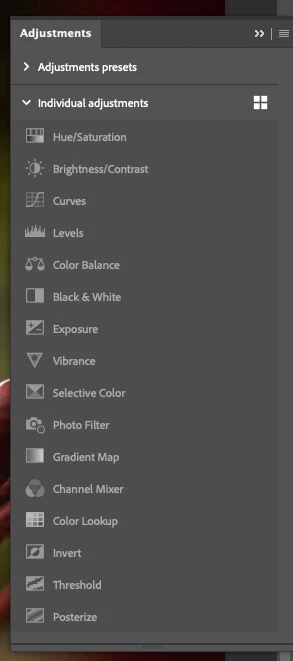
When I open a clean Raw file in Photoshop via Camera Raw the Adjusmtnet Icons are grayed out (see screenshot) and cant use them. Only way to remedy the problem is to open the same file from photoshop back to Camera raw, move any slider, press OK to get me back to photoshop, and then the icons become accessioble again.
 

This topic has been closed for replies.

11 replies

dragantomas
Inspiring
June 19, 2023

Hi there,


Latest version Photohop&Acr 24.5.0. M1 Max MBP Ventura OS


When I open a clean Raw file in Photoshop via Camera Raw the Adjusmtnet Icons are grayed out (see screenshot) and cant use them. Only way to remedy the problem is to open the same file from photoshop back to Camera raw, move any slider, press OK to get me back to photoshop, and then the icons become accessioble again.

Thanks