
Participating Frequently
November 27, 2020
Question

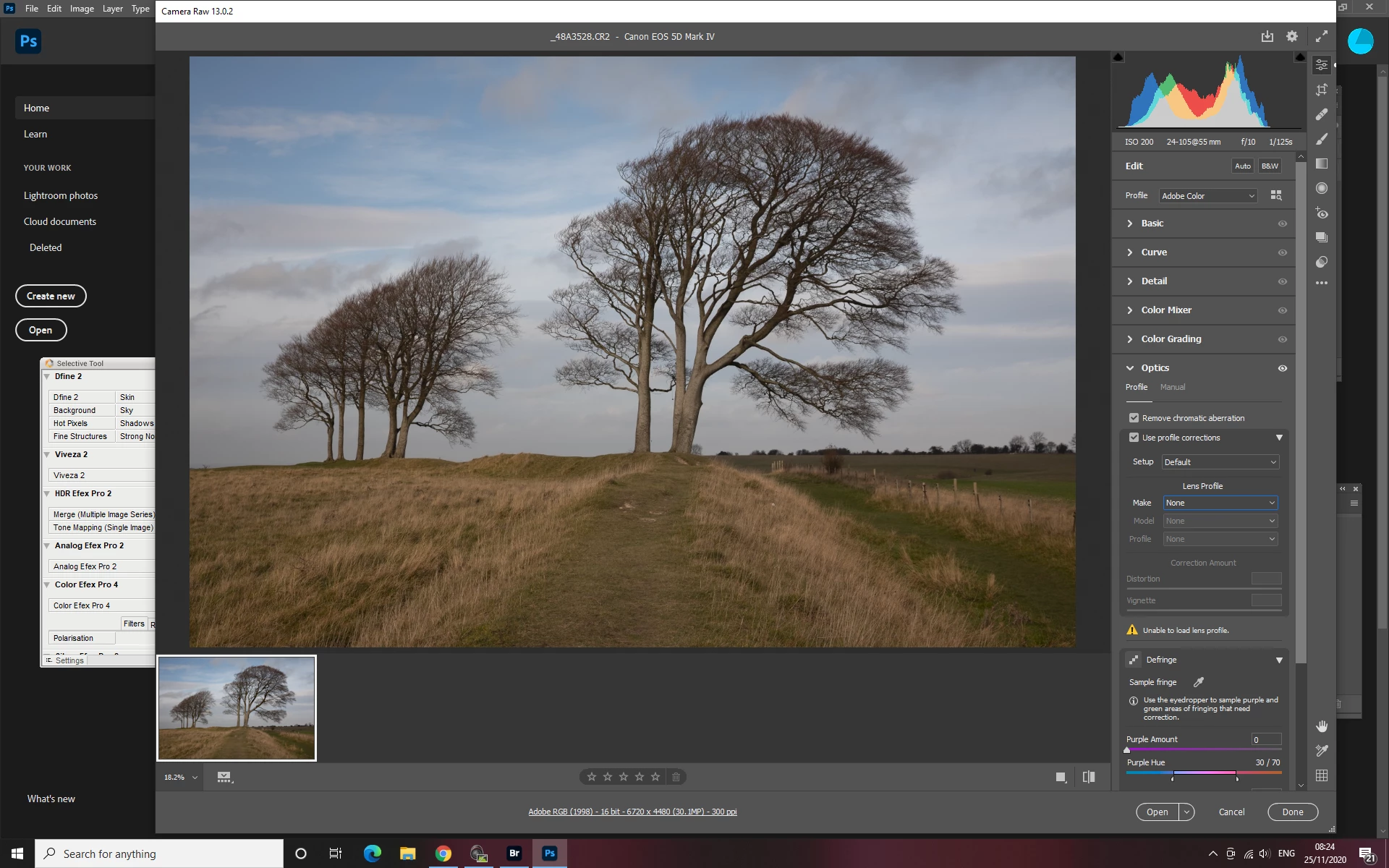
Adobe Camera Raw 13.0.2 Optics not showing Canon

  • November 27, 2020
  • 2 replies
  • 643 views

Canon not showing in Optics. 

When I tick Remove chromatic aberration and Use profile corretions I get a orange warning triangle and the message -Unable to load lens profile.  Raw image.

Can not enter Canon as when I do it just greys out.  No canon lenses .

Image no and CR2 with Canon EOS 5D Mark IV clearly shown on top of imported image.

Tried everything but nothing works.  I use this on every image and have never had trouble before the new upload.  Please help.
 

This topic has been closed for replies.

2 replies

davescm
Community Expert
Community Expert
November 27, 2020

If you post a link to a raw file, I'll try it here which should show whether it is your file or system that is the issue

Dave

janeannetAuthor
Participating Frequently
November 27, 2020
Hi
Not sure how I do that. Do I just send you one of my latest raw images?
Jane
davescm
Community Expert
Community Expert
November 27, 2020

Hi - if you put it in your Creative Cloud folder and let it sync - you should then be able to go to it online (via the CC desktop app) and get a "Share" link which you can post here


Dave

davescm
Community Expert
Community Expert
November 27, 2020

I have the same camera here and v13.0.2  appears to be working correctly.


Check folder C:\ProgramData\Adobe\CameraRaw\LensProfiles\1.0  does that have the profiles? If not you may need to uninstall and re-install camera raw.


Dave


janeannetAuthor
Participating Frequently
November 27, 2020

Hi

Thank you for replying.  Yes a long list of lenses are list there.

Jane