

Question
Adobe Model Eyes on Photoshop Error
Hey Everyone!
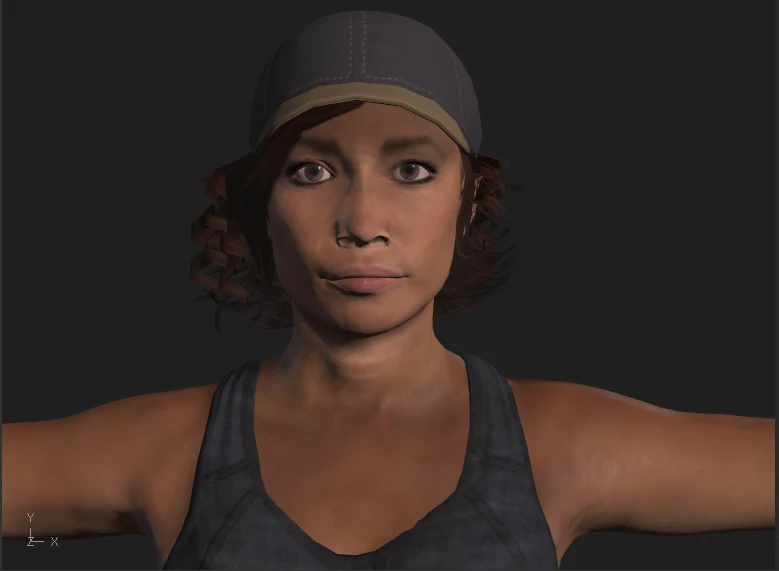
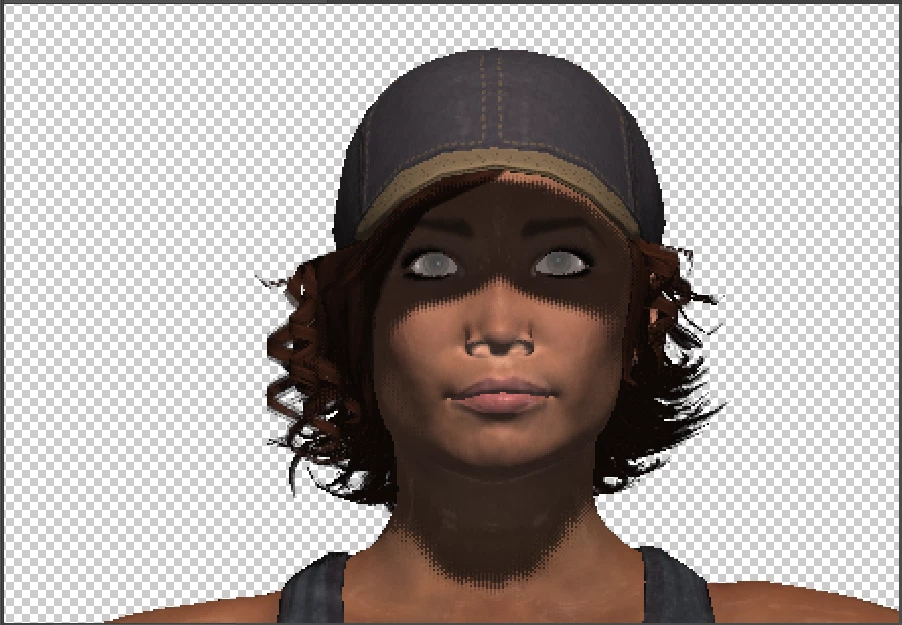
I'm having a problem with Adobe Fuse and Photoshop. I created my 3D model in Adobe Fuse CC (Beta) 2018 version and when I finished creating, I clicked "Save to CC Libraries" and it save into my library. I opened Photoshop CC 2019 version to use my model for a graphic design project, I clicked on the "Libraries" panel and double-clicked the file to open the model but when my model uploaded to Photoshop, the model's eyes was white or gray-scale and Photoshop does it to all my Adobe Fuse Models. And my laptop is a Windows 10, just in case for additional info. Please help.
Here's the Model in Fuse:
But when I upload it to Photoshop, the eyes looks like this:
 AdChoices