rebeccad10628194
Participant
January 17, 2023
Question

Adobe Photoshop PDFs won't print accurately
  • January 17, 2023
  • 3 replies
  • 665 views


Hi everyone,
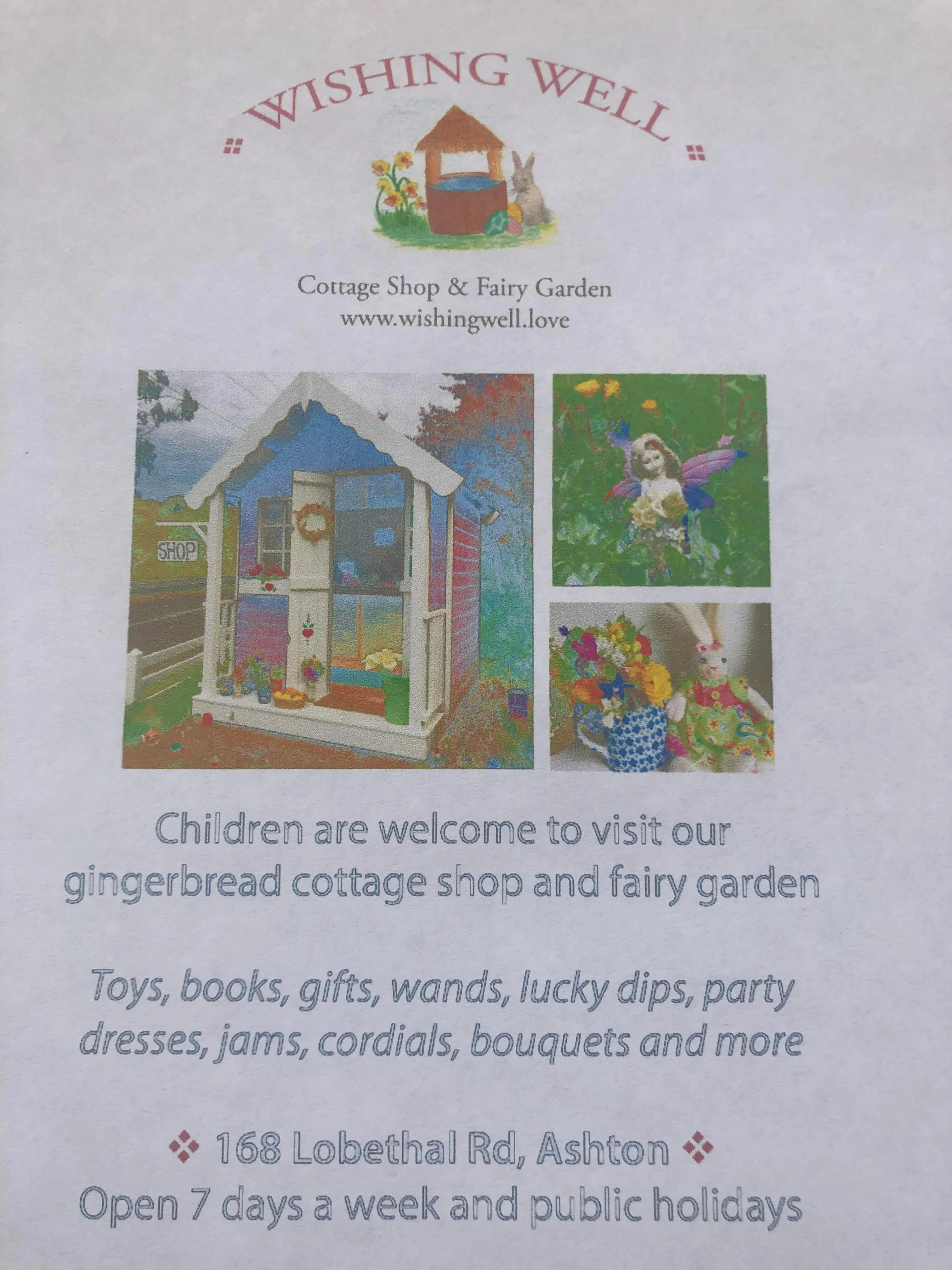
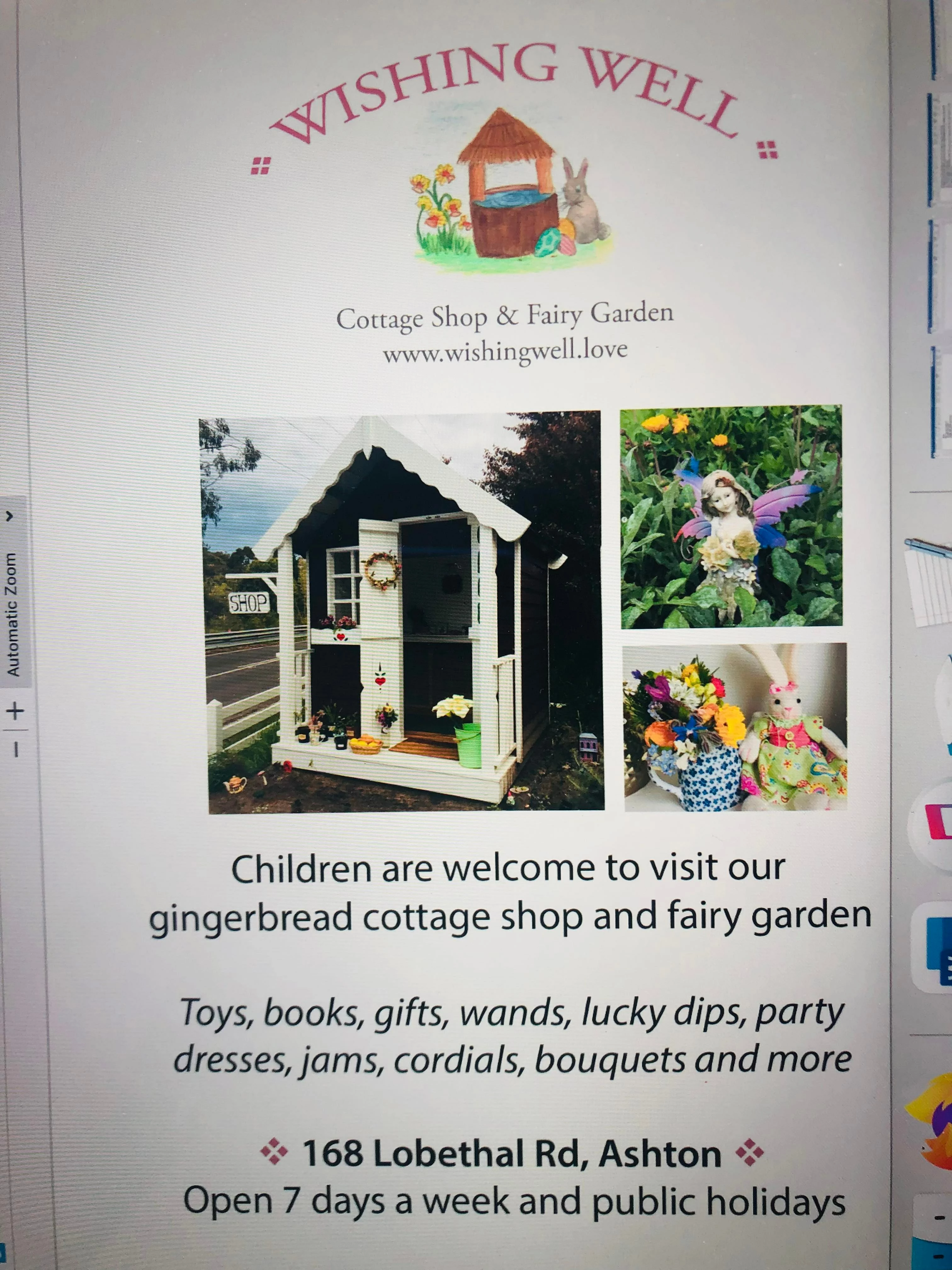
Can someone please tell me why my Adobe Photoshop design (the first image), when saved to a PDF and printed out, looks like this (second image)? How do I stop the fonts and colours from morphing?
Many thanks!

This topic has been closed for replies.

3 replies

Abambo
Community Expert
Community Expert
January 17, 2023

It looks to me that the black isn't printing. 

Does the file display correctly in Adobe Acrobat Reader (or Acrobat or Acrobat Pro)?


If you can share the PDF file, we can take a look into that.

ABAMBO | Hard- and Software Engineer | Photographer
rebeccad10628194
Participant
January 17, 2023

Unfortunately I don't have Acrobat... I've only ever used Adobe Photoshop for things like this. Never had a problem before I recently installed a newer version and now this! Here's the .psd and the .pdf....

Conrad_C
Community Expert
Community Expert
January 17, 2023

Do other types of full color files print OK, like photos from a photo application, or a web page? Or are all applications having the same print problem?


And is it an inkjet or laser printer?

rebeccad10628194
Participant
January 17, 2023

I'm using a basic HP printer and it's never done this before. I've printed lots of PDFs designed in Adobe Photoshop but recently got the latest version and now it doesn't work anymore! I was wondering if it had something to do with somehow 'freezing' certain fonts/layers in Adobe before converting to PDF....?!

Conrad_C
Community Expert
Community Expert
January 18, 2023

I downloaded the files you uploaded, and I could not make them fail. The files themselves look fine on screen. Both the PDF and PSD files printed as expected from my Mac on both my color laser and inkjet printers. That strongly indicates that there is nothing wrong with the files, and the problem is somewhere else.


Again, if your HP printer is an inkjet, have you done a nozzle check on it to make sure all inks are OK? And as a test to help isolate where the problem is, is it printing good color from other applications like a web browser, Apple Photos, or others?

Mylenium
Legend
January 17, 2023

That probably has more to do with your print settings in Acrobat/Reader like printing in some eco mode or the black ink simply running out. Anyway, without any specific info we can't really tell you much.


Mylenium