Participant
June 12, 2020
Question

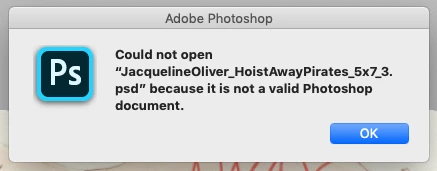
After saving .psd file and reopening, "...is not a valid Document" pops up in Photoshop 21.1.3
  • June 12, 2020
  • 2 replies
  • 344 views

 When I try to reopen photoshop files I have just saved, I get this error. Every file does this.

Version 21.1.3

This topic has been closed for replies.

2 replies

Participant
June 14, 2020

Hi there,


Sometimes when we save file as psd format it won't save along with their .psd format in the end of file name.
Try it once for e.g (you saved file name "Project1" so just rename the "Project1" to "Project1.psd"), if it won't work then kindly share psd file over here i will review and let youknow about the issue.


Thanks

Akash Sharma
Legend
June 25, 2020

Sorry for the delay in my response. I was out of office for a couple days. Would you mind updating to the latest version 21.2.0 of Photoshop and see if that helps?


Thanks,

Akash

Akash Sharma
Legend
June 14, 2020

Hi there, 


Sorry that Photoshop 21.1.3 is showing an error message while saving a PSD file. 


What is your operating system and are you getting the same error message while working with all the PSD files and other file formats?


Would you mind checking out the steps mentioned in this article https://helpx.adobe.com/photoshop/kb/error-not-a-valid-photoshop-document.html and let us know if that helps?


Thanks,

Akash

ACI_Design
Participant
June 25, 2020

Thank you, the problem has worked itself out.