Participant
January 27, 2022
Question

After updating Photoshop home screen not hiding

  • January 27, 2022
  • 1 reply
  • 182 views

After updating to Photoshop 2022 the home screen isn't hiding after opening a file.
You should be able to see below the issue i'm encountering, thanks in advance.
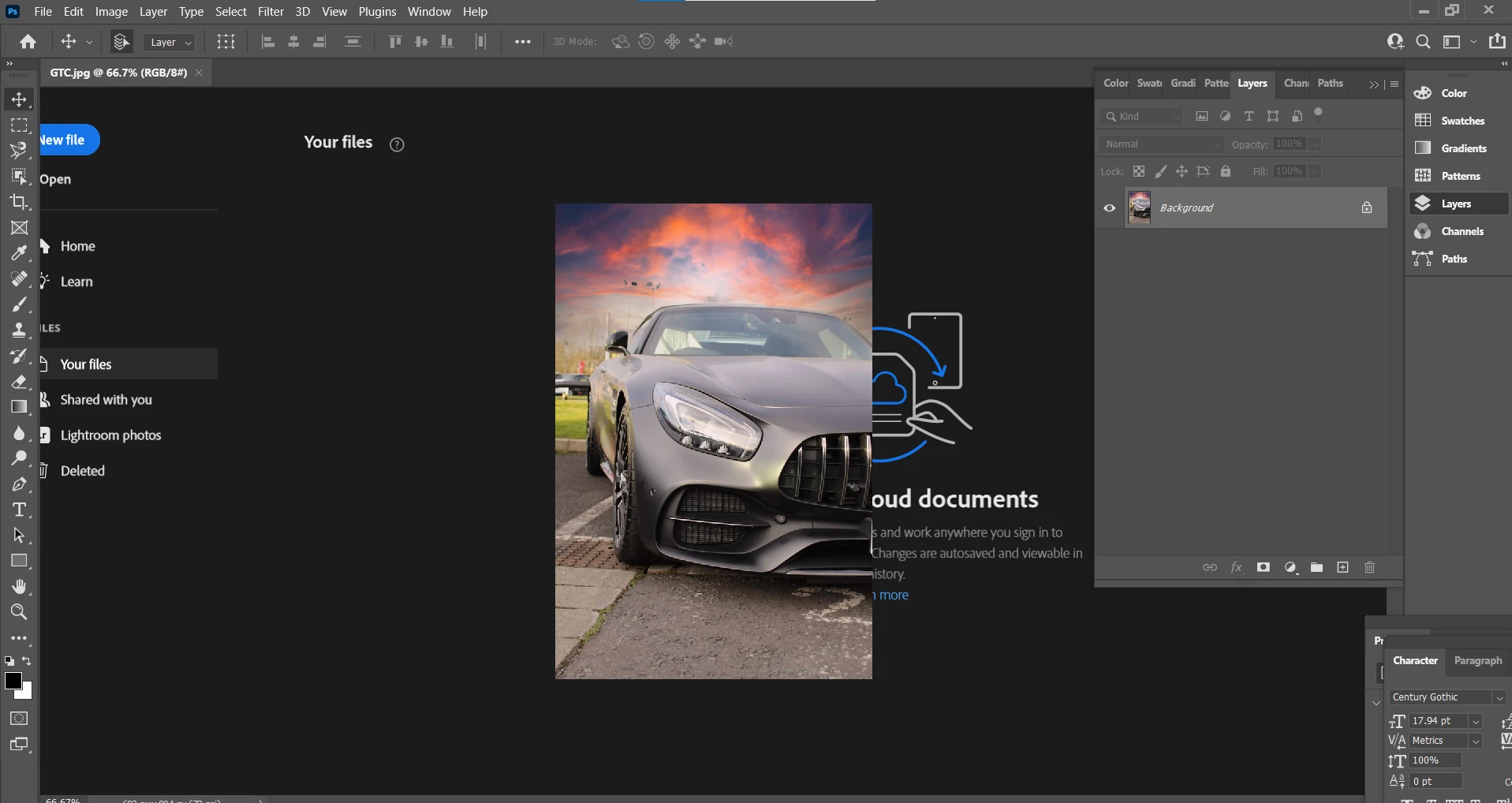

 

    This topic has been closed for replies.

    1 reply

    Sameer K
    Community Manager
    Community Manager
    January 27, 2022

    Hi,

    Thanks for reaching out. We are sorry about the trouble with Photoshop 2022. We are here to help!

    Could you please share the system info from within Photoshop by going to Help > System Info? Have you tried any troubleshooting steps before to fix the issue? Does this happen at random times? Are you able to recreate the issue by following a series of steps? If yes, please share the workflow here


    Please try the following steps:

    • Press CTRL + K (Windows) or Command + K (Mac) to open General Preferences of Photoshop.
    • Disable ‘Auto Hide Home Screen’ from General as shown below and click on OK to save the changes.

    • Please restart Photoshop and press CTRL + K (Windows) or Command + K (Mac) to open General Preferences of Photoshop.
    • Enable ‘Auto Hide Home Screen’ as shown below and click on Okay to save the changes.
    • Proceed with restarting Photoshop.


    Please let us know if this helps you!

    Regards,

    Sameer K.