
Inspiring
November 15, 2021
Answered

Aligning letters in small caps

  • November 15, 2021
  • 2 replies
  • 554 views

Hi all,


As you can see in the below image, I have applied the small caps feature to the font Impact. What I'd like to do is align the word "Bird" with the small "the", instead of how it is now, with the word "the" centered with the word "Bird". 
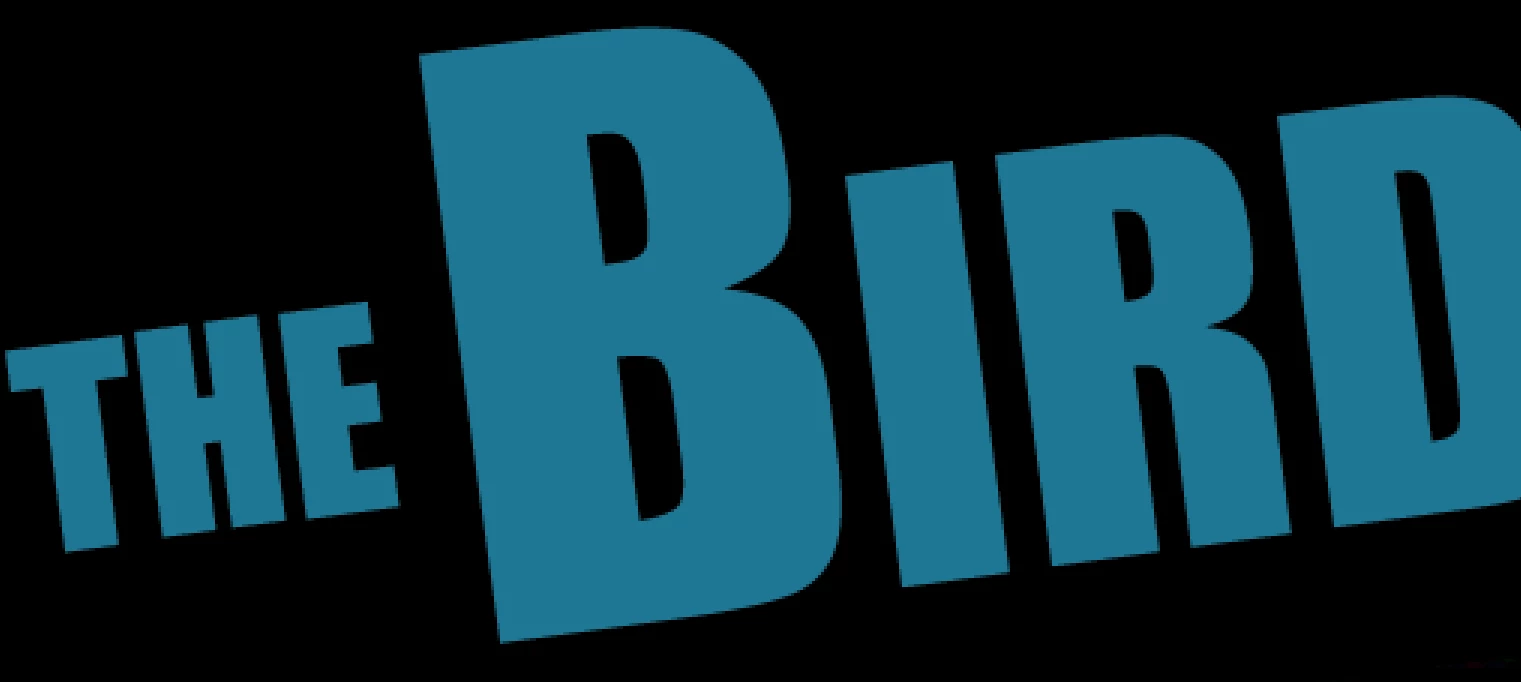
 

Is there a way to do this?


Thank you for any help!

This topic has been closed for replies.
Correct answer kirbydoo

Thank you. I figured it out. Somehow, superscript was enabled for the "THE". I didn't see that until I clicked on window --> character... Before I was just using the properties tab to edit the text so I wasn't getting the full range of options.

2 replies

Chris 486
Community Expert
Community Expert
November 15, 2021

Hi kirbydoo!


I agree with c.pfaffenbichler that it looks like there is a baseline shift on the word “the”.


Check in your text character panel to make sure that number is at zero. Let us know if that fixes it.


kirbydooAuthorCorrect answer
Inspiring
November 15, 2021

Thank you. I figured it out. Somehow, superscript was enabled for the "THE". I didn't see that until I clicked on window --> character... Before I was just using the properties tab to edit the text so I wasn't getting the full range of options.

Chris 486
Community Expert
Community Expert
November 15, 2021

Happy to hear you got it figured out and thanks for posting your solution! It's amazing how these programs have so many ways to produce similar results.

c.pfaffenbichler
Community Expert
Community Expert
November 15, 2021

Please provide the file or meaningful screenshots including the pertinent Panels. 

Is any Baseline Shift involved?