Participant
January 29, 2022
Question

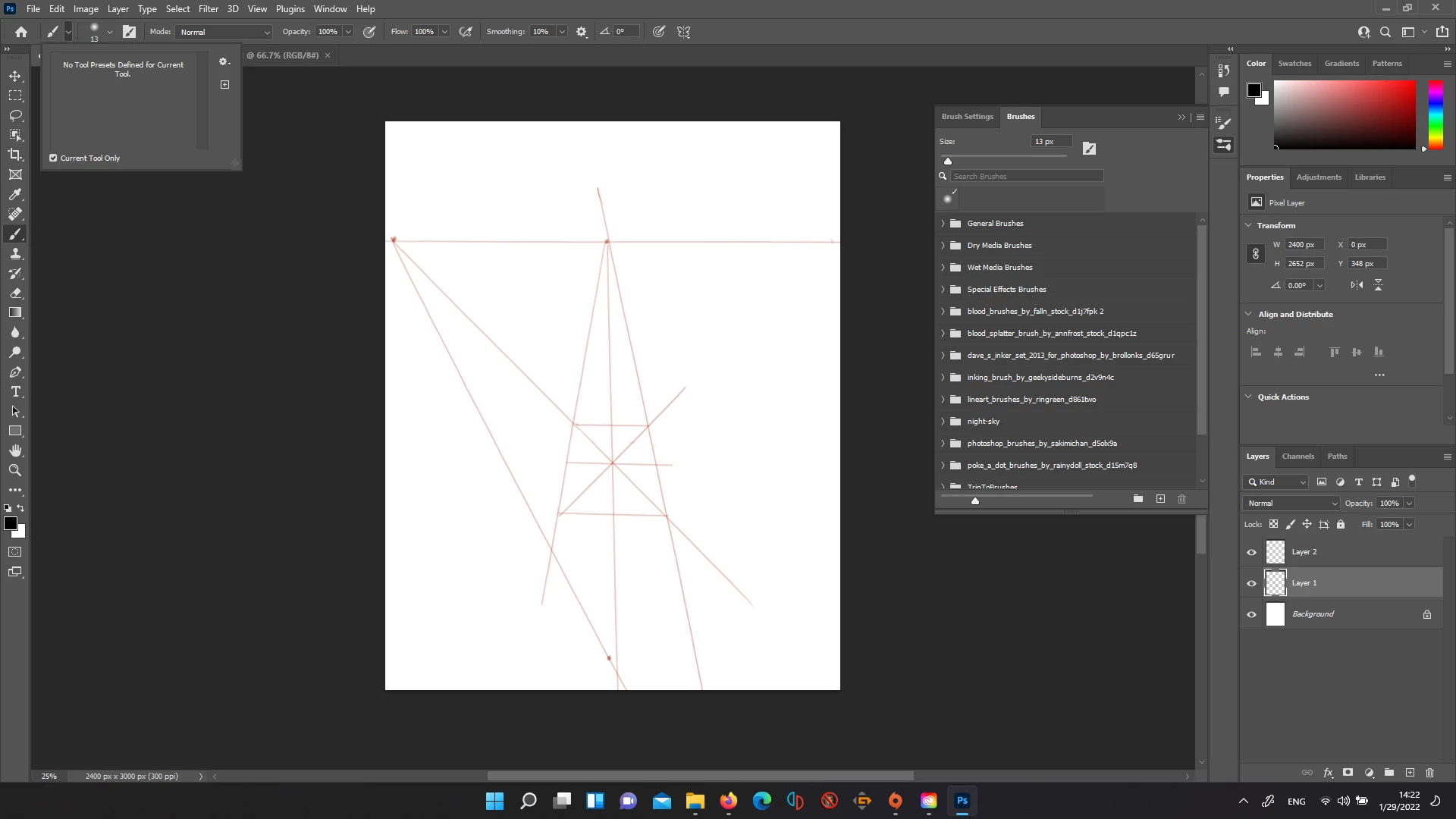
All brushes gone from preset. How do I add ABR to a preset?
  • January 29, 2022
  • 2 replies
  • 343 views

My workspace is in essentials. I've completely uninstalled photoshop, including deleting all of my previous settings. I was working on my homework and I changed my brushes multiple times no problem. And then randomly I went to change it and everything was gone. Even the default brushes. I need help with this right away since again, this is homework.

This topic has been closed for replies.

2 replies

davescm
Community Expert
Community Expert
January 29, 2022

Your screenshot shows you still have your brush folders. Have you tried clicking the small arrow next to the folders to reveal the content?

Dave

Participant
January 29, 2022

Yes, I still have the brushes themselves but I'm trying to get them back to the tool presets... I know I could just use the brushes menu. and that's what I'm doing right now. But I've been using photoshop for years and years, and I'm autistic and can't deal well with things changing like this. If I organize things so my books are in a specific spot and keep it that way for years, I can't move put them somewhere else. They have a specific spot. I cannot describe how deeply uncomfortable it makes me to be using the brushes window instead of the tool presets.


Thank you for your response though! I appreciate your very timely response.

davescm
Community Expert
Community Expert
January 29, 2022

Hi

In recent versions brushes are no longer managed in tool presets, but instead are managed in the brushes panel. The attached article explains how this now works:

https://helpx.adobe.com/photoshop/using/brush-presets.html


You can get quick access to your brushes by clicking the down reveal arrow next to the brush in the options bar (the next one along from the one you used to access tool presets).


I do understand the difficulty such a change could cause to you and I thank you for explaining that. I hope that with time you can adapt to the changes and the additional control the brush manager now gives you (such as the ability to save a brush complete with a specific tool   and even specific colour should you wish to). Please shout out if we can help you through this.


Dave

Derek Cross
Community Expert
Community Expert
January 29, 2022

Windows > Brushes and from the fly-out menu select Legacy Brushes.

Participant
January 29, 2022

I have the brushes menu out! I just want to put it back to being a tool preset instead.


But thank you for having specific instructions!