Participant
May 4, 2020
Answered

All text is in italic in Photoshop

  • May 4, 2020
  • 5 replies
  • 55770 views

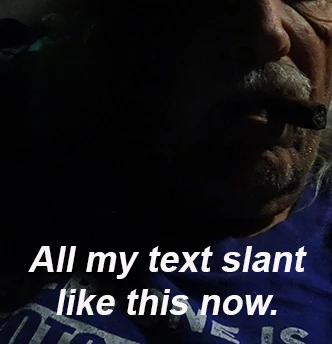
All my test are slanted now and have been for 10 days. Cannot find a fix. Italic make it worse . 
 

{Thread renamed by moderator}

Correct answer Sahil.Chawla

Hi there,

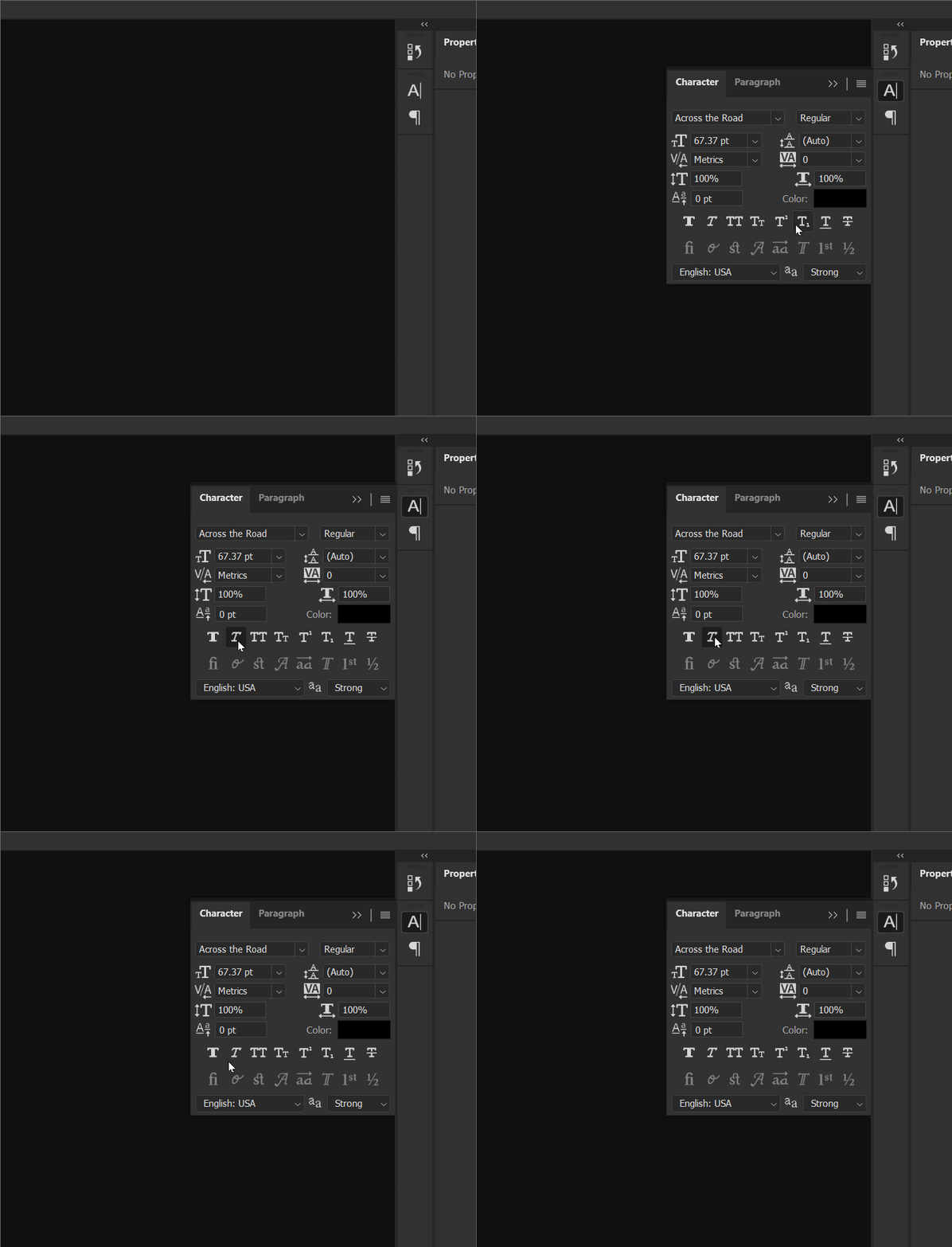
As all the text is italic in Photoshop, please go to Window > Character and make sure the italic is not highlighted.


Let us know how it goes.
Regards,
Sahil

5 replies

Participant
September 29, 2020

I'm also having the same issue. Followed all the steps here and it still is showing up slightly tilted.


EDIT: Found out how to fix it for myself, maybe this might help you too, or I'm just an idiot. See here: https://www.loom.com/share/63c8d39e63514457933df99f94c6282f

The character panel on the tool set was highlighted. I'm assuming the updated version of Photoshop has a layout change and removed the italicize option from the character box in the sidebar. It only shows up when you click on the character tool shortcut next to where the properties panel usually is.

jane-e
Community Expert
Community Expert
September 29, 2020

Hi mkolodziej,

I watched your video, and it says the same thing Sahil said in the first reply, and Nancy repeated later. Fake Italic (Faux Italic) is found in the Character panel (Window menu).


In addition, the keyboard shortcut is Cmd+Shift+I (Ctrl+Shift+I in Windows), which may be how it is happening accidentally.


~ Jane

Participant
September 28, 2020

I have the same problem. I tried resetting preferences to default but it didn't work. Any advice?

Nancy OShea
Community Expert
Community Expert
September 28, 2020

Assuming  your Character Panel is not set to Italic (check that first).

Try resetting your Type Tool by clicking on the gear icon and select Reset Tool (see screenshot).


Nancy O'Shea— Product User & Community Expert
Participant
March 23, 2023

That worked


Peru Bob
Community Expert
Community Expert
May 4, 2020

Try resetting the tools and/or preferences.
To restore preferences quickly using a keyboard shortcut:

Press and hold Alt+Control+Shift (Windows) or Option+Command+Shift (Mac OS) as you start Photoshop. You are prompted to delete the current settings. The new preferences files are created the next time you start Photoshop.
Note: Using the keyboard shortcut, preference files for custom shortcuts, workspaces, and color settings will also be reset to default.

from here:

https://helpx.adobe.com/photoshop/using/preferences.html#restore_preferences

Nancy OShea
Community Expert
Community Expert
May 4, 2020

Which font are you using?  Try changing to a regular font. See screenshot.


Nancy O'Shea— Product User & Community Expert
kdm4662Author
Participant
May 4, 2020

All my fonts are doing that. I have been using photoshop for many years maybe 10 years 

jane-e
Community Expert
Community Expert
October 11, 2022

@kdm4662 wrote:

All my fonts are doing that. 


Please show us a screenshot so we can better assist.

  • Select at least some of your slanted text with the Type tool
  • Open the Character panel from the Window menu and include it in the screenshot

Most likely the Fake (faux) Italic button is enabled.


Jane


Sahil.Chawla
Adobe Employee
Sahil.ChawlaCorrect answer
Adobe Employee
May 4, 2020

Hi there,

As all the text is italic in Photoshop, please go to Window > Character and make sure the italic is not highlighted.


Let us know how it goes.
Regards,
Sahil

Dougra2000
Participant
September 26, 2021

Thank You, Thank You, Thank You!

You have saved my sanity.

I was not even aware that this setting had been altered.

May you be blessed from head to toe.

Pastor Graham