Question
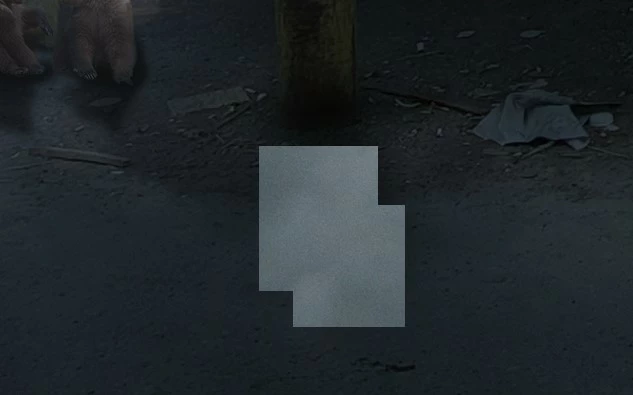
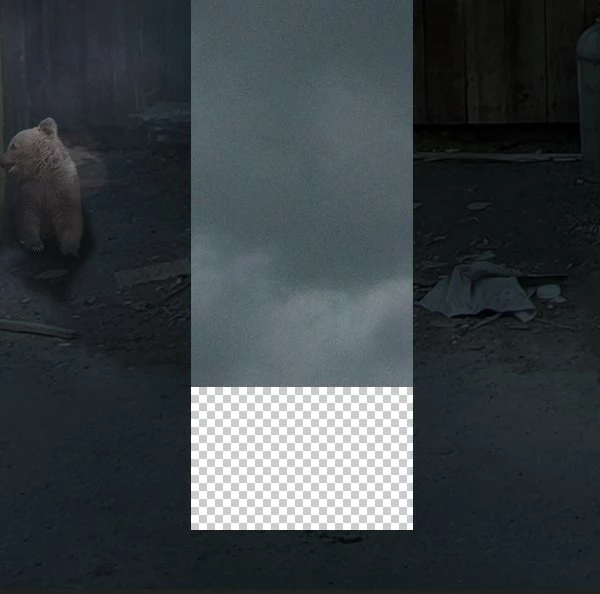
All tools showing as squares and rectangles that cover work area
I don't know how else to descibe it. When I select a tool to use on a layer. In the screenshot examples, I am attempting to paint out some of a layer mask using a big soft brush at low opacity. But the same thing happens when I try to use (so far) a blur filter, the transform/distort option, blending options and just a plain paint brush to paint directly onto a layer. What is going on? I am on Windows 11 current version of Photoshop. Thanks!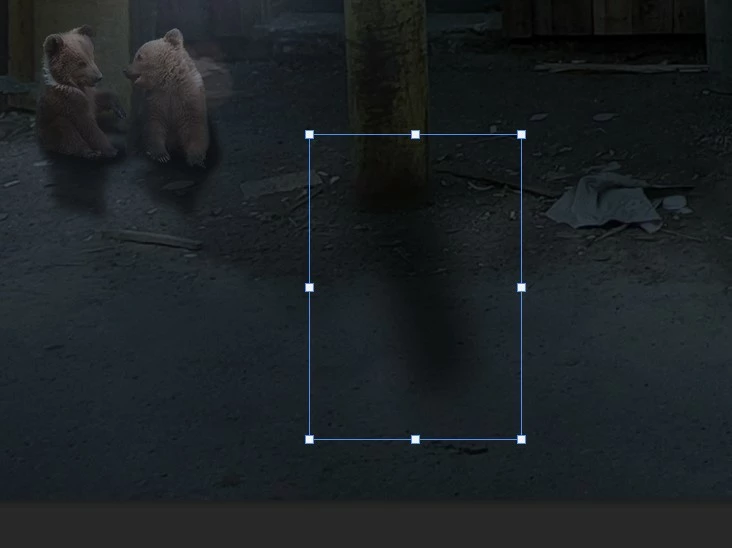
 AdChoices