
March 28, 2017
Question

An unrecoverable error occured while accessing the scratch disk

  • March 28, 2017
  • 1 reply
  • 6595 views

Hello everyone,

One of our users has been getting this error in adobe Photoshop CC 2017:
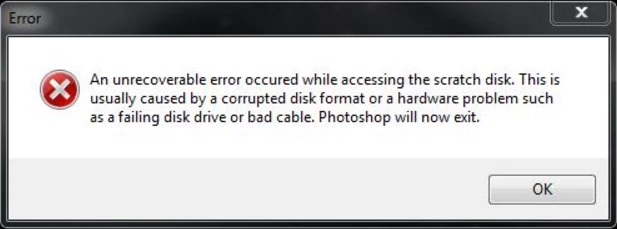
We have tried:

1. Uninstalling Photoshop and reinstalling from creative cloud

2. Installing an extra HD in her computer to use as the scratch disk.

The help page doesn't really give much info (Solution to "An unrecoverable error occured while accessing the scratch disk" )

Anyone have some advice?

    This topic has been closed for replies.

    1 reply

    Sahil.Chawla
    Adobe Employee
    Adobe Employee
    March 28, 2017

    Hi Alexh,

    Please refer to this article Solution to "An unrecoverable error occured while accessing the scratch disk"

    Regards,

    Sahil

    March 28, 2017

    Good afternoon Sahil,

    I have gone through that article and I have tried the two things it listed. It doesn't say what to try after that

    Sahil.Chawla
    Adobe Employee
    Adobe Employee
    March 28, 2017

    Please try this:-

    1. Choose Edit > Preferences > Scratch Disks (Windows) or Photoshop > Preferences > Scratch Disks (Mac OS).
    2. To change the scratch disk order, click the arrow buttons.
    3. To enable or disable a scratch disk, select or deselect the Active check box.
    4. Click OK. To apply the changes, restart Photoshop.