JJMack wrote There is no motion in the face in your frame animation you need several face layers to pull that off where the face transform offset the head position between frames. |
JJ, the head shot comes from the OP's forum profile page, so I assume it is a shot of her. There are several shots of the same person. It is on a separate layer to the decayed cityscape background, so a trivial matter to move and animate, but I went with the Terminator HUD rather than the extreme flicker in the OP's GIF. The same techniques apply though, and can be used to move things however you want.
Incidentally, I picked up a new trick recently. I used Step & Repeat to create the layers for the revolving compass rose, and added the layers to the frame animation using Create frames from layers, as you would. The trick I was not aware of is that if you select all the frames and click on the New Frame icon, it duplicates them all.
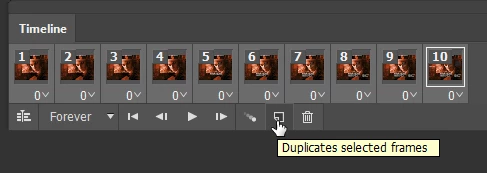
The new frames will remain selected so you can Reverse Frames from the pop up menu, and have a sort of reciprocation, backwards and forwards animation. I am sure it was obvious, but there is precious little information about frame animations, and it is largely a case of work it out for yourself.
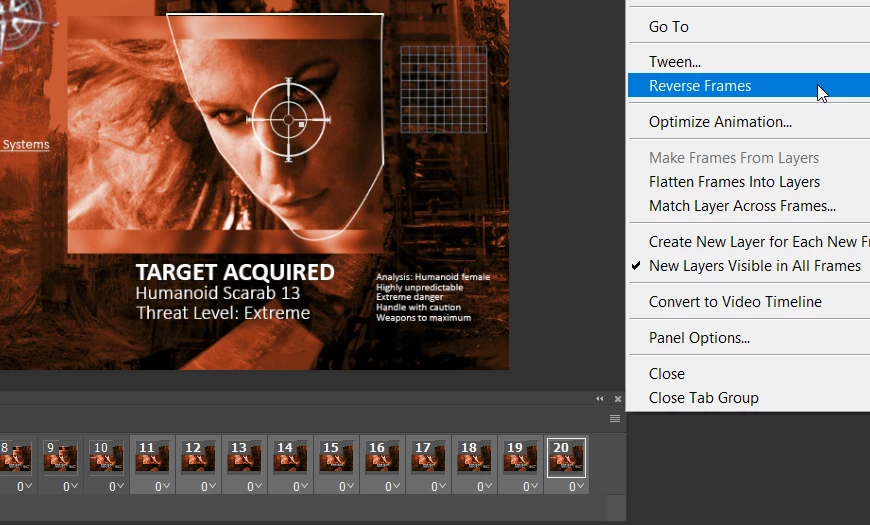
So that was how I started this animation, and then manually added the other layers frame by frame. But we might as well share the look and feel with the original

Your shifting the hold background. If you created a Template for the Frame animation that you placed in a portrait you mask into the frame's composition, You could unlink the layer mask so the mask would stay correct positioned for the frame composition. You could then dupe the place smart object layer a few times with the normal duplicate layer to create additional frame compositions. In each you can use the smart object layers associated transform to position the portrait slightly different the mask being unlinked would still mask the portrait correctly into the frame composition, In the framer animation you could then vary the smart object layer use for the portrait in the current frame. You the would save the template PSD. To replace the portrait all you need do is replace oif the smart object lat object, For all the smart object layers share a common object because of the way the layer was duped. So you replace the smart object the save for web the animated gif. IMO it is easier than position the portrait with in the the mask area between creating frame. Using a duplicate layer is easier, Using a smart object lets you replace the portrait in the all duplicate layers with one replace the layers associated transforms are not changes as still work to position the portrait. The only downside is all portrait images must be preprocessed all need to the same size and resolution as the original template portrait image..

 AdChoices