Participant
October 22, 2021
Question

Animation d'images indisponible!

  • October 22, 2021
  • 2 replies
  • 172 views

Bonjour,


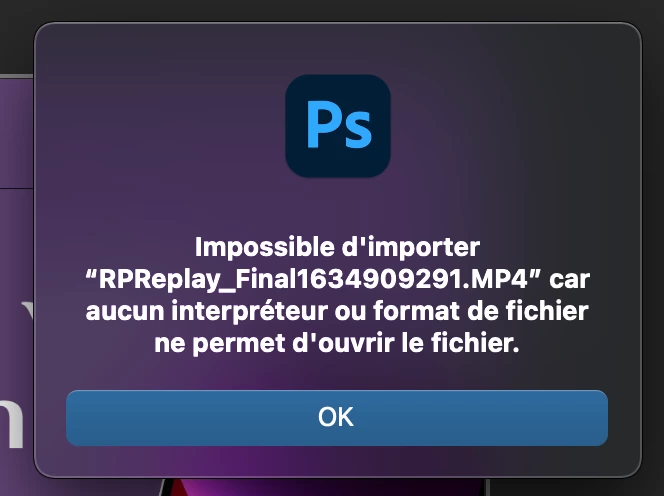
Je ne peux pas séléctionner l'animation d'images dans Photoshop sur certains fichiers notamment des mockups par exemple, ni importer de vidéo (mp4, mov…) sinon j'ai un message d'erreur…


Je ne sais pas quoi, j'ai biensur essayer de relancer le logiciel…


Merci pour votre aide,

Bon weekend,
 

This topic has been closed for replies.

2 replies

JJMack
Community Expert
Community Expert
October 22, 2021

Have you tried resetting your Photoshop Preferences and all Photoshop tools. On your mac can you play the MP4? On my Windows 10 machine with Photoshop 2021 version 22.51 I doe not see I problem I imported pate of a 4K mp4 as a frame animation. 292 4K layer were created for the frame animation. It would take Photoshop forever and a day on my slow  machine toe render 292 4k frames for a 4K gif it would not be able to save.  So  I deleted all but bur 48 Frames in the Frame animation time line and resized the document  from 3840 wide to 800 wide and exported the 48 frame animated gif. If you have an M1 Mac I believe there a problem with video files with Photoshop.


MP4 vs GIF 


JJMack
Mylenium
Legend
October 22, 2021

Read this:


Photoshop for Apple Silicon


Mylenium