Participant
March 25, 2020
Question

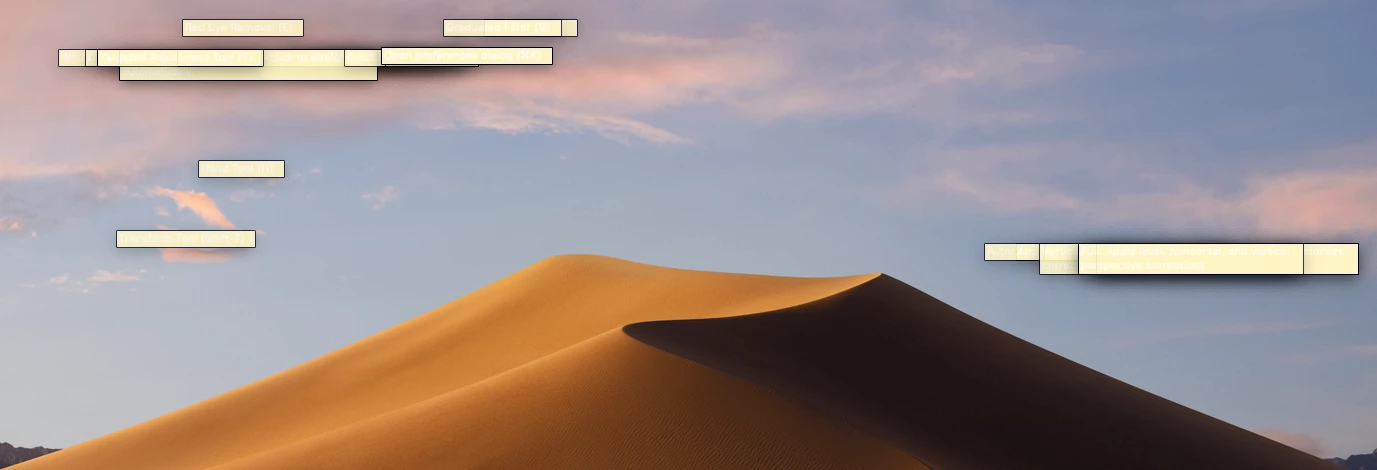
Annoying about bars will not disappear until I quit the Photoshop

  • March 25, 2020
  • 2 replies
  • 271 views

When I open the camera raw and photoshop these annoying about bars pop up and won't disappear. Any suggestions? They come up whenever I hover over a tool and will not disappear until I quit the application.
This topic has been closed for replies.

2 replies

Barb Binder
Community Expert
Community Expert
March 25, 2020

I would try resetting preferences—Photoshop > Preferences > General > Reset Preferences on Quit. Be sure to save your custom presets, brushes, etc first. Then Quit and restart Photoshop. If you haven't rebooted the computer in a while, do that as well.


~Barb

~Barb at Rocky Mountain Training
lambiloon
Community Expert
Community Expert
March 25, 2020

Hi, this is maybe due to if you work for a long time or your system is not good for the latest version .... regards

Ali Sajjad / Graphic Design Trainer / Freelancer / Adobe Certified Professional
Participant
March 25, 2020

I have the latest version of photshop

Legend
March 25, 2020

What is your actual Photoshop version (numbers please, not "latest")?

What is your operating system version (not "latest")?