
annoying circle
Hi
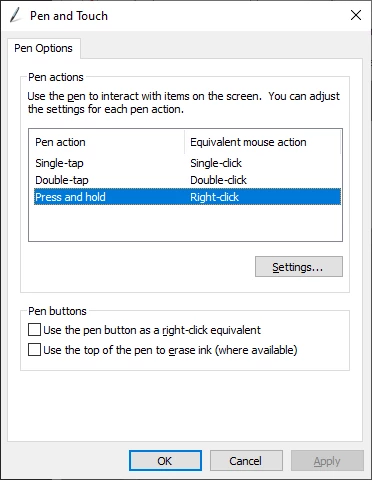
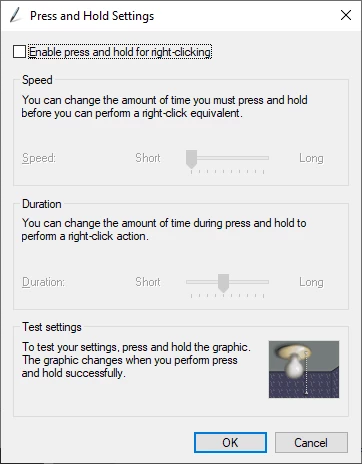
I have an annoying circle that appears when i want to choose an optional tool from a tool tab, one can get use this but it's a different thing when the same circle appears when using the Pen Tool to create a path, once you have set your anchor points and then use the Convert Point Tool to start pulling on the anchor points handles this circle appears here and there, sometime it will prevent you fron pulling the anchor point handles, sometime that circle will stay visible even if you have moved to another anchor point, it's horrible
break's your workflo ect... dont have this problem with the mouse. I thought there was something wrong with my old Wacon Intuos CTH-680 so i bought a new Wacom Intuos Pro , same thing.
Can someone help me in getting rid of these circles.
Thank You
Marcel
 AdChoices