Participant
May 10, 2023
Question

Any Ideas?

  • May 10, 2023
  • 3 replies
  • 566 views


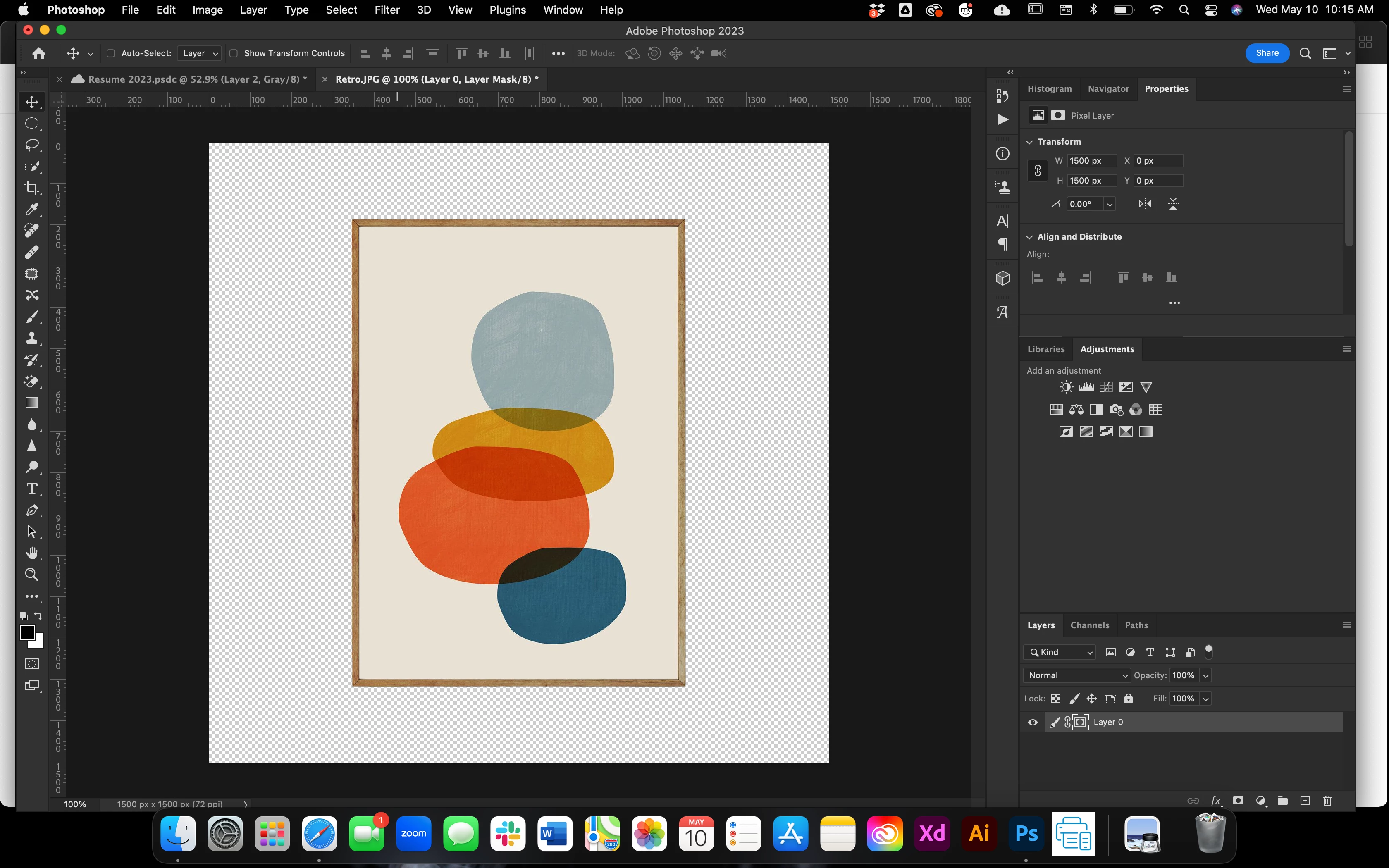
When I try to move the image to my other document it goes grey????? any ideas?


This topic has been closed for replies.

3 replies

Bojan Živković11378569
Community Expert
Community Expert
May 11, 2023

If you want to move color image in that document go to Image > Mode > RGB Color or you can use Edit > Convert to Profile choose RGB profile like Adobe RGB (1998) from Destination Space drop down list.

Nancy OShea
Community Expert
Community Expert
May 11, 2023

It's not possible to put a color image inside a grayscale image.

However you could put a grayscale image into a color image. 

Be sure to reverse the layer order so color layer is on top.


Hope that helps.


Nancy O'Shea— Product User & Community Expert
TheDigitalDog
Inspiring
May 10, 2023

That 'other' document is grayscale, that's why. See it listed as such in the top by the file name? 

Author “Color Management for Photographers" & "Photoshop CC Color Management/pluralsight"