Answered
Any photshop experts help
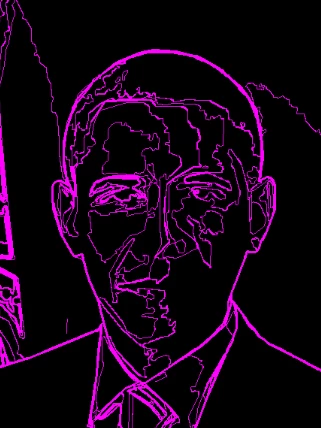
I'm looking for help for the second time of asking on how to get the effect in the picture. The last time I nearly got there but just wasn't right. any help really appreciated.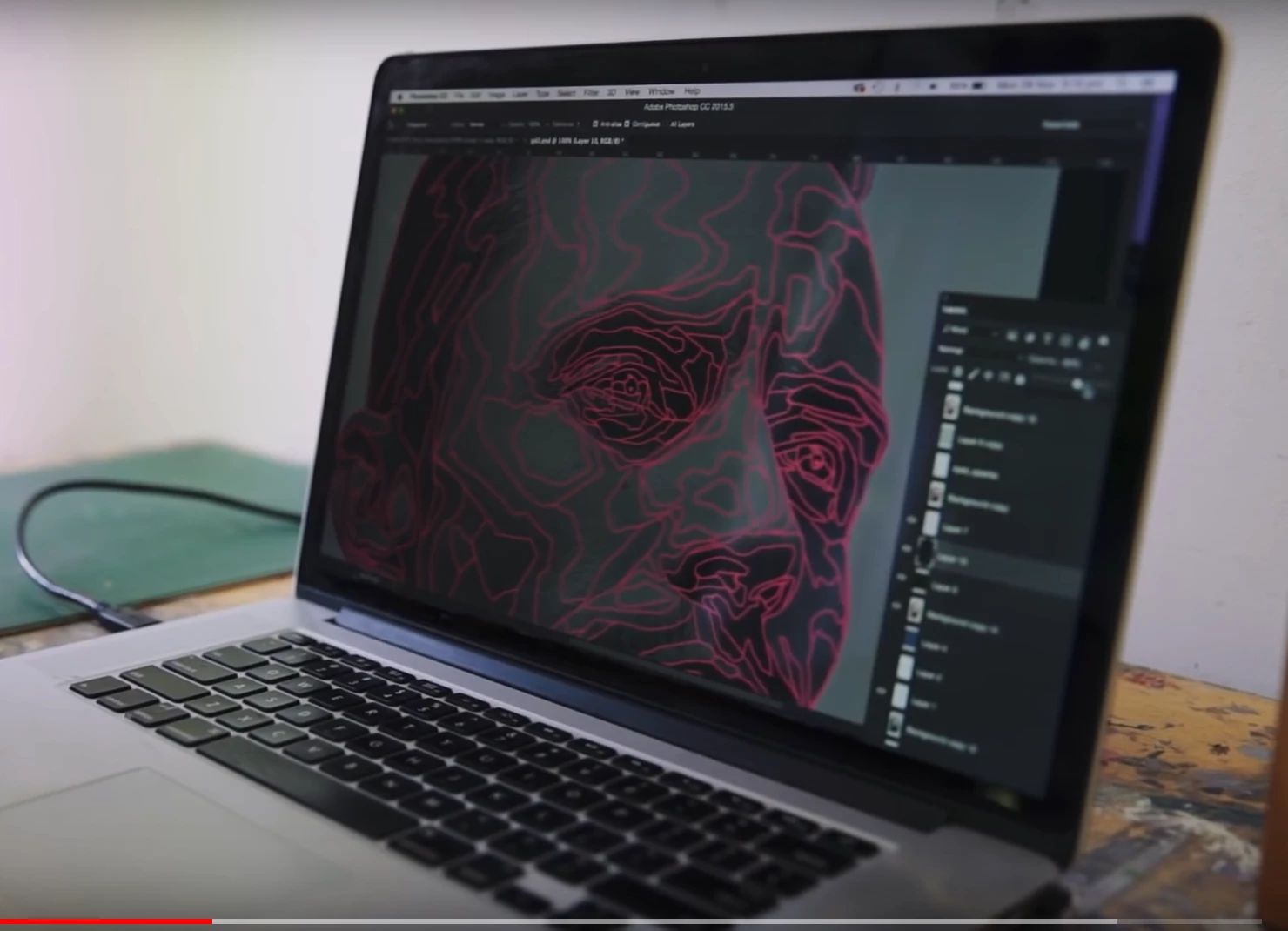

I'm looking for help for the second time of asking on how to get the effect in the picture. The last time I nearly got there but just wasn't right. any help really appreciated.
We can't see much of your image, but I did this using Smart Blur.
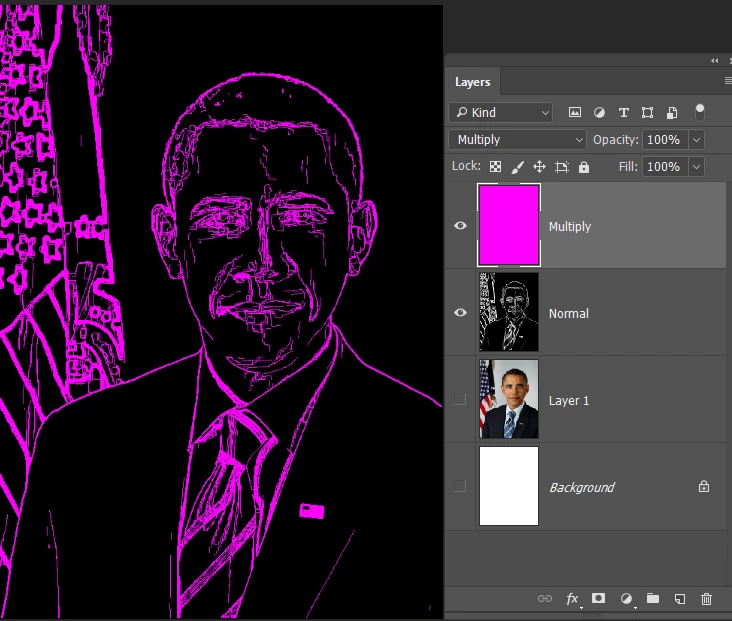
You have to play with the settings as a small change makes a big difference
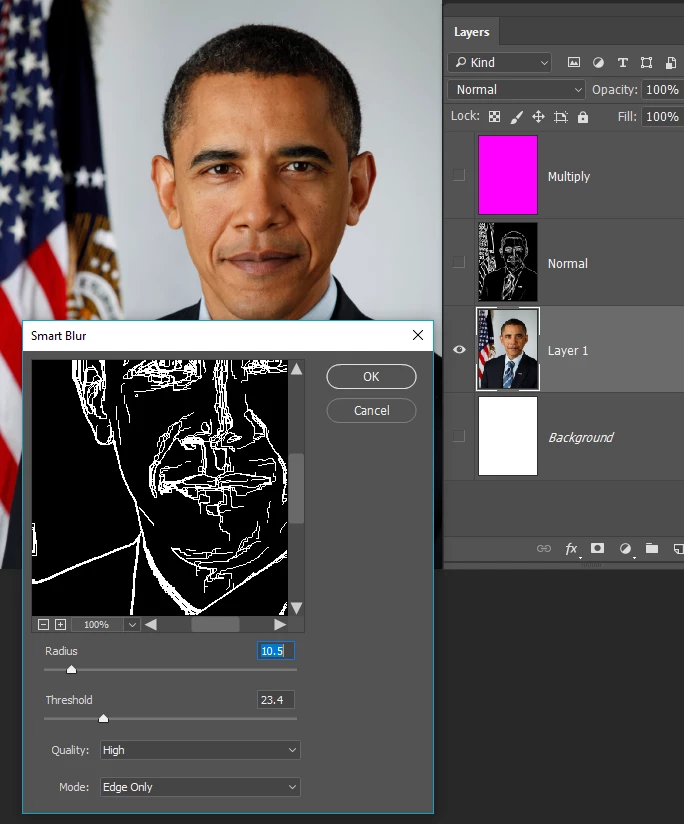
A bit more going on this time. I used Filter > Artistic > Cutout with sliders set to the right to get the areas of different tone. Smart Blur was then able to get close to your wireframe look
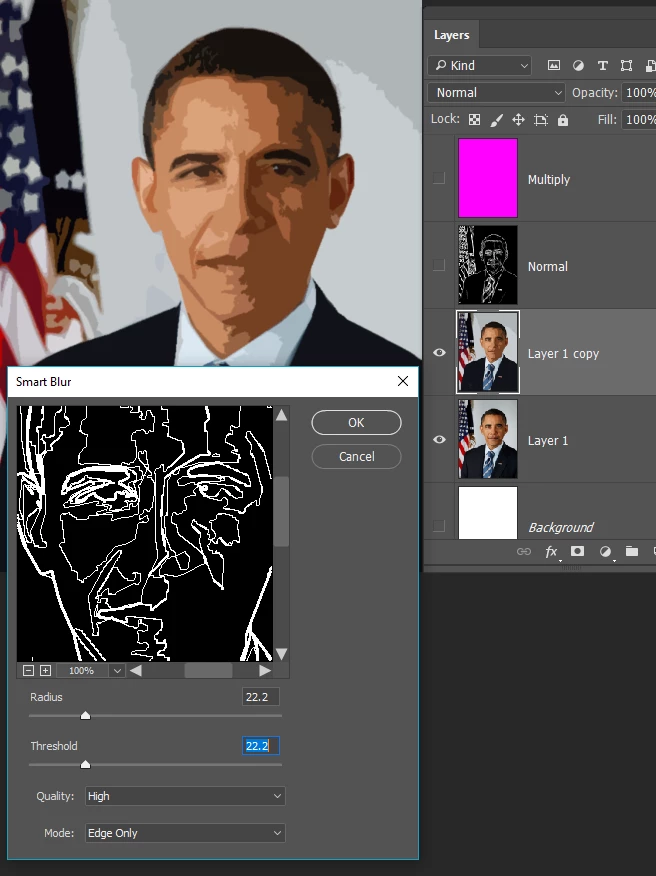
BTW You can copy and paste images directly into the thread. Just copy to clipboard, and paste with Ctrl v as usual.
Already have an account? Login
Enter your E-mail address. We'll send you an e-mail with instructions to reset your password.
 AdChoices