Participant
June 18, 2024
質問

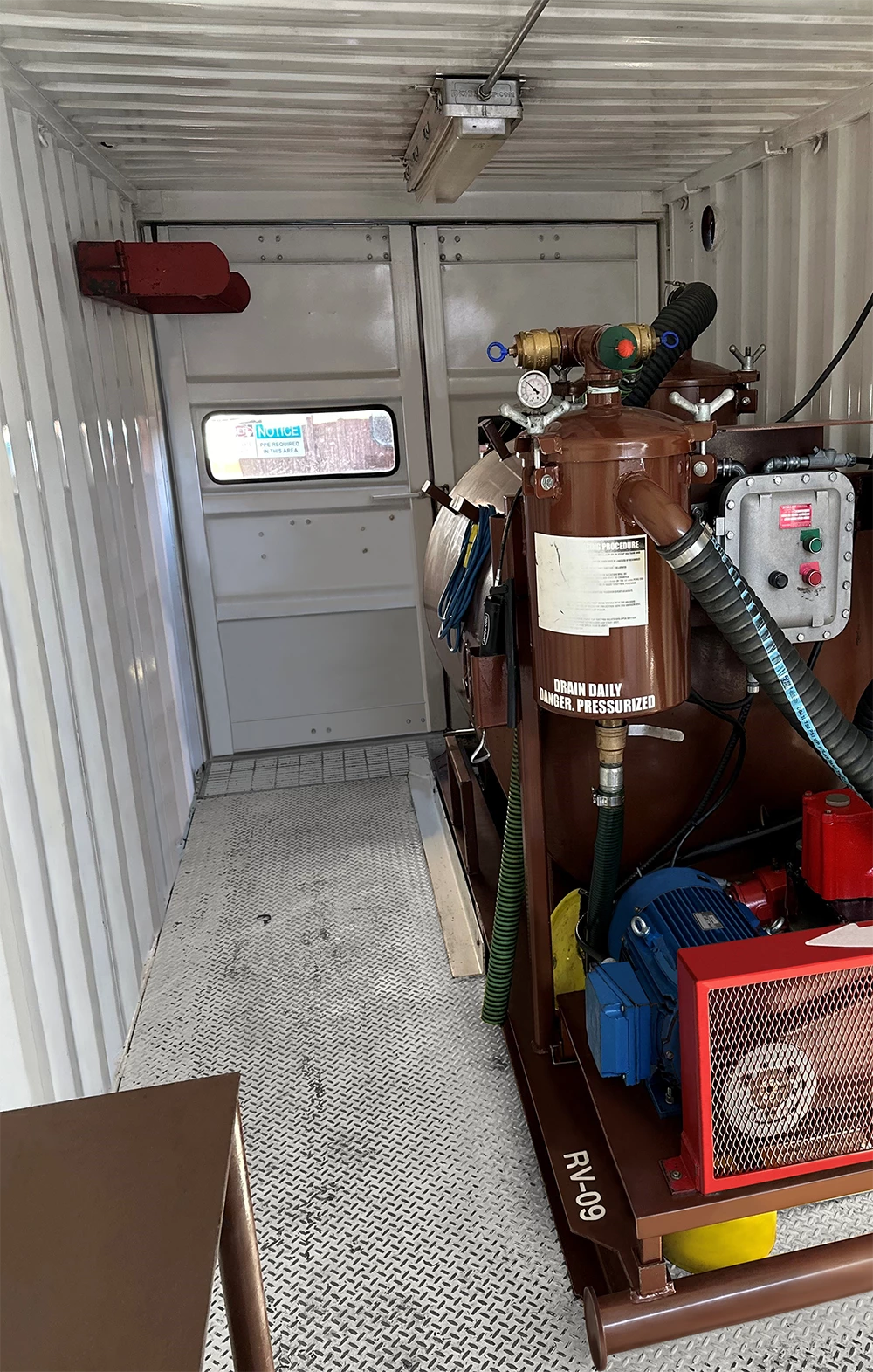
Any tips on cleaning up the textured floor in this Photo?

  • June 18, 2024
  • 返信数 3.
  • 1130 ビュー

Hoping to get some tips about how make make this floor look not to beat up. I've attempted color range adjustment/masking, but it hasn't worked so well. I'd ideally like the whole floor to look similar to the area at the bottom right (under the front end of the machine). I have had success with sampling a small patch of the area under the machine and warping it to overlay the current beat-up flooring area, but its taking forever (I've only gotten about a 1/3 of it done), so I was hoping for a better suggestion on how to do this and still make it look realistic. 
 

このトピックへの返信は締め切られました。

返信数 3

Kevin Stohlmeyer
Community Expert
Community Expert
June 19, 2024

Remove tool to clean up the grid first:

Then dupe the floor onto its own layer and inverse the image to "highlight" the grid:


The use Layer blending modes to blend the highlights to the original floor:

I used Color Dodge at 60%.

Kevin Stohlmeyer
Community Expert
Community Expert
June 19, 2024

An even simpler option would be to find a clean diamond plate pattern to inlay into the image with a mask.


Legend
June 19, 2024

Frequency separation, then curves to lighten the black marks, then spot healing/clone to clean up what's left.

Myra Ferguson
Community Expert
Community Expert
June 19, 2024

I'd recommend first using the Spot Healing brush to remove the darkest splotches.


Then make a selection of just the flooring and add a Curves adjustment layer. Making the selection first will automatically add a layer mask to it so that the adjustments only apply to the floor.