
Known Participant
September 12, 2024
Question

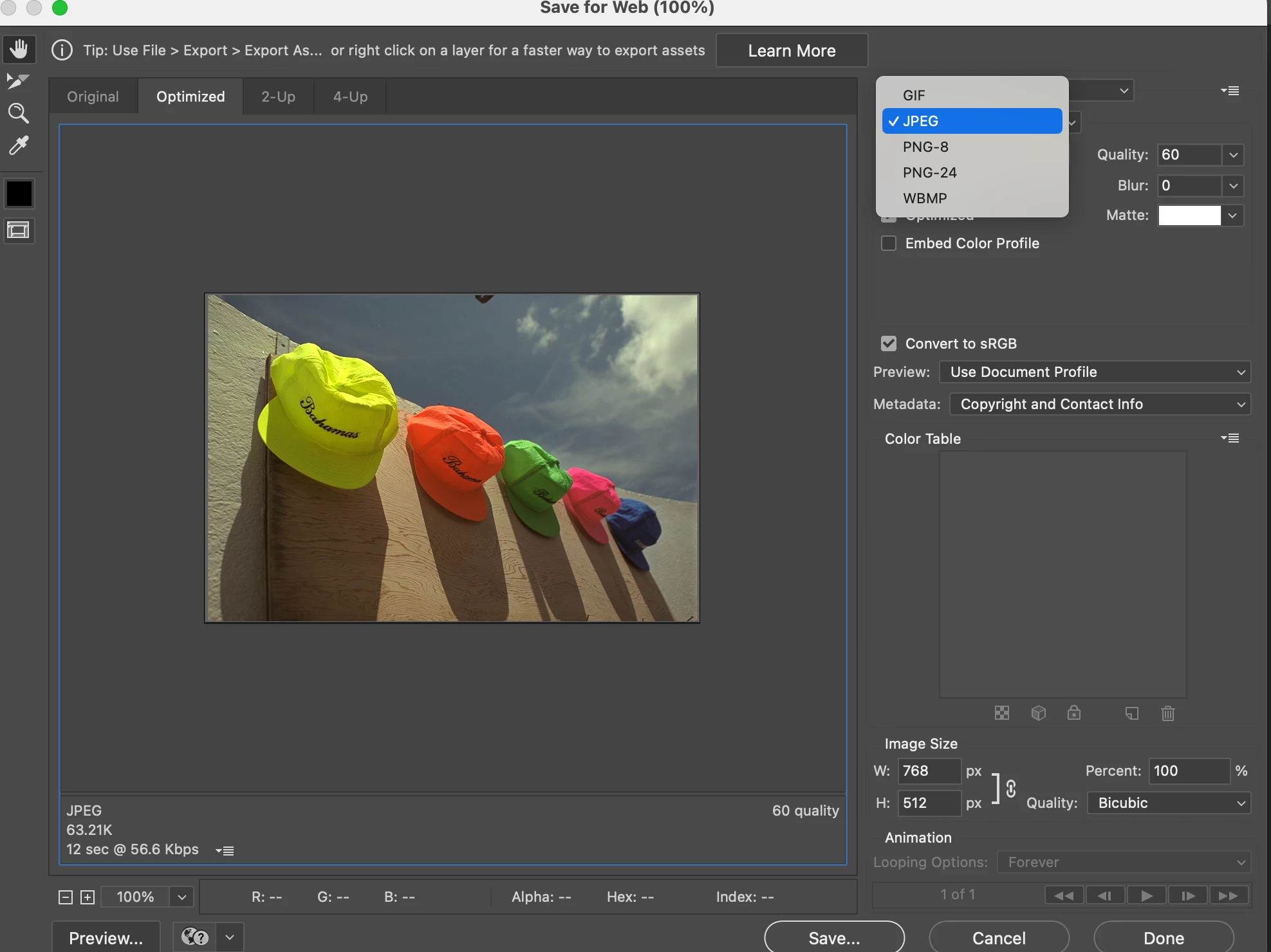
Any Way to Save for Web (Legacy) for WebP?

  • September 12, 2024
  • 4 replies
  • 1849 views

I still use Save for Web (Legacy). I save images for the web every day, and this tool is still better than Save a Copy.


Save for Web (Legacy) lets me specify the dimensions of the file being saved. It gives me an approximate file size prediction.


I have been using it since it was on Imageready a million years ago, and I will keep using it for as long as I can.


Is there any earthly way I can save a WebP in there? Because the file size projection and being able to specify the resolution isn't in Save a Copy and that would come in incredibly handy.
 

4 replies

rayek.elfin
Legend
September 13, 2024

The only viable SFW alternative that I know of that supports modern web image formats is Squoosh:


https://squoosh.app


  • WebP, WebP2, AVIF, QOI (!) export aside from the expected JPG, PNG, and JPG XL export formats
  • precise final optimized file size reporting
  • resize option with the excellent Catmull-Rom reduction resampling algorith and one for pixel art. With an option to premultiply the alpha channel. And works with the preview!
  • complete control over WebP, AVIF, and other file format settings if required.
  • much improved preview to compare with the original using a slider


There is no Photoshop plugin. Create a selection in Photoshop, copy merged, and paste the image in Squoosh. Or drag and drop a full quality PNG.

Ensure Squoosh is running in a Chrome compatible browser otherwise transparency will not be preserved (Firefox has issues with this).


Squoosh is a web app and runs online. It is open source, a free download and also runs locally in a webserver installed on one's system for those who prefer to run it on their local machine.


Instructions to install the app and download its source here:

https://github.com/GoogleChromeLabs/squoosh


Participant
September 10, 2025

If you just need to reduce file size for web uploads and aren’t locked into WebP format, one workaround is to compress your images to a specific target size (KB). That way, you know it will meet site limits without trial and error. There are browser-based tools that do this.


For example, photoresizerinkb.com lets you set an exact KB target without uploading the file anywhere.

Nancy OShea
Community Expert
Community Expert
September 12, 2024

Legacy Save for Web is outdated.  IMO, it should not be used anymore.


Use File > Save a Copy or SaveAs > WebP (no plug-in required).

https://helpx.adobe.com/photoshop/kb/support-webp-image-format.html


Nancy O'Shea— Product User & Community Expert
Stephen Marsh
Community Expert
Community Expert
September 12, 2024

@Nancy OShea – Except if one requires automation!  :]

Nancy OShea
Community Expert
Community Expert
September 12, 2024
quote

@Nancy OShea – Except if one requires automation!  :]


By @Stephen Marsh

=========

Sadly yes. 😓

I use other tools to create animated WebP files.

https://ezgif.com/webp-maker


Nancy O'Shea— Product User & Community Expert
Stephen Marsh
Community Expert
Community Expert
September 12, 2024

Add a feature request by marking a new post as an "idea" rather than as a discussion. Ask for it to be added to Export As/Quick Export as I doubt that asking for new features on a Legacy feature will gain any traction.

Known Participant
September 12, 2024

Okay, but I was asking here because I wanted to know if there was a way that I can do this now. (Even if it requires a third-party plugin or whatever).

Stephen Marsh
Community Expert
Community Expert
September 12, 2024

@Dirthmitore 


Photoshop's Save for Web can’t be extended by third parties.


A separate plug-in is available as a Save As command, and it does offer a preview and file size prediction. This is one of two plug-ins that were common before Adobe added native support: