
RachaelMcLean
Participant
October 21, 2020
Answered

Anyone else missing the Content-Aware Tracing Tool?

  • October 21, 2020
  • 4 replies
  • 36205 views

Updated to 2021, but missing one of the features - Content Aware Tracing Tool.


Maybe they thought Australians wouldn't like it and we don't get it down here?


Anyone else missing this feature?
Correct answer Jeff Arola

Did you restart photoshop?


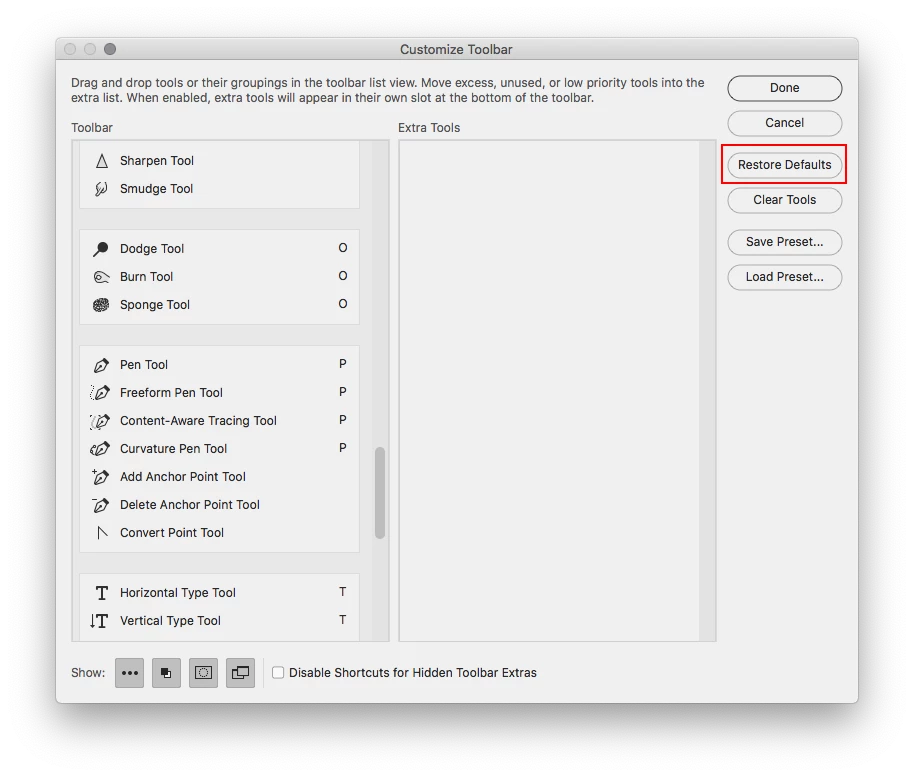
You could also try going to Edit>Toolbar and then click Restore Defaults.


4 replies

Participant
December 7, 2020

Please anytime I open the content-aware tool my pc will just hang and close don't know what is wrong please help

Liviap1803
Participant
November 8, 2020

What should I do if it is not listed on my Techonlogy previous?

I have the latest version of photoshop updated. V22


Please help 😞 


Jeff Arola
Community Expert
Community Expert
November 9, 2020

In photoshop if you go to Help>System Info, what Adobe Photoshop Version does the top line say?


What operating system are you using?

Known Participant
October 23, 2020

I've done those steps 3x and the tool still won't load for me!

Jeff Arola
Community Expert
Jeff ArolaCommunity ExpertCorrect answer
Community Expert
October 23, 2020

Did you restart photoshop?


You could also try going to Edit>Toolbar and then click Restore Defaults.


Known Participant
October 23, 2020

Edit>Toolbar > Restore Defaults did the trick for me. Thanks Jeff!

Jeff Arola
Community Expert
Community Expert
October 21, 2020

First you have to go to the Photoshop>Preferences and under Technology Previews check Enable Content Aware Tracing Tool, restart photoshop and it should be listed with the other Pen Tool options.


Participating Frequently
October 21, 2020

I have done that, closed Photoshop, and reopened and it still does not appear. In addition, I am also missing the preset syncing feature under General. I am on Ver 22 on a PC.