Participant
April 28, 2020
Question

app.activeDocument.copy(true) in photoshop javascript returns error

  • April 28, 2020
  • 3 replies
  • 3130 views

I am trying to copy the active document to a new document with the layers merged

photoshop cc 2020 javascript

here is what I have tried:

var docRef = app.activeDocument;

docRef.selection.copy(true);


the photoshop message I get is:
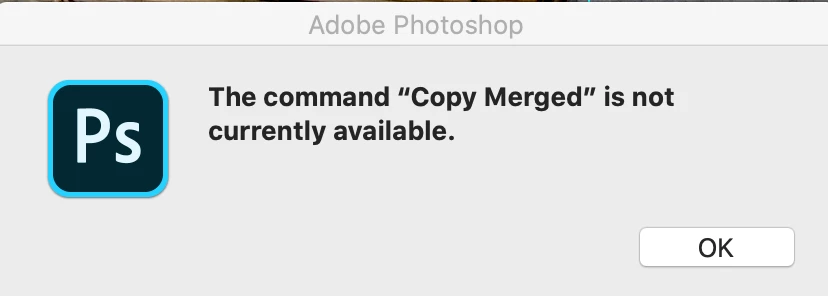
 

I am undoubtedly missing something.

This topic has been closed for replies.

3 replies

Charu Rajput
Community Expert
Community Expert
April 28, 2020

Hello, Following two lines will allow you to duplicate the document and merge layers in the duplicated document. I hope this helps you.


var duplicateDocumentName = "DuplicateDoc";   // Name of the duplicate document, change if required
app.activeDocument.duplicate(duplicateDocumentName); // This will duplicate the document
app.activeDocument.mergeVisibleLayers();  // This will merge the Visible Layers.


Thanks

Best regards
JJMack
Community Expert
Community Expert
April 28, 2020


app.activeDocument.duplicate(duplicateDocumentName,true); 

May do the duplicate merged


JJMack
Chuck Uebele
Community Expert
Community Expert
April 28, 2020

I would use the scriptListener plugin to record creating a duplicate document, with merge visible selected.

JJMack
Community Expert
Community Expert
April 28, 2020

That looks like it would be a copy merge of all layer active selection to the clipboard. Did the script set a selection first? You should post the full script...


You want to duplicate the document.


JJMack
Participant
April 28, 2020

Hi JJMack,

Thanks


That was the whole script.  🙂


I am building a bigger sript in stages, one working piece at a time.

I have been boning up on javascript but the syntax of the photoshop extensions is a lot to jump into- and outside of this forum I have not found many examples of actual working code (with parameters.)


In the scripting reference, I see this copy command is for "ArtLayer" and "Seletion" objects. So I understand your comment- and no I did not make a selection first. This could work if I could select all the layers and do a copy(true) to merge the layers, have it saved in clipboard and then creae a new document from that saved in the clipboard.


1. The scripting reference has a code to do that:

var docRef = app.activeDocument

docRef.artLayers("Background").copy()


car newDocRef = app.documents.add(8, 6, 72, "New Doc")

newDocRef.paste()


A couple of things that I would need to correct = .artLayers("all layers"); copy(true). I see documents.add has width, height, dpi and doc name (please correct me if I am wrong) but I want the new one to be the same size as the old one.)


Interestingly - under "selection" "paste" is not a method. And in "documents" "paste" is there with only the merge boolean option. It appeared that I could run it from a document. I believe my code did not copy to clipboard because I didn't set selection.


2.Using the "duplicate" from the "documents" section looks like it could acomplish it in one step- I don't have an example of that code. I would also need to merge or flatten the image after duplicating the image with all layers. I see a merge command in ArtLayer but it does not suggest how to select and merge "all: layers. 


3. One other thing - where do I find the complete list of parameters for a method. Here is an example from the javascript guide:

var mergeDoc = app.documents.add (1000, 1000, 72, "Merged Samples", NewDocumentMode = RGB, DocumentFill.TRANSPARENT, 1)   

I see it these parameters in the add method of Documents. However I go to resize or resize image and there are only width, heigth and anchor- I've see scripts that have resize with: width, height, dpi, and resmaple method- where can I find those?


Thanks


Kirk